© MOBATIME 19 / 120 800652.11
6.1.4 Menu structure
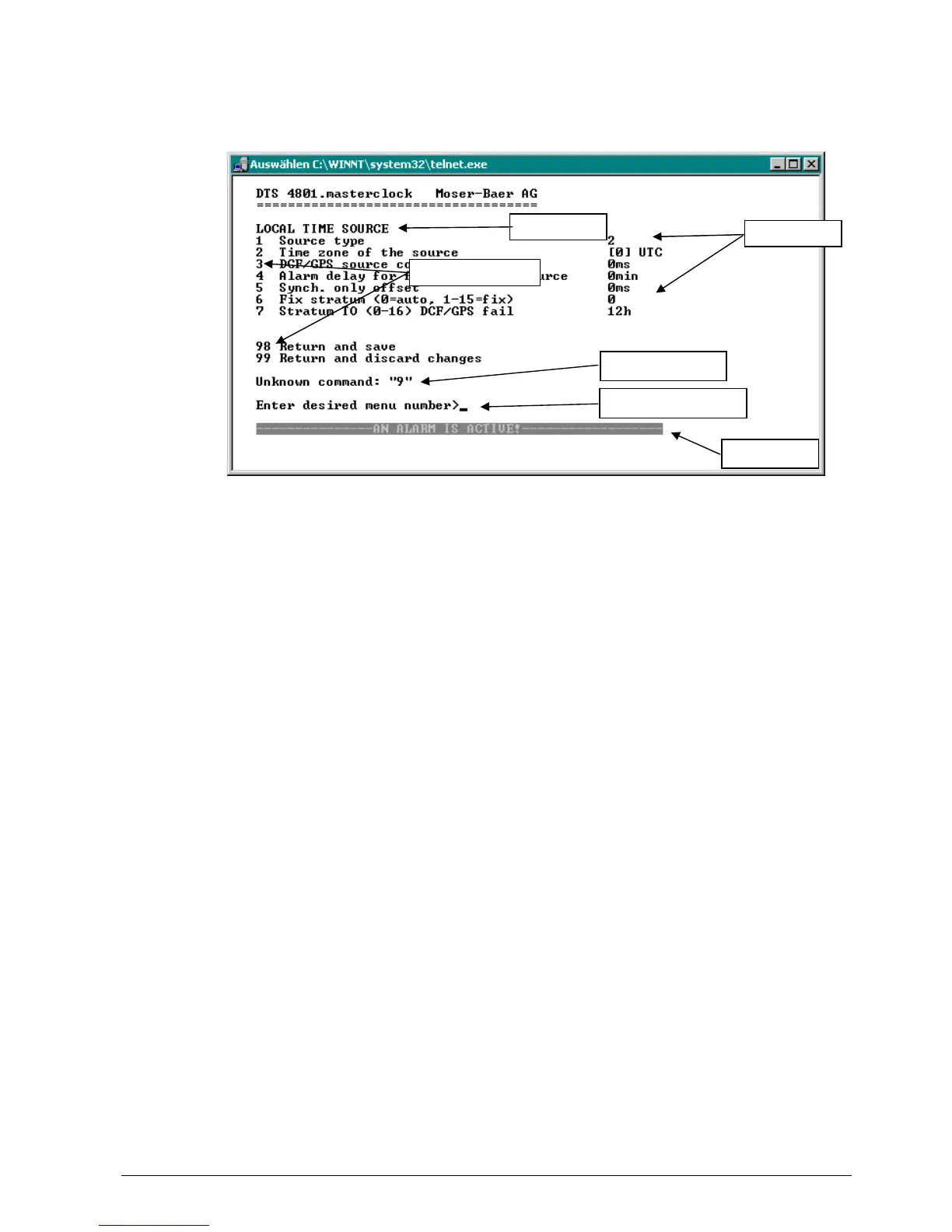
The current menu is always displayed in the menu title. The menu options show all
the selectable menu functions. Provided the menu item is not a further menu, the set
parameters are displayed. Error messages (e.g. invalid entries) or additional
information to the selected menu items are displayed in the response line. The input
line shows the current input values or options possible. The status line only appears,
when an information has to be displayed, e.g. "An alarm is active".
All entries must be completed with ENTER (Return) (e.g. also ESC).
The menu window can always be exited with Ctrl-C (incl. termination of the Telnet and
SSH connection).
The desired menu can be selected with the relevant number.
The numbers 98 and 99 are always used identically:
With 98, the settings entered are saved and the menu exited. Depending on the
change, the DTS 480x or only partial functions are rebooted.
With 99, all changes to the menu are reversed and the menu exited.
In the menus where data cannot be saved (command 98), the menu is only exited
with 99, but any changes are not saved.
The current menu is updated, without any further entry, with ENTER.
menu title
menu o



 To Next Page