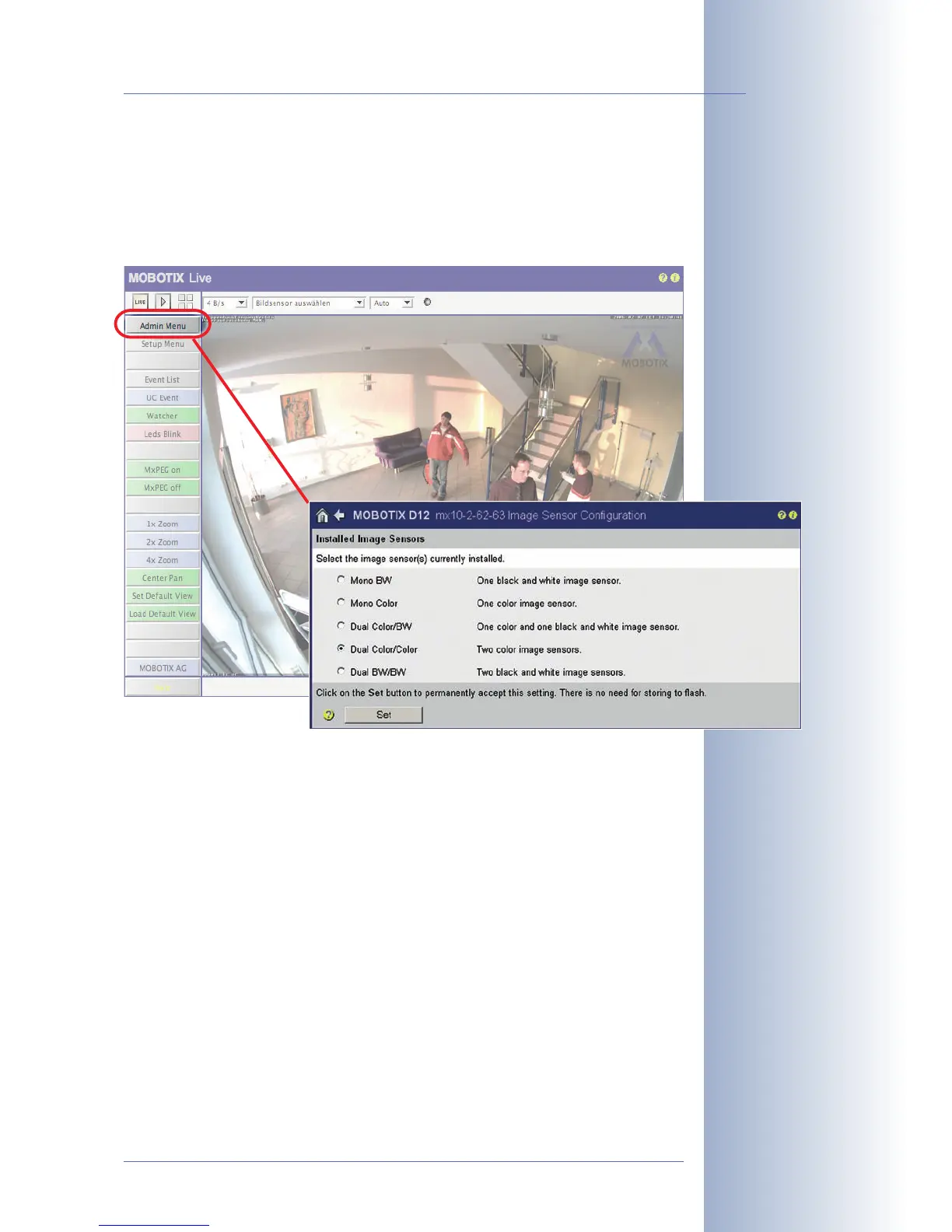
2.5.1 Activating the Camera Configuration in the Quick Installation Wizard
Since the D12D can be ordered with different sensor configurations (color/color,
color/black & white, black & white/black & white), you need to set the installed
sensor combination in the camera user interface. This is done either in the Quick
Installation wizard or in the Admin Menu> Image Sensor Configuration dialog.
© MOBOTIX AG • Security-Vision-Systems • Made in Germany
www.mobotix.com • sales@mobotix.com
43/132
D12 Camera Manual Part 1
Configuring the image
sensors: Admin Menu>
Quick Installation or Ad-
min Menu> Image Sen-
sor Configuration



 To Next Page