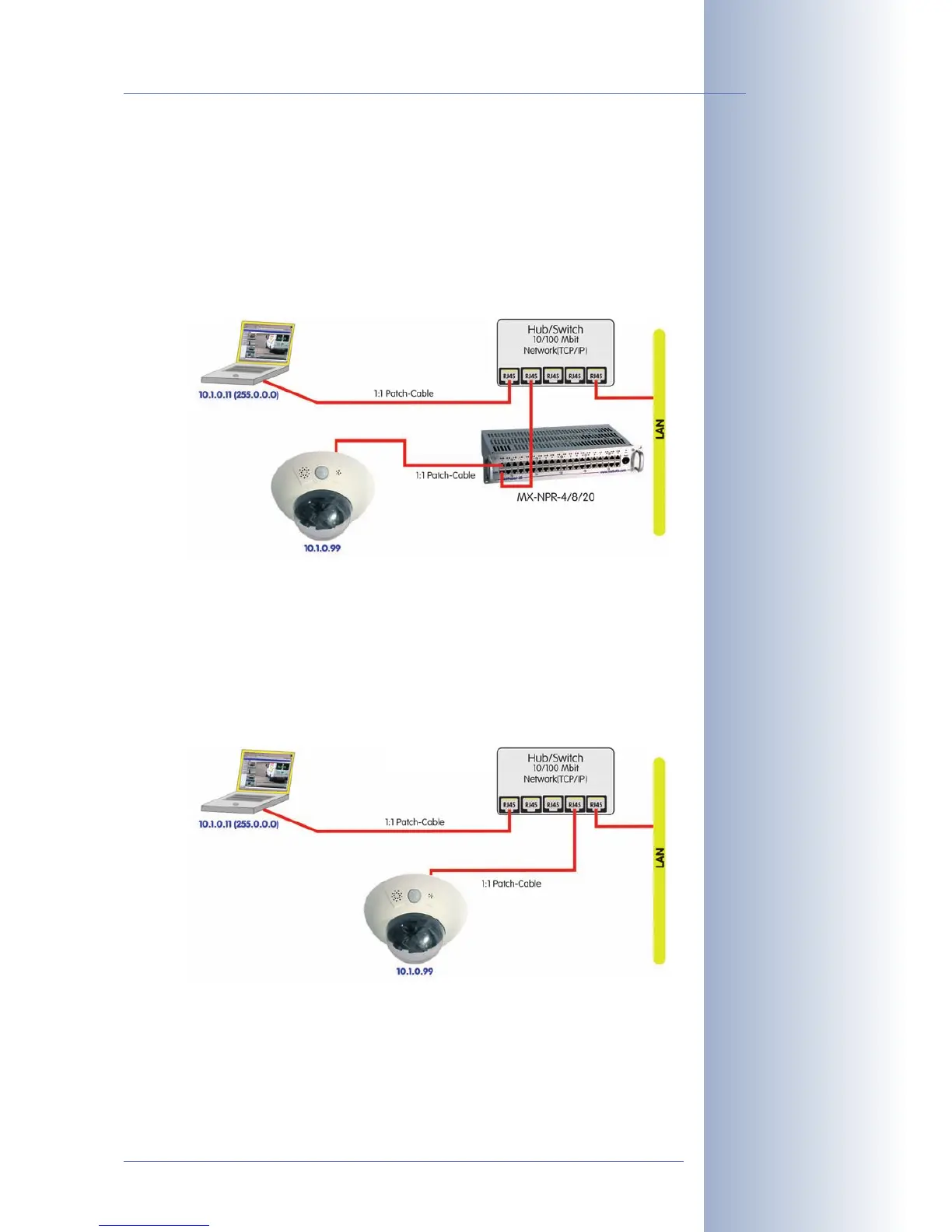
3.2.5 Power Supply Using a Network Power Rack (MxPoE)
(1) Connect the 10BaseT/NET connector of the camera to the CAM connector of
the Network Power Rack (MX-NPR-8/20) or the Network Power Box (MX-
NPR-4).
(2) Connect the LAN connector of the Network Power Rack to an Ethernet con-
nector of the switch/router.
A Network Power Box (MX-NPR-4) is connected in the same way.
3.2.6 Power Supply (PoE IEEE 802.3af) Using Power-over-Ethernet Products
Connect the factory pre-installed cable of the camera to the Ethernet connector of
the PoE switch/router. The switch/router needs to support the PoE standard IEEE
802.3af.
© MOBOTIX AG • Security-Vision-Systems • Made in Germany
www.mobotix.com • sales@mobotix.com
89/132
D12 Camera Manual Part 1
MOBOTIX Network
Power Rack or Network
Power Box required
Use the 19" MOBOTIX
Netpower rack-mount
units to supply power to
8/20 cameras
Use the MOBOTIX Net-
work Power Box for
smaller installations
Uninterruptible power
supply (UPS) should be in-
stalled
PoE switch/router accord-
ing to IEEE 802.3af re-
quired
PoE IEEE 802.3af!



 To Next Page