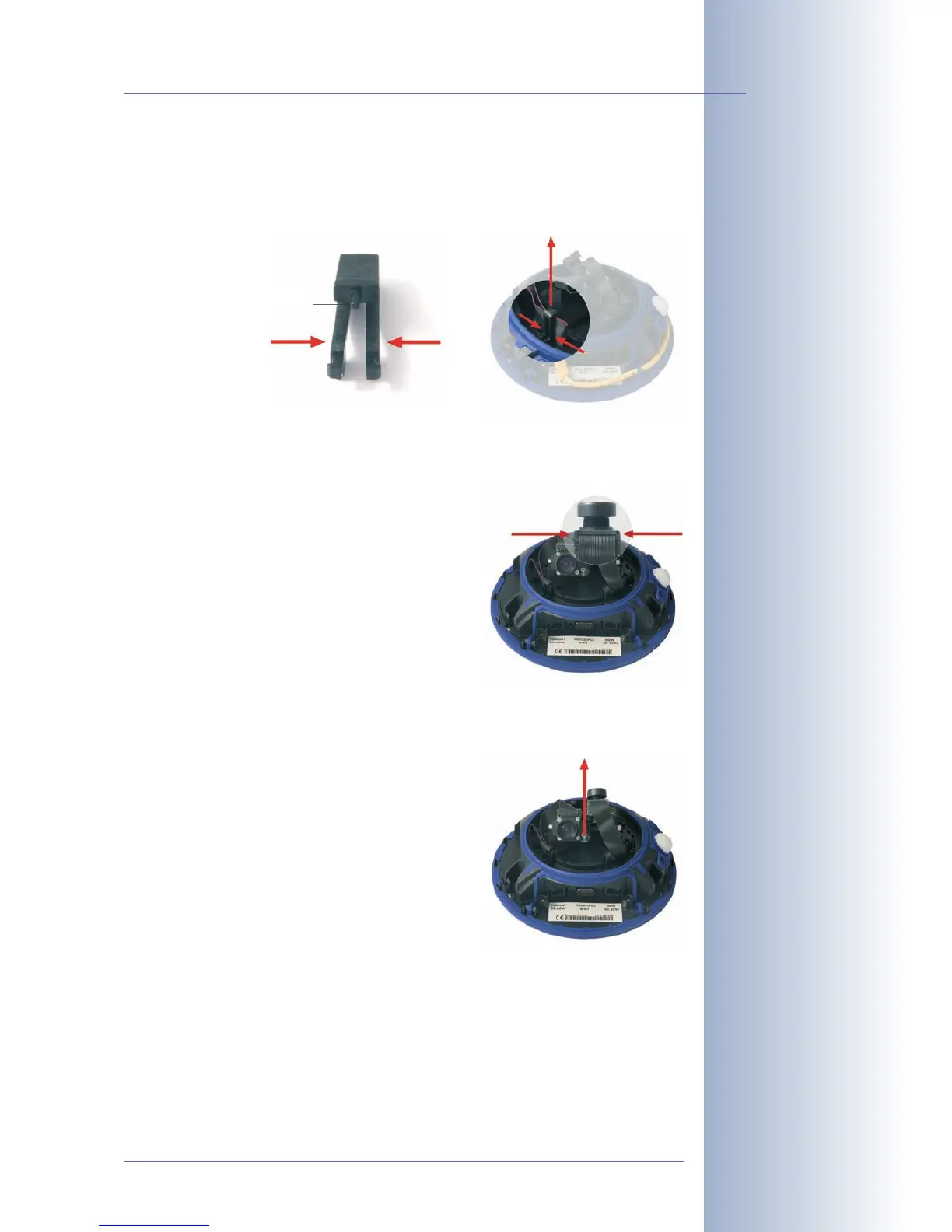
(5) Remove the cable clamps in the dome's interior
Gently press the sides of the cable clamps and lift the clamps from their
seats.
(6) Remove the lens connectors
Press the clamps on the side of each ribbon
cable connector, then gently pull the connec-
tors from the lens' pin header.
(7) Remove the central lens screw and the lens
units
Remove the central lens screw using the sup-
plied 3mm Allen wrench. Lift the lens units
out of their seats.
© MOBOTIX AG • Security-Vision-Systems • Made in Germany
www.mobotix.com • sales@mobotix.com
73/132
D12 Camera Manual Part 1
Pin



 To Next Page