128
Q26 Camera Manual: Operating the Camera
Ceiling-Mounted:SetNorth(User-DenedNorthDirection)
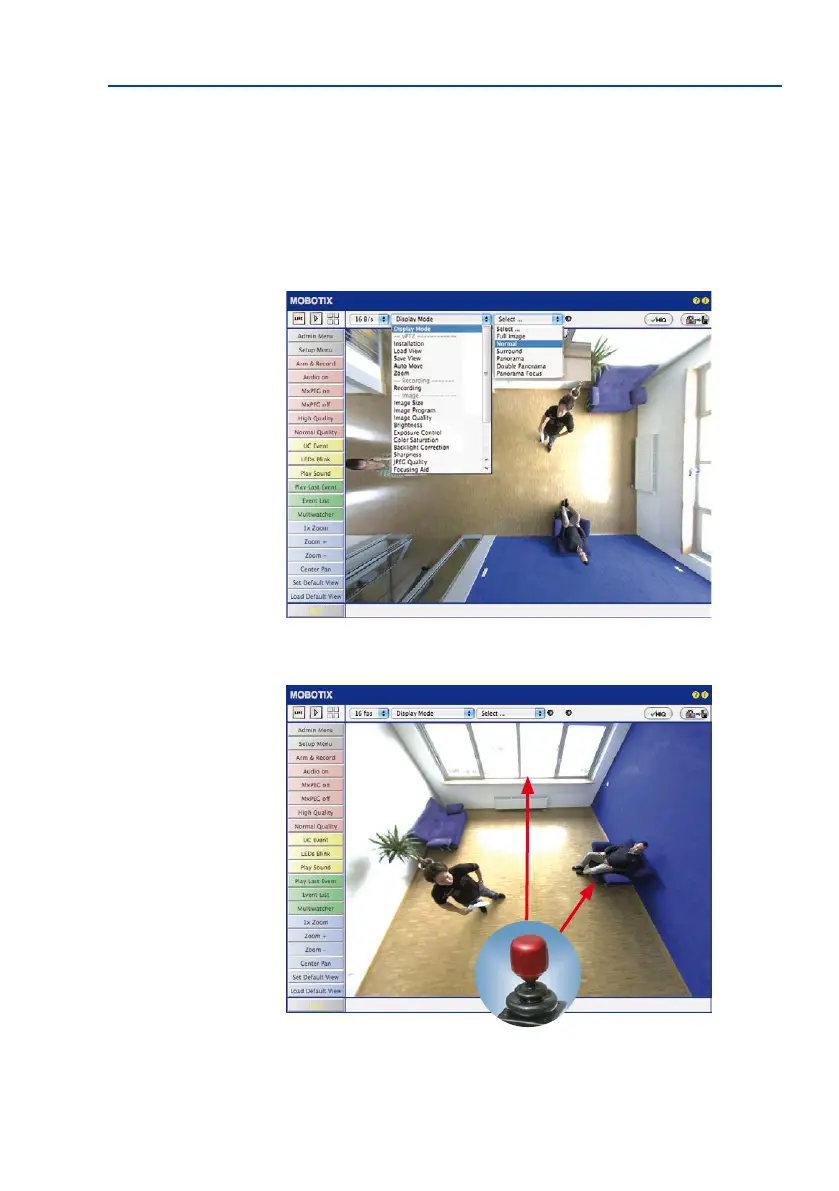
Once the Q26 has been mounted on a ceiling, you need to specify its North direction. This is
not the “true” direction of North but rather the main line of sight or the focus of the lens. It
serves as a reference for the North direction in the Surround and Double Panorama display
modes (the Ceiling option was already selected in the Installation Type Quick Control).
1. In the case of a double image, click on the corresponding sensor module (camera
image) and select the Normal option from the Display Mode Quick Control.
2.
Rotate the live image in the desired direction using the mouse or a joystick connected
to the computer.
vPTZ
For vPTZ use and the
conguration of a USB
joystick, see Section 3.3.1



 To Next Page