59
Preparing the Installation
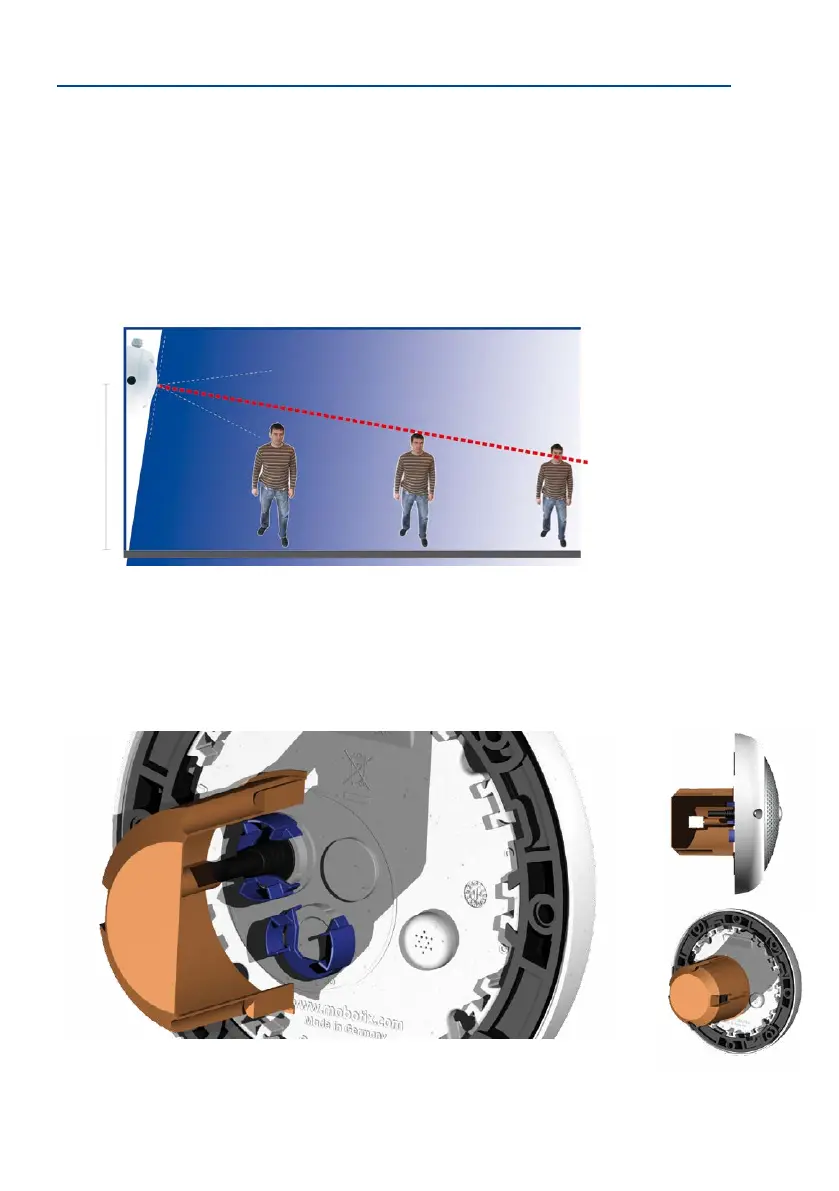
Wall Installation with the 10° On-Wall Set for Image Optimization
An on-wall set, available as an accessory in 0° and 10° inclinations, may also be used for
installation. While the 0° set primarily oers easier installation and more storage space for
cables and add-on modules (WLAN, connectors, etc.), the 10° set may also increase the
image quality in certain cases. In particular for wall installations which must be carried out
at greater heights for technical or other reasons (over doors, windows, etc.,) adding a slight
tilt to the camera, and thus also the lens, will return better results, as the center of the lens
is then focused more directly on the center of activity in the room (optimal utilization of lens
capabilities).
Wall Mounting Over a Wall Outlet
Professional wall or ceiling installation of a Q26 is generally possible without accessories.
However, due to elevation of the rear casing of the camera caused by connections and
holders, a wall outlet should be installed prior to camera installation (see drilling template
Q26). This provides perfect protection to the cabling, ensuring that it cannot be seen or
damaged from outside.
2.5to3.5m/8to11.5
Camera focus (best image quality) - optimized with 10° On-Wall Set
Optimized image quality
through wall installation
with On-Wall Set 10°



 To Next Page