75
Mounting the Camera Without Accessories
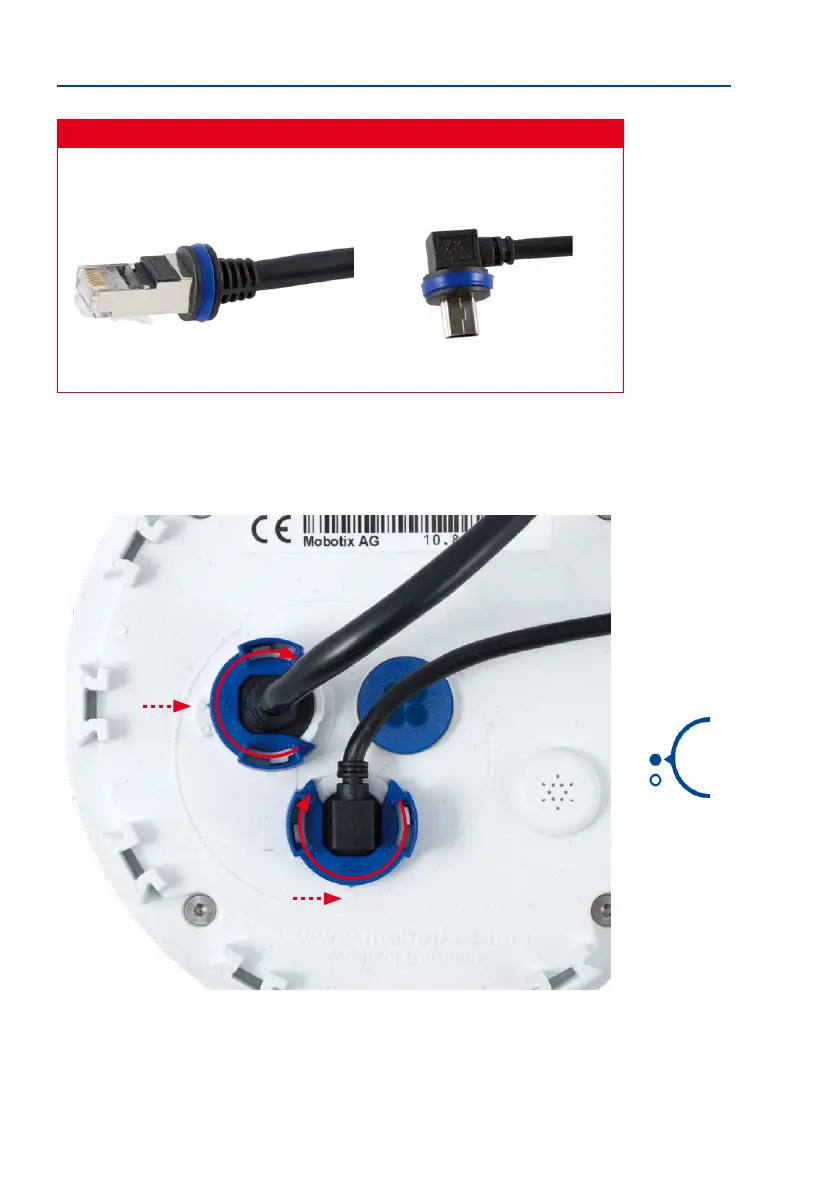
Caution
Only use
original MOBOTIX cables
to connect the camera. Standard cables purchased
from other suppliers do not meet the necessary specications for proper retention (no
IP54 or IP65 weather protection).
MiniUSB cable
Ethernet patch cable
Attaching the Cable Retainer
Insert the cable into the receptacle on the camera. Position the bayonet catch from the side
(opening points to the right). Rotate the bayonet catch clockwise to the “lled circle” sym
-
bol (see image). The cable is now properly retained.
Close the cable retainer by
rotating the bayonet catch
to the marked position
Bayonet catch closed



 To Next Page