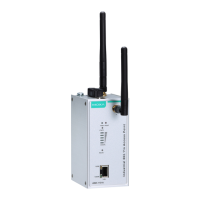
AirWorks AWK-1137C Web Console Configuration
WLAN IP address
Setting Description Factory Default
AWK-1137C WLAN
interface’s IP address
Identifies the AWK-1137C WLAN interface’s IP address on a
TCP/IP network.
192.168.128.253
WLAN subnet mask
Setting Description Factory Default
AWK-1137C WLAN
interface’s subnet mask
Identifies the type of network to which the AWK-1137C
’s WLAN
interface is connected (e.g., 255.255.0.0 for a Class B network,
or 255.255.255.0 for a Class C network).
255.255.255.0
WLAN gateway
Setting Description Factory Default
AWK-1137C WLAN
interface’s default
gateway
The IP address of the router that connects the WLAN to an
outside network.
None
Primary/Secondary DNS server
Setting Description Factory Default
IP address of the
Primary/Secondary
DNS server
The IP address of the DNS Server used by your network. After
entering the DNS Server’s IP address, you can input the
AWK-1137C’s URL (e.g., http://ap11.abc.com) in your
browser’s
address field instead of entering the IP address. The
Secondary DNS server will be used if the Primary DNS server
fails to connect.
None
LAN IP address
Setting Description Factory Default
AWK-1137C LAN
Identifies the AWK-1137C LAN interface’s IP address on a
192.168.127.254
LAN subnet mask
Setting Description Factory Default
AWK-1137C LAN
interface’s subnet mask
Identifies the type of network to which the AWK-1137C’s LAN
interface is connected (e.g., 255.255.0.0
or 255.255.255.0 for a Class C network).
255.255.255.0


 To Next Page
 Loading...