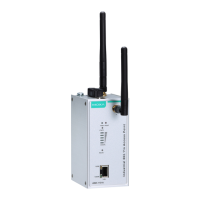
AirWorks AWK-1137C Web Console Configuration
Port Buffering
Setting Description Factory Default
Enable, Disable
This field specifies whether the serial port will use port buffering
when the network connection (Ethernet or WLAN) is down. Port
buffering can be used in Real COM mode, TCP Server mode,
and TCP Client mode. For other modes, the port buffering
settings will have no effect.
Disable
Serial Data Logging
Setting Description Factory Default
Enable, Disable
This field specifies whether data logs for the serial port will be
stored on system RAM. Each serial port is allotted 256 KB for
data logging. The data log is not saved when the AWK-1137C i
powered off.
Disable
Advanced Setup
Several advanced functions are available to increase the functionality of your AWK-1137C and wireless network
system. A VLAN is a collection of clients and hosts grouped together as if they were connected to the broadcast
domains in a Layer-2 network. The DHCP server helps you deploy wireless clients efficiently. Packet filters
provide security mechanisms, such as firewalls, in different network layers. Moreover, AWK-1137C’s SNMP
support can make network management easier.
Using Virtual LAN
Setting up Virtual LANs (VLANs) on your AWK series increases the efficiency of your network by dividing the
LAN into logical segments, as opposed to physical segments. In general, VLANs are easier to manage.
The Virtual LAN (VLAN) Concept
What is a VLAN?
A virtual LAN, commonly known as a VLAN, is a group of hosts with a common set of requirements that
communicate as if they were attached to the same broadcast domain, regardless of their physical location. A
VLAN has the same attributes as a physical LAN, but it allows for end stations to be grouped together even if
they are not located on the same network switch. Network reconfiguration can be done through software
instead of physically relocating devices.
VLANs now extend as far as the reach of the access point signal. Clients can be segmented into wireless
sub-networks via SSID and VLAN assignment. A Client can access the network by connecting to an AP
configured to support its assigned SSID/VLAN.
Benefits of VLANs
VLANs are used to conveniently, efficiently, and easily manage your network in the following ways:
• Manage adds, moves, and changes from a single point of contact
• Define and monitor groups
• Reduce broadcast and multicast traffic to unnecessary destinations
• Improve network performance and reduce latency
• Increase security
• Secure network restricts members to resources on their own VLAN
• Clients roam without compromising security


 To Next Page
 Loading...