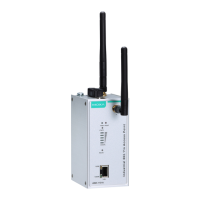
AirWorks AWK-1137C Web Console Configuration
Force Transmit
Setting Description Factory Default
0 to 65535 This field controls data packing by the amount of time that
elapses between bits of data. When using this field, make sure
that Inactivity time is disabled or set to a larger value.
Otherwise the connection may be closed before the data in the
buffer can be transmitted.
0: If serial data is received, setting this value to 0 means no
data will be buffered and all data will be transmitted
immediately as received.
1 to 65535: If serial data is not received for the specified
amount of time, the data that is currently in the buffer will be
packed for network transmission. The optimal force transmit
time depends on your application, but it must be at least larger
than one character interval within the specified baudrate. For
example, assume that the serial port is set to 1200 bps, 8 data
bits, 1 stop
bit, and no parity. In this case, the total number of
bits needed to send a character is 10 bits, and the time required
to transfer one character is 8.3 ms, so the force transmit time
to be larger than 8.3 ms.
0 ms
TCP Server Mode
AWK-1137C serial port is
port address that is unique on your
TCP/IP network. It waits for the host computer to
establish a connection to the attached serial
device. This operation mode also supports up to
four simultaneous connections, so
multiple hosts
can collect data from the attached device at the
Data transmission proceeds as follows:
A host requests a connection to the
AWK-1137C serial port.
Once the connection is established, data can
be transmitted in both directions—from the
host to the device, and from the device to the
host.

 To Next Page
 Loading...