NPort IA5150A/IA5250A Series Choosing the Proper Operation Mode
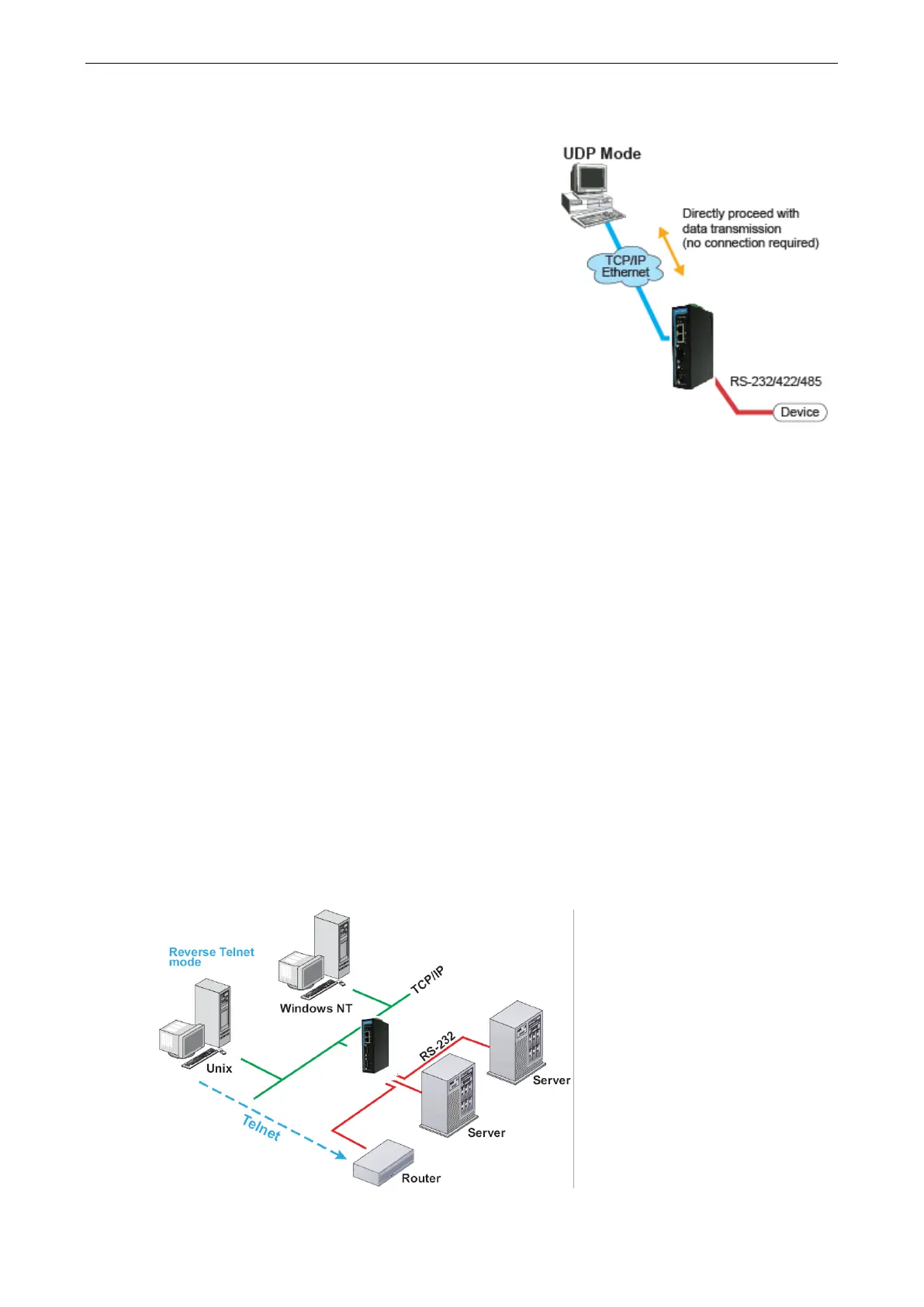
UDP Mode
to TCP communication, UDP is faster and more
efficient. In UDP mode, you can
not only unicast but also
multicast data from the serial device to multiple host
computers, and the serial device can also receive data
from multiple host computers, making this
mode ideal for
message display applications.
Pair Connection Mode
Pair Connection Mode employs two NPort IA5150A/IA5250A units in tandem, and can be used to remove the
15-meter distance limitation imposed by the RS-232 interface. One NPort IA5150A/IA5250A is connected from
its RS-232 port to the COM port of a PC or other type of computer, such as a hand-held PDA, and the serial
device is connected to the RS-232 port of the other NPort IA5150A/IA5250A. The two NPort IA5150A/IA5250A
units are then connected to each other with a cross-over Ethernet cable, both are connected to the same LAN,
or in a more advanced setup, they communicate with each other over a WAN (i.e., through one or more
routers). Pair Connection Mode transparently transfers both data and modem control signals (although it
cannot transmit the DCD signal) between the two NPort device servers.
Ethernet Modem Mode
Ethernet Modem Mode is designed for use with legacy operating systems, such as MS-DOS, that do not support
TCP/IP Ethernet. By connecting one of the NPort IA5150A/IA5250A’s serial port to the MS-DOS computer’s
serial port, it is possible to use legacy software originally designed to transmit data via modem, but now
transmit the data over the Ethernet.
Reverse Telnet Mode



 To Next Page
 Loading...




