NPort IA5150A/IA5250A Series Web Console Configuration
Auto report to IP
Setting Factory Default Necessity
E.g., 192.168.1.1 or
URL
(IP addresses in the
form of x.x.x.0 and
x.x.x.255 are invalid.)
None Optional
Reports generated by the Auto report function will be automatically sent to this IP address.
Auto report to TCP port
Setting Factory Default Necessity
E.g., 4001 4002 Optional
Auto report period
Setting Factory Default Necessity
Time interval (in
seconds)
10 Optional
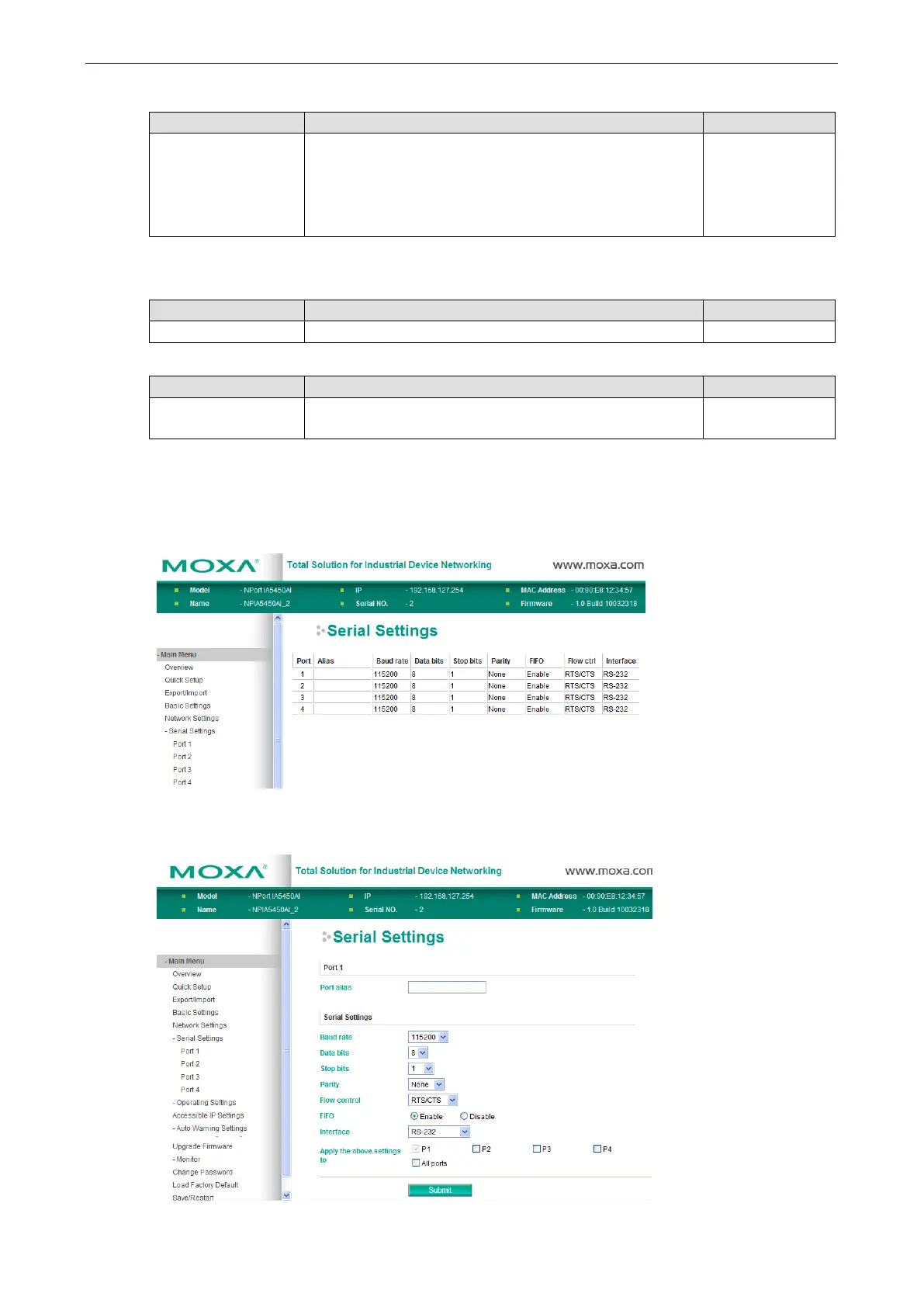
Serial Settings
Click Serial Settings, located under Main Menu, to display the serial port settings.
To modify the serial settings for a specific port, click Port X (X=1 or 2) under Serial Settings.



 To Next Page
 Loading...




