NPort IA5150A/IA5250A Series Configuring NPort Administrator
Adding a Port to a COM Group
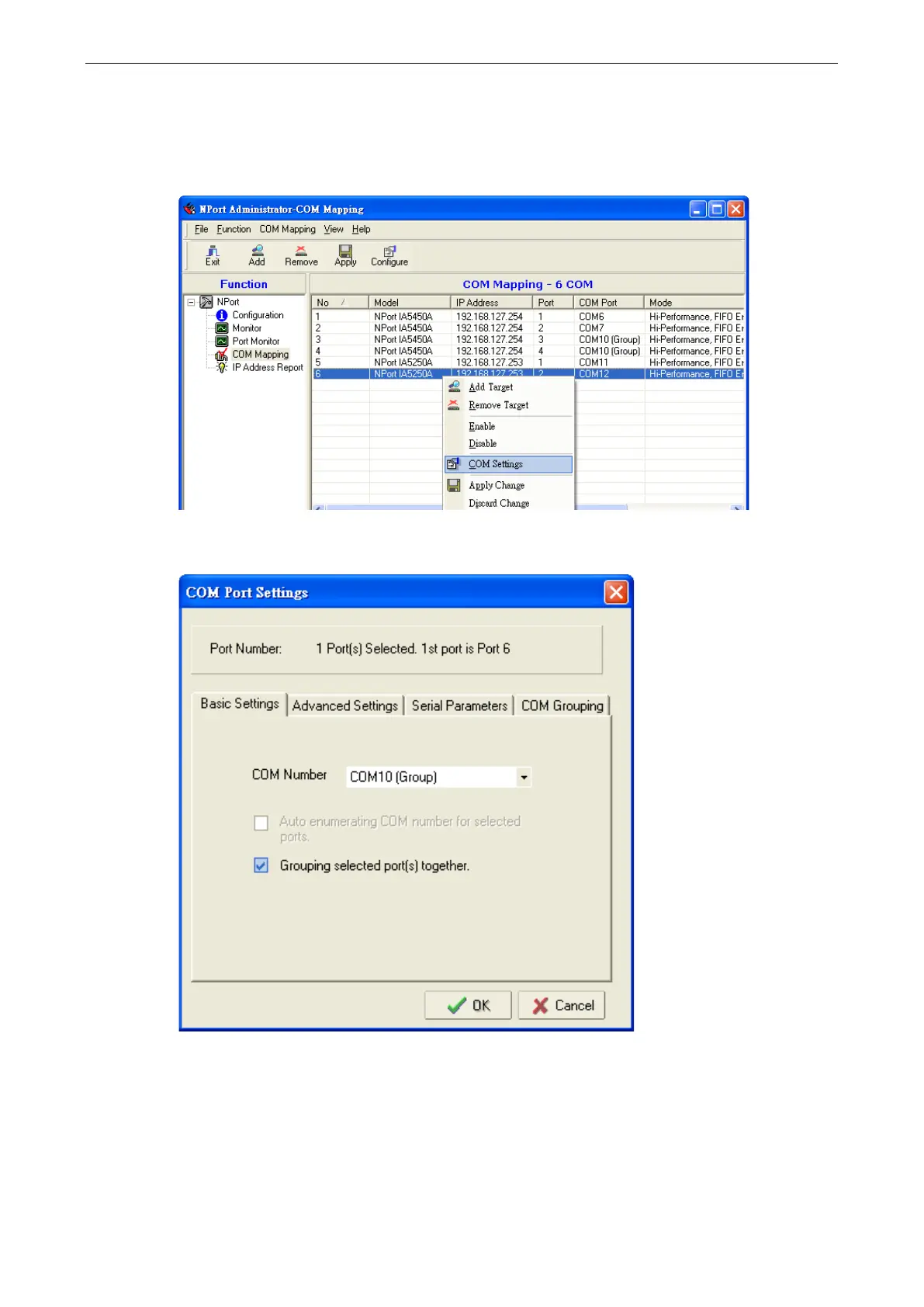
Follow the steps below to add a serial port into an existing COM Group:
1. Select the serial port that you are adding and right-click to select COM Settings.
2. Select the COM number of the COM Group you are adding and check mark the Grouping selected port(s)
together check box and then click OK.



 To Next Page
 Loading...




