USER MANUAL NOVAcompact
MRU GmbH, D-74172 Neckarsulm
3.2. Menu configuration
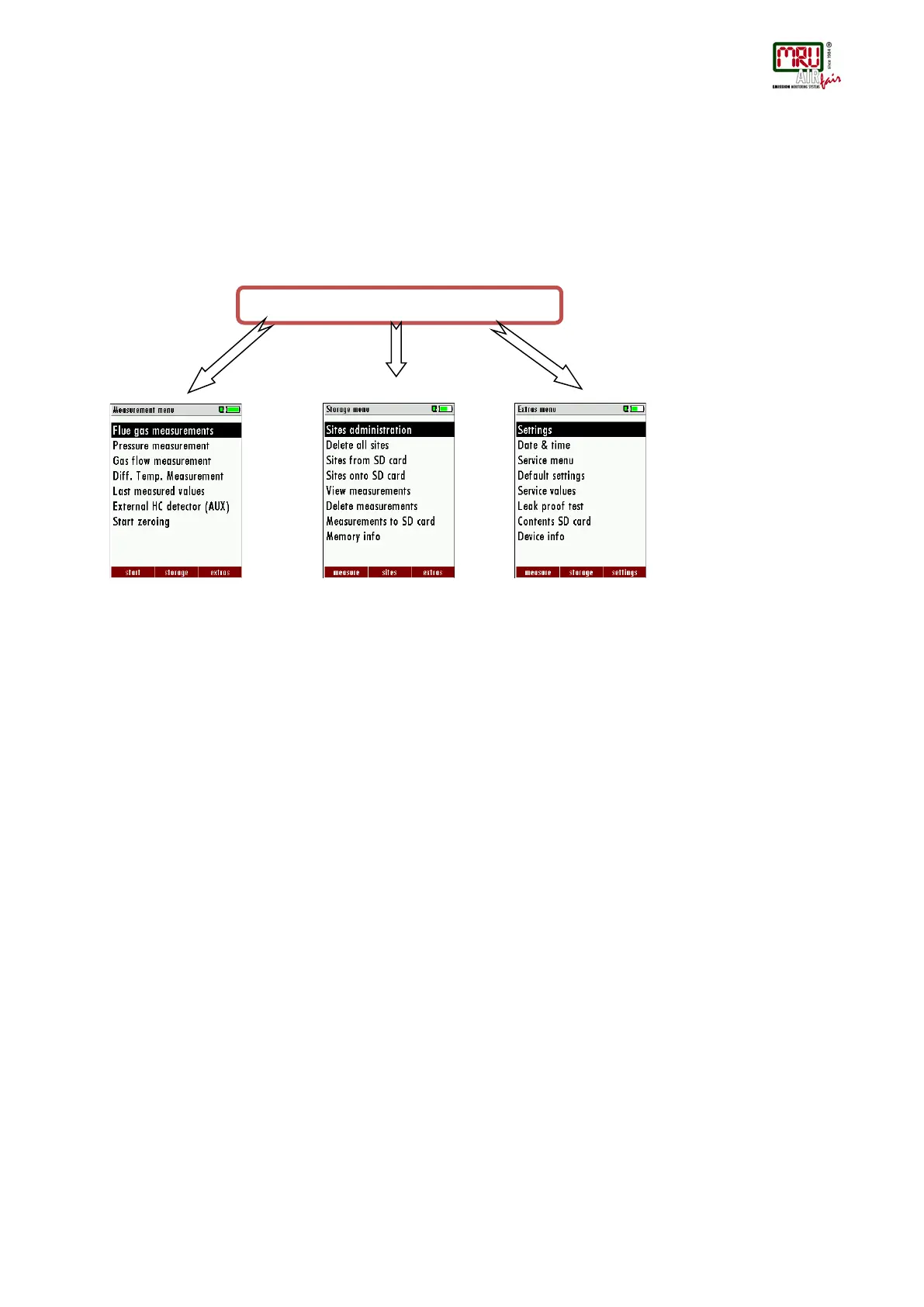
The analyzer organizes all available actions in three main menus:
Menu Measurement all tasks for the measurement programs of the analyzer. Here you
can select all installed and available measurement programs.
Menu Memory all tasks for the management of the data memory available.
Menu Extras all the other available tasks – for management and customizing your
analyzer.
measurements“is a standard
feature in every analyzer and is
explained in chapter 7. Other
menu points are optional and
will be explained either in this
manual or in an additional
manual or flyer.
Please read chapter 8 for
details.
Please read chapter 9 for
details.
You can jump in between the 3 main menus with the 3 function keys (according to the displayed
name on the screen).



 To Next Page