USER MANUAL
compact
MRU GmbH, D-74172 Neckarsulm
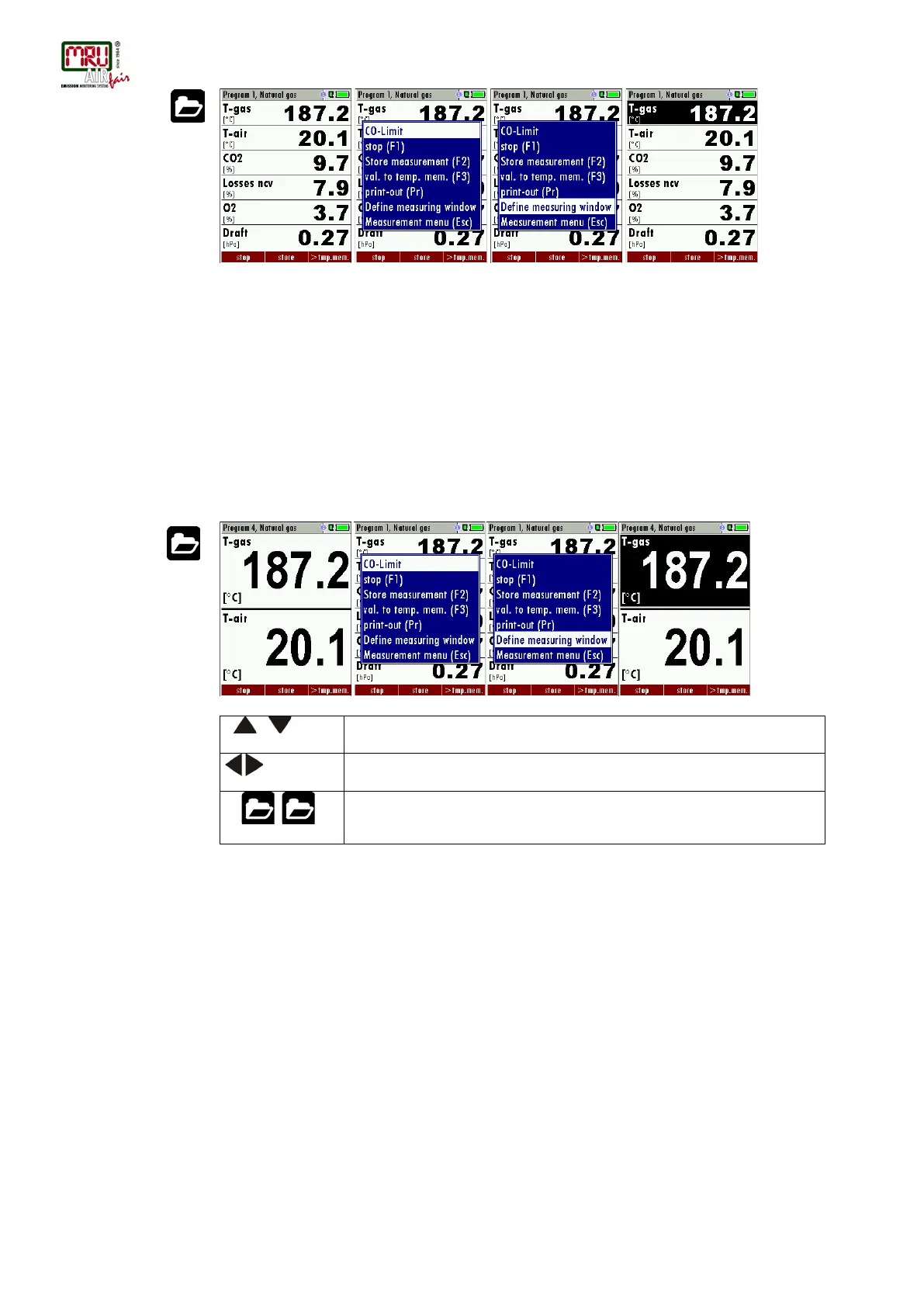
Now you select “define measuring window” and press the OK key. The top value will now be
marked black – this black bar can be moved up and down. Move it to the position that you
would like to change or to the position where you want to add a measuring value. Once you
have reached the position you van uses the arrow left and right keys to change the measuring
value.
When all your changes have been made, you press again the menu key. Now you select “Save
measuring window”. All your changes will be saved and all saved values will be printed when
using the printer function.
Start the measuring program – once you are inside the measuring window press the menu key.
Configuration of the zoom function
For each measurement program you have 3 zoom windows with two selectable values for each
window.
F1 ,
Save measuring window and save configuration
Change measurement program names
In the “Fuel type selection” window you can edit the marked program name with the F3 key and
then change the program name.
4.7. Core flow search
You can choose if you want a core flow search before every measurement or not. This function
is only possible in the programs 1 -4. Enabling the core flow search isa global instrument setting
valid for all programs and therefore described in chapter 4.2



 To Next Page