USER MANUAL NOVAcompact
MRU GmbH, D-74172 Neckarsulm
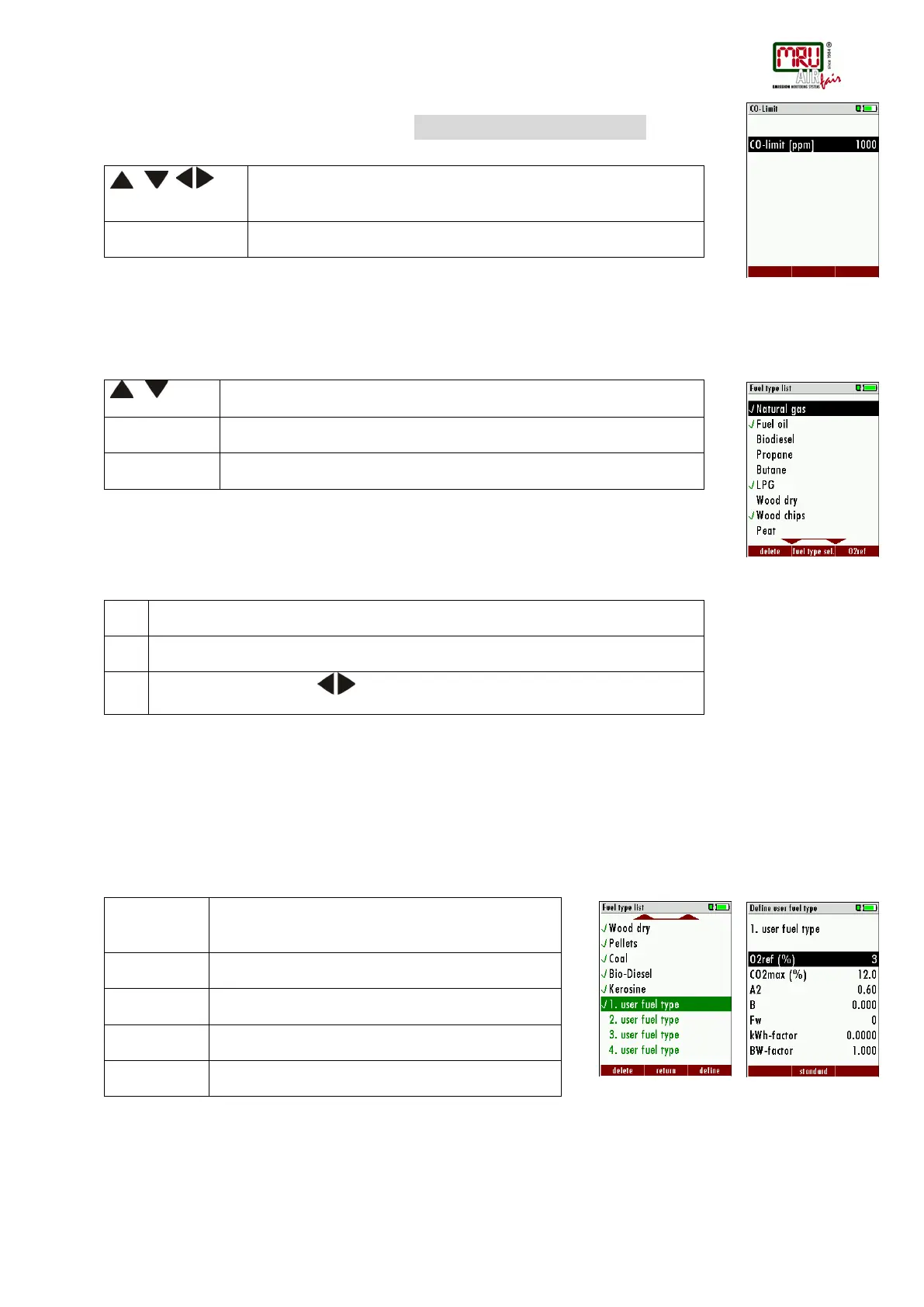
Setting the CO ppm limit values
The CO ppm limit can be adjusted in the window SELECTION MEAS. PROGRAMM / CO LIMIT→ F1
Fuel type selection and O
2 reference
(only if combustion calculation is ON)
Each time you start a measurement program you can select a fuel type from the fuel type short
list. This short list is linked to the measurement program and can be configured as a sub set of
fuel types from the total fuel type list.
First select a program then press OK – then press the F2 key in the window “Fuel type
selection”. All available fuel types are displayed: they can be added to or removed from the
short list by using the F1 key. Added fuel types have a check mark in front of the fuel type.
To each fuel type the parameters are displayed by selecting F3 “O2Ref”. All parameters are
displayed read-only except the O” reference value that can be changed
User definable fuel types
(only if combustion calculation is ON)
Here, four fuels are adjusted individually. The name as well as the parameters are adjustable.
As the other fuel types, they can be pre-selected or left out.
Note: The last 4 fuel types at the list are the user fuel types. The user fuel types are coloured
green.
Configuration of the measurement window (display content)
Start the measuring program – once you are inside the measuring window press the menu- key.
, ,
The CO-ppm limit value can be adjusted in 100 ppm steps between 100
ppm and 4.000 ppm / 10.000 ppm)
Return to the measurement window
Show a pre selected fuel type
Show the list of all fuel types
Input O2-ref with the keys
Add or remove selected fuel to the pre-selected fuel
types
Back to the window “Fuel type selection”
Modify fuel type parameters
Save the new fuel type name



 To Next Page