USER MANUAL NOVAcompact
MRU GmbH, D-74172 Neckarsulm
8. Data storage
8.1. Organisation of the data memory
Basis of the data memory of the analyzer is a set of sites stored in the device. Every site exists
of an unique site number and 8 freely usable text lines which can have, e.g., the address,
customer name etc.
The device can store up to 4000 different sites.
Sites can be created in the device and be changed, or could be imported from a PC program.
Attention: sites created in the device and site data changed in the device will not be updated
towards the PC. The device does only transmit to the PC the measurement values, but no
information about site data.
Measurements are stored by assigning them to a site. Measurements can be, on this occasion,
singles flue gas measurements or other measuring programmes available in the device.
8.2. Information about the data memory
In the menu item "storage" you select „memory info „to get information about the actual memory
volume. The part of free memory, the total number of the stored sites and the number of the
measurements stored all together, split in the kind of the measurement is listed.
8.3. Site administration
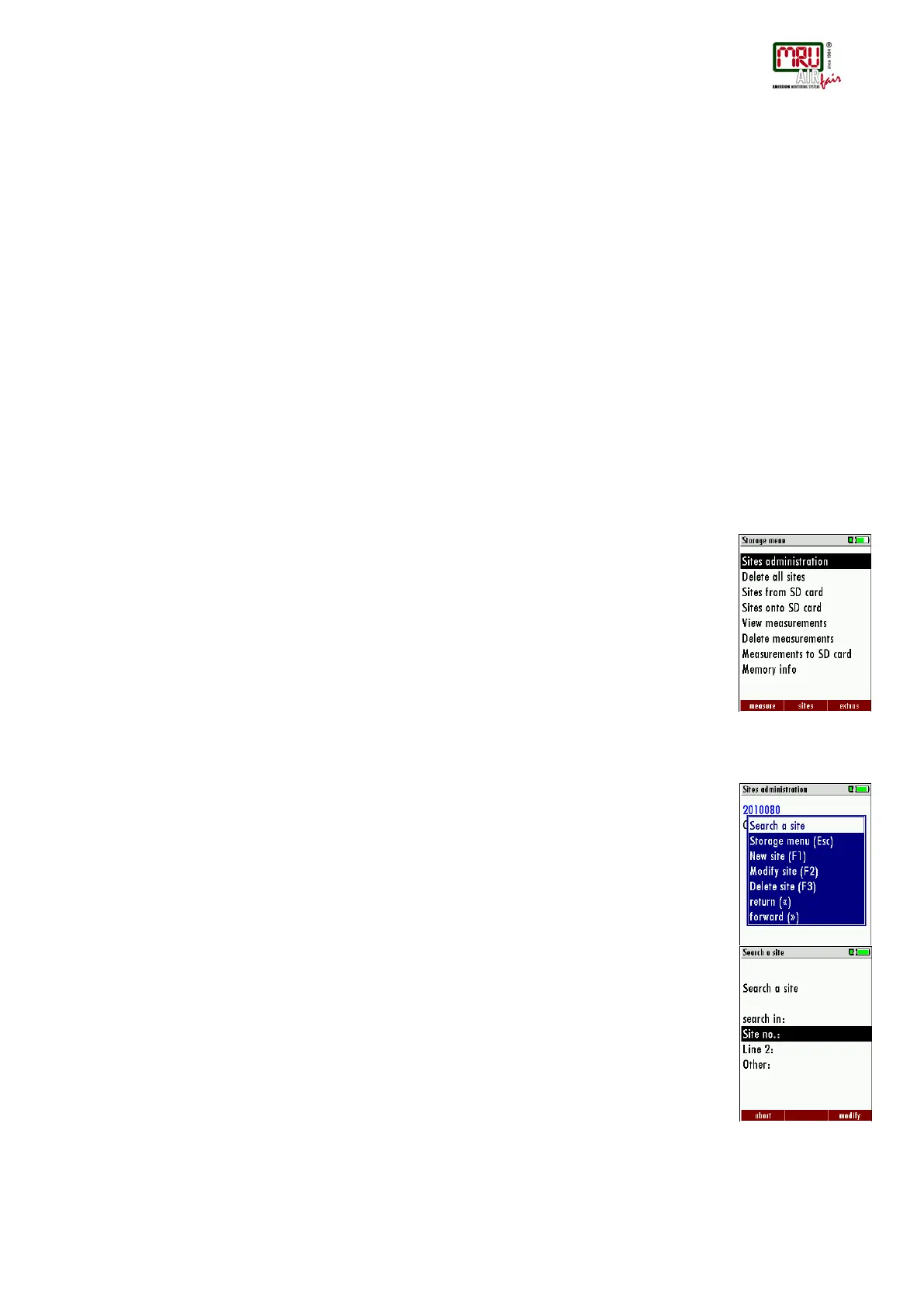
In the menu item “Sites administration” you are able
• view all data of the stored sites
• create new sites
• change date of existing sites
• delete sites
• any change to data of a site will not be transmitted to a PC
Attention:
In the device new created sites and changes in the data of a site will not transmit to the
PC back.
View and search sites
If the menu item "Site administration" will be selected for every stored site will be displayed with:
• of the unequivocal site number in the first line which is set down because of this meaning
colourfully,
• the other 8 free text lines.
With the arrow keys on the left / on the right you scroll by all sites.
In this menu item, as well as in the menus for viewing the measurements, you can filter straight
after sites by using a search mask.
• Select with the menu key "Search a site"
• Now you can enter the text to be searched for the first line, i.e. the site number, or for the
second line, or for the rest of the text lines.
• Select the line for searching (site no. No., line 2, or rests) and select F3 "modify"
• Now in the indicated text input field you can enter a combination of letter, character and
figures for whose occurrence is searched in the selected text field. Press then "OK".



 To Next Page