USER MANUAL
compact
MRU GmbH, D-74172 Neckarsulm
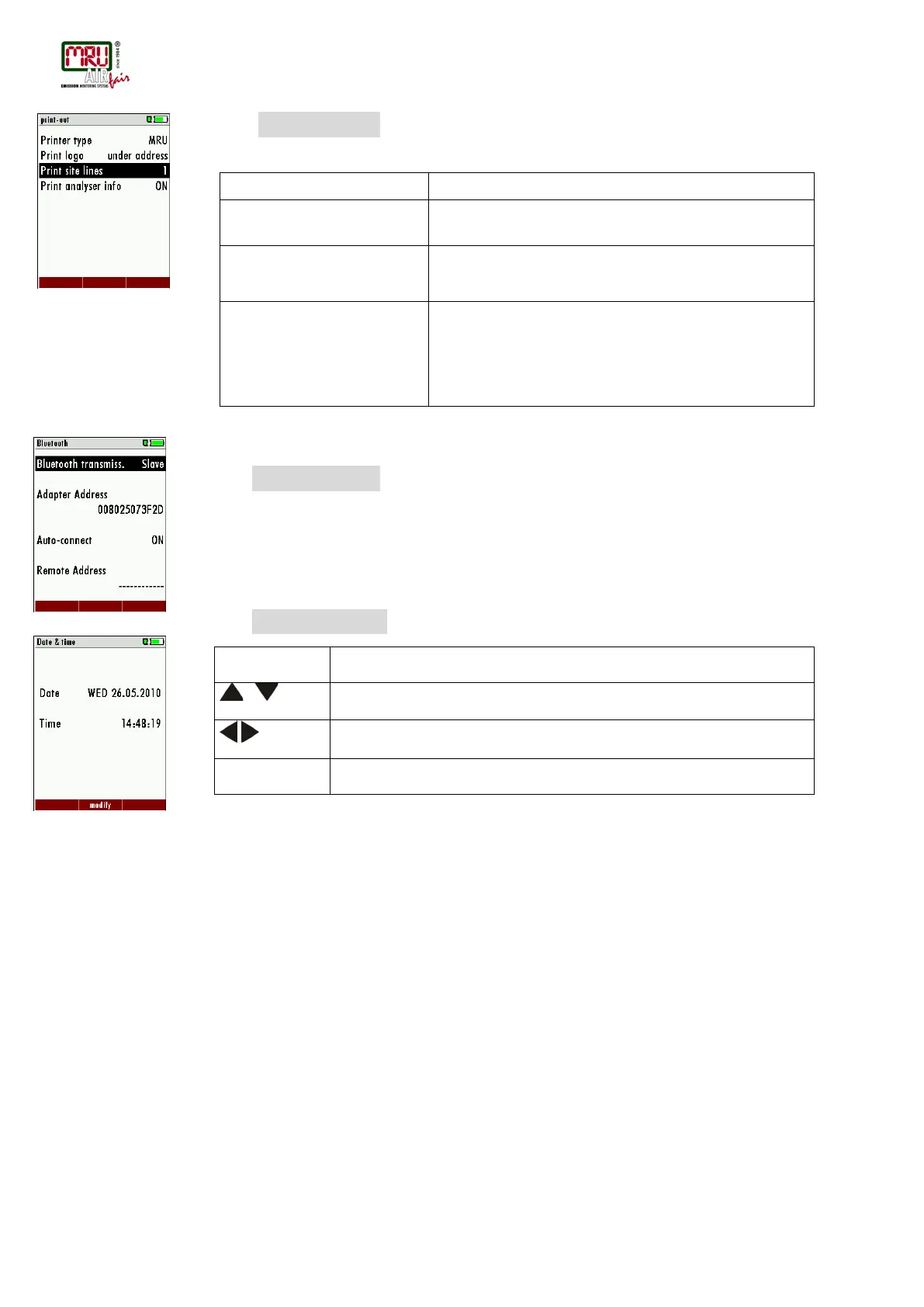
4.3. Setting printer type and print-out
Unter SETTINGS → PRINT-OUT the kind of print-out can be selected:
Print option SHORT/LONG SHORT: Print-out without area for signature and site
information
Line 1 (Site no.) is necessary, further lines (freetext)
printable
To measuring print out can be shorter designed, while the
device info will be
left out.
In some print outs (adjustment, service ...) the info will be
printed forever.
4.4. Bluetooth settings
With SETTINGS → BLUETOOTH the Bluetooth parameter can be set.
If RemoteData, OnlineView or MRUConnect (PDA) with Bluetooth is used, the SLAVE move
mode must be selected. The auto connect mode must be switched OUT.
4.5. Setting time and date
With SETTINGS → DATE & TIME this parameters can be set.
4.6. Configuration of measurement program
(Flue gas measurements) Select one of the 6 configurable measurement programs.
For each of the programs the following parameters can be configured:
• CO ppm limit: adjustable value for the CO sensor protection. If the CO value in the
flue gas is higher than the adjusted value in the analyzer, the purge pump will be
activated and the sensor will be protected against high CO concentrations. (Optional)
• Selectable fuel types: choose and select from the available fuel type list
• Measurement windows: configuration of what and where will be displayed in the 3
measurement value windows.
• Zoom – window: select what will be displayed in the zoom - window
• Program name
The following program is have pre configured:
• “Test Program” indented for use at instrument maintenance and calibration
The configuring of each measurement program, you make after calling the program concerned
measurement / flue gas measurement menu.
Move the cursor to the next position



 To Next Page