USER MANUAL NOVAcompact
MRU GmbH, D-74172 Neckarsulm
7.10. Input of boiler temperature, soot values and derivative
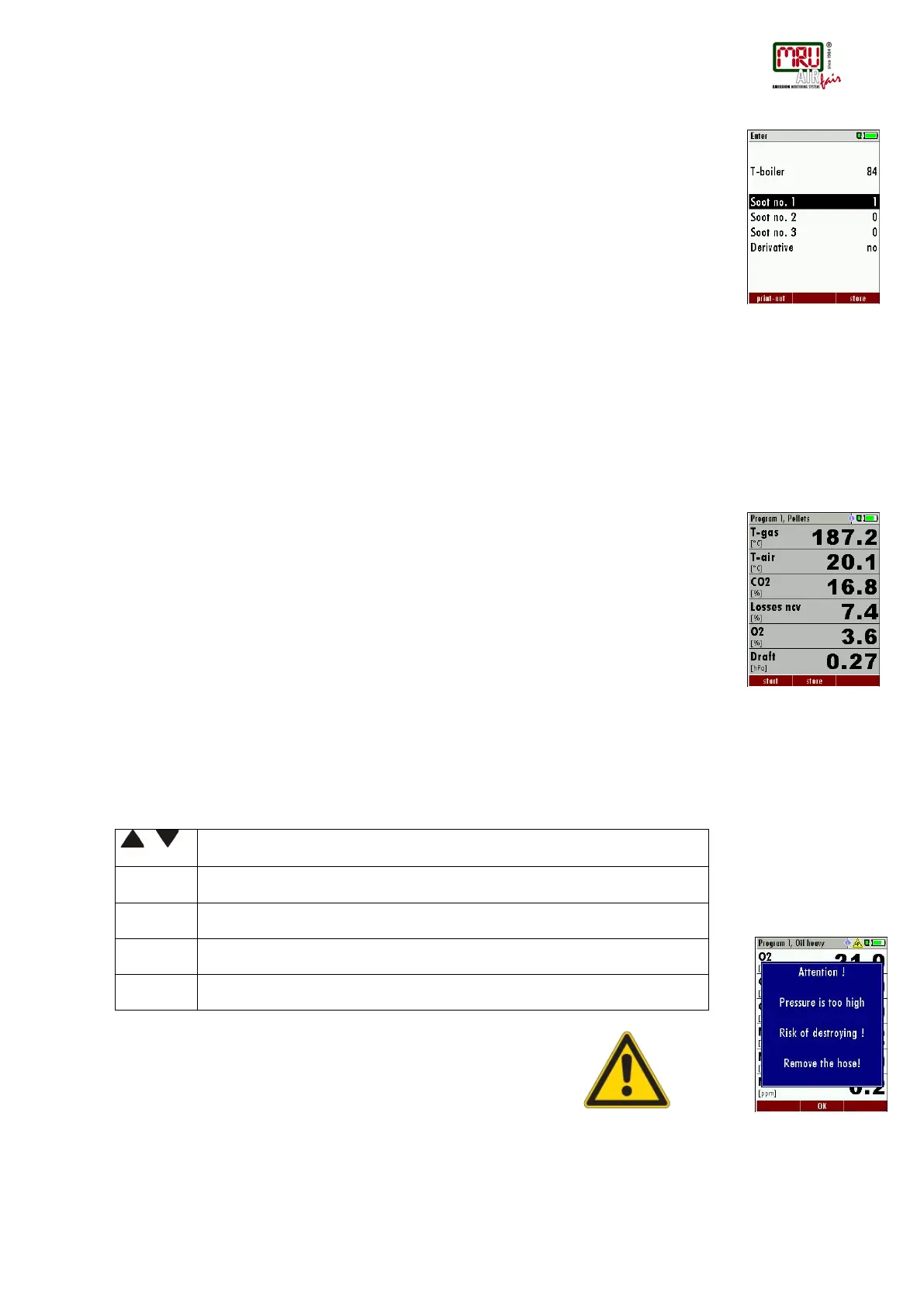
In fact, the OPTIMA 7 has no soot measurement, but you can nevertheless insert, save and
print soot data.
Before using this function it must be switched-ON
After a flue gas measurement is finalized, the externally determined soot data can be entered.
The input of the boiler temperature occurs with the arrow keys left/right
Afterwards the determined soot values and the derivate can be set - with the fuel oil.
Change of the line with the arrow keys up/down.
Save the entered data with the F3–key.
7.11. Printing the measurement results
Measurement results can be printed using the printer button. Printer line feed is activated when
pressing the printer button outside of a measuring screen. All measurement values which are
activated in the measurement screen will be printed (values which are selected more than once
will only be printed once).
7.12. End of measurement
A current emission measurement can be stopped at any time with the F1 key. The display will
change its colour and the measurement will be frozen. At the time you stop the measurement all
measured values are still available and can be viewed at a later time (see chap. 7.13).
Return to the measurement menu by pressing the ESC key.
7.13. Last measurement results
The analyzer allows the viewing of the last measurement after a measurement is completed. In
the main menu “Measurement” select the point “last meas. values”.
The last values can be viewed, printed and/or saved.
Above the F1 key “Start“ instead of “Stop” is displayed. Pressing this key will continue the
measurement.
7.14. Pressure measurement
Pressure (4 values) is measured and saved to the selected measurement name. The actual
measured value is displayed in the middle of the display. The 4 measurement names can be
changed as desired.
The hose on the draft + connector must be connected for draft measurements.
The second hose on the Delta P- connector must be connected for differential measurement.
If the pressure is too high following error message appears:
Error message pressure sensor "pressure too high"
Select the measurement name 1-4
Save the measured value to one of the measurement name
Zeroing the pressure sensor
Change the name of the measurement category
Return to the measurement menu



 To Next Page