USER MANUAL
compact
MRU GmbH, D-74172 Neckarsulm
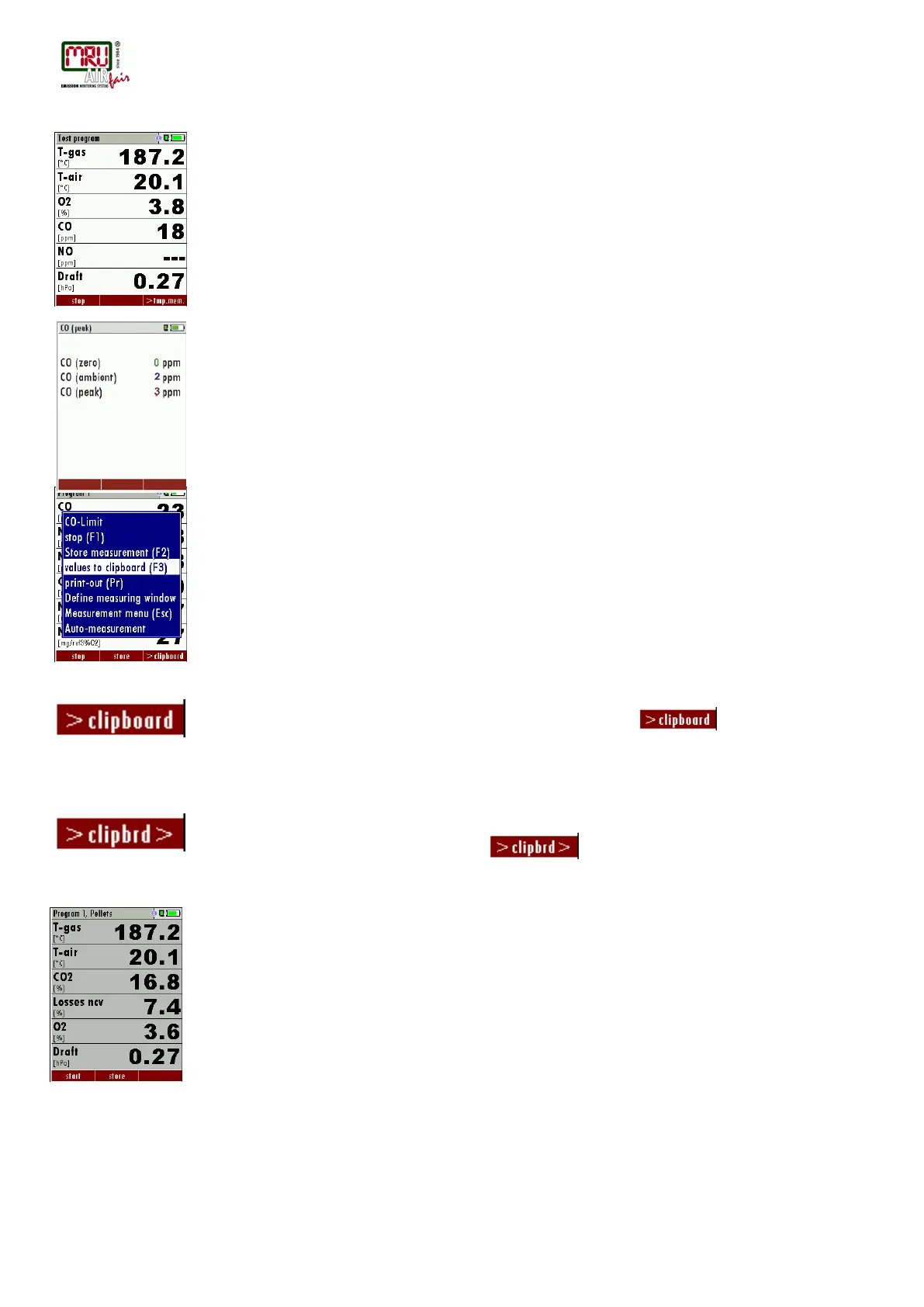
Test program
This test program is made for testing facilities that will test these analyzers with test gases and
don’t need to make any modifications.
In this program you will only see measured values and no calculated values at all.
CO ambient
In some countries the measuring program CO environment is demanded. The objective of this
measuring program is the proof of CO concentration in the environment of the measuring point.
In the case of the country setting in the main menu the menu option is indicated „CO ambient“.
The current CO value (zeroing) as a check is indicated. (This value must be approx. 0 ppm!)
The CO ambient measurement starts through pressing the key F3 at the measuring point.
The current CO (ambient) and CO (peak) values will be indicated.
The measuring result will be indicated by pressing the F3 key. This can be printed out by the
printer-key.
With the ESC key one reaches back in the main menu.
7.8. Temporary buffer
The NOVAcompact gives the possibility to set the momentary values into a temporary buffer
during effecting and continuing the measurement. Later on, the values can be brought back
from the temporary buffer to the measuring window in order to print them out or / and to save
them.
Set values into temporary buffer
During an actal measurement you can set the actual values into the temporary buffer
Operation:
• the function „val. to temp. mem.“ of the menu (accessible about the menu button)
• or, provided that offered, the function key F3 with the text
To bring values back from the temporary buffer
With stopped measurement you are able to change the indicated values with the buffer content.
Operation:
• the function „v./tmp.mem.“ of the menu (accessible about the menu button), or
• the function key F3 with the text
Now you can change the current values and the values of the temporary buffer with the key
F3.This change of the actual values with the values of the temporary buffer memory can be
executed several times one after the other
Now it is possible to print and save as usual one of both measurements.
7.9. Storage the measuring results
If in the function key bar "store" is indicated, you can store with the accompanying function key
F2 or F3 the measurement in the data memory. The function of the data memory is explained in
chapter 8.



 To Next Page