USER MANUAL
compact
MRU GmbH, D-74172 Neckarsulm
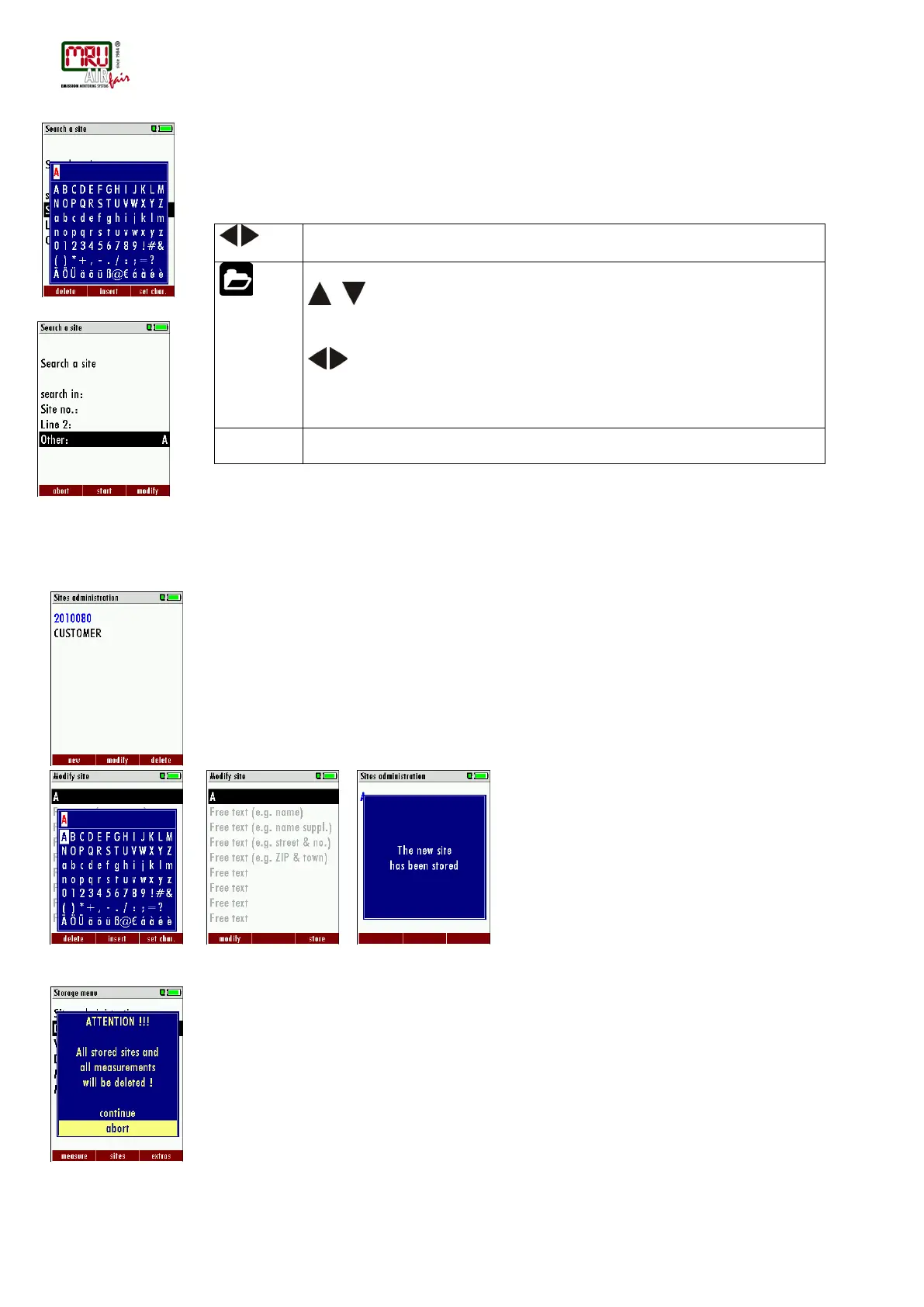
• Select after input of the search text F2 = "start"
• If only one site is found as a result of the search, this is displayed. If became several sites
the total number is found in the header viewed and you can scroll by this found standing
with the arrow keys.
, : Selection of the input field
F3: Input mask
F2: Start search
: According to the search criteria found sites page through. If
no saved site with the search criteria agrees occurred the
message: „Search unsuccessfully“
New entry and change of sites
In the menu item "Sites administration" you can new entry sites and change data of existing
sites.
Select F1 = "new" for a new site. Besides, it is displayed:
• The first line which must contain an unequivocal site number to the identification of the site.
With the function F2 = „auto no. “can assign the device automatically a free site number.
• All further free text lines which can contain, e.g., name and address.
In the new site or an existing site you can change the data while you select the too change line,
F1 = "modify" select and use the text input field for editing of the text. Conclude the text input
field with "OK" and store the updates with F3 = "store".
Delete sites
You are able to
• delete the displayed sites only by selecting the menu entry "F3" = “delete
• or delete all sites at the same time
This user's decision must be confirmed. (see chap. 11.2).



 To Next Page