Configuring the job computer
Extremity nozzles
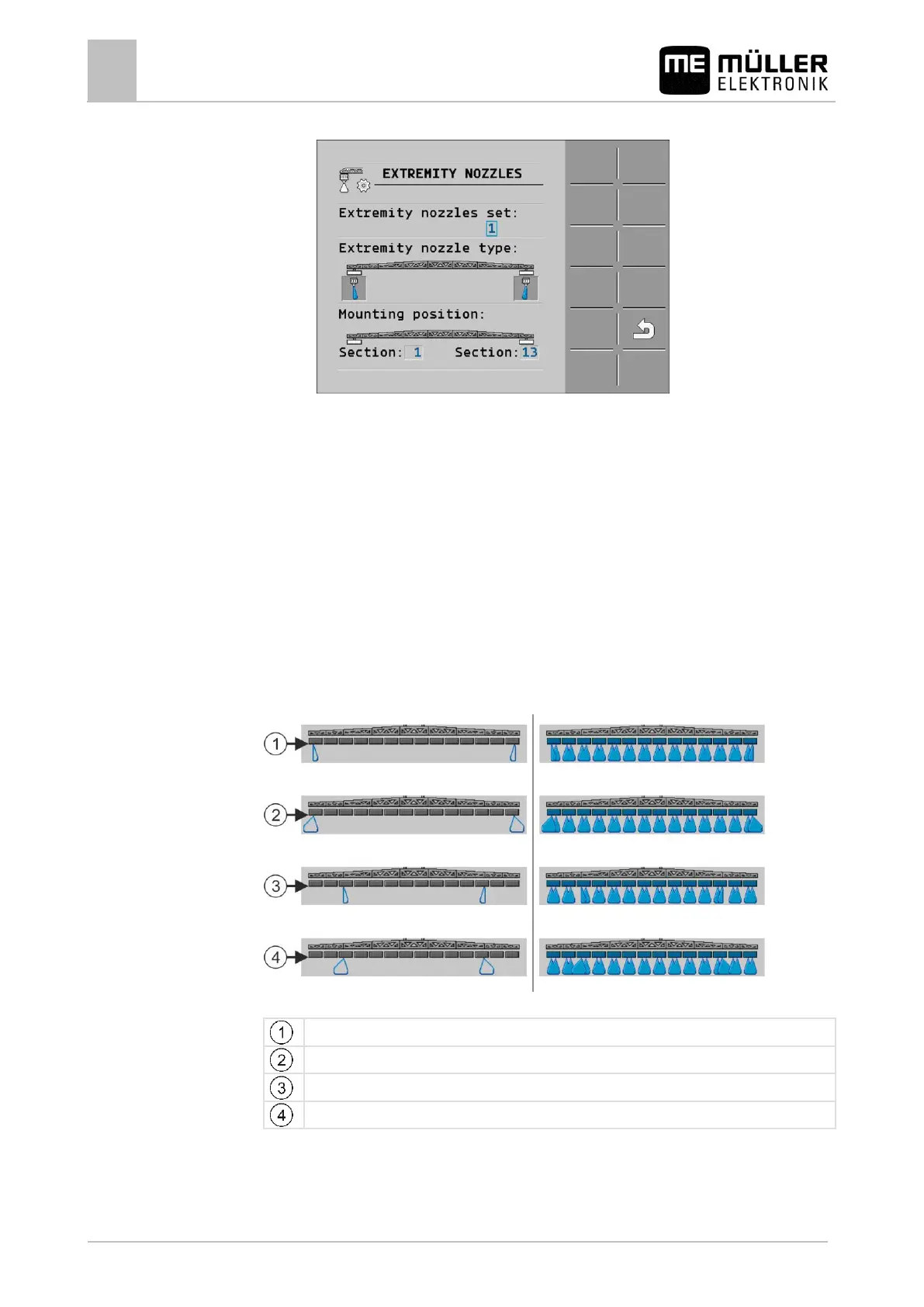
⇨ The following screen appears:
2. On the "Extremity nozzles set" line, enter the set of extremity nozzles for which you want to enter
settings. For example "2":
⇨ The saved settings appear on the screen.
3. Select one of the nozzle icons under the boom icon.
4. Select the type of extremity nozzle required.
⇨ An alarm message will appear. This message informs you that the job computer must be
restarted so that the changes can be applied. Do not restart the job computer yet; wait until
you have entered all the settings.
5. In the "Installation site" area, enter the section on which the extremity nozzles are installed.
6. Restart the job computer.
Operating the extremity nozzles
Extremity nozzles on the work screen: Left: before application; Right: during application.
Corner nozzles on sections 1 and 14
Wide area nozzles on sections 1 and 14
Corner nozzles on sections 3 and 12
Wide area nozzles on sections 3 and 12



 To Next Page