Configuring the terminal in the Service application
Configuring FarmPilot
7
Copyright © Müller-Elektronik GmbH & Co.KG 43
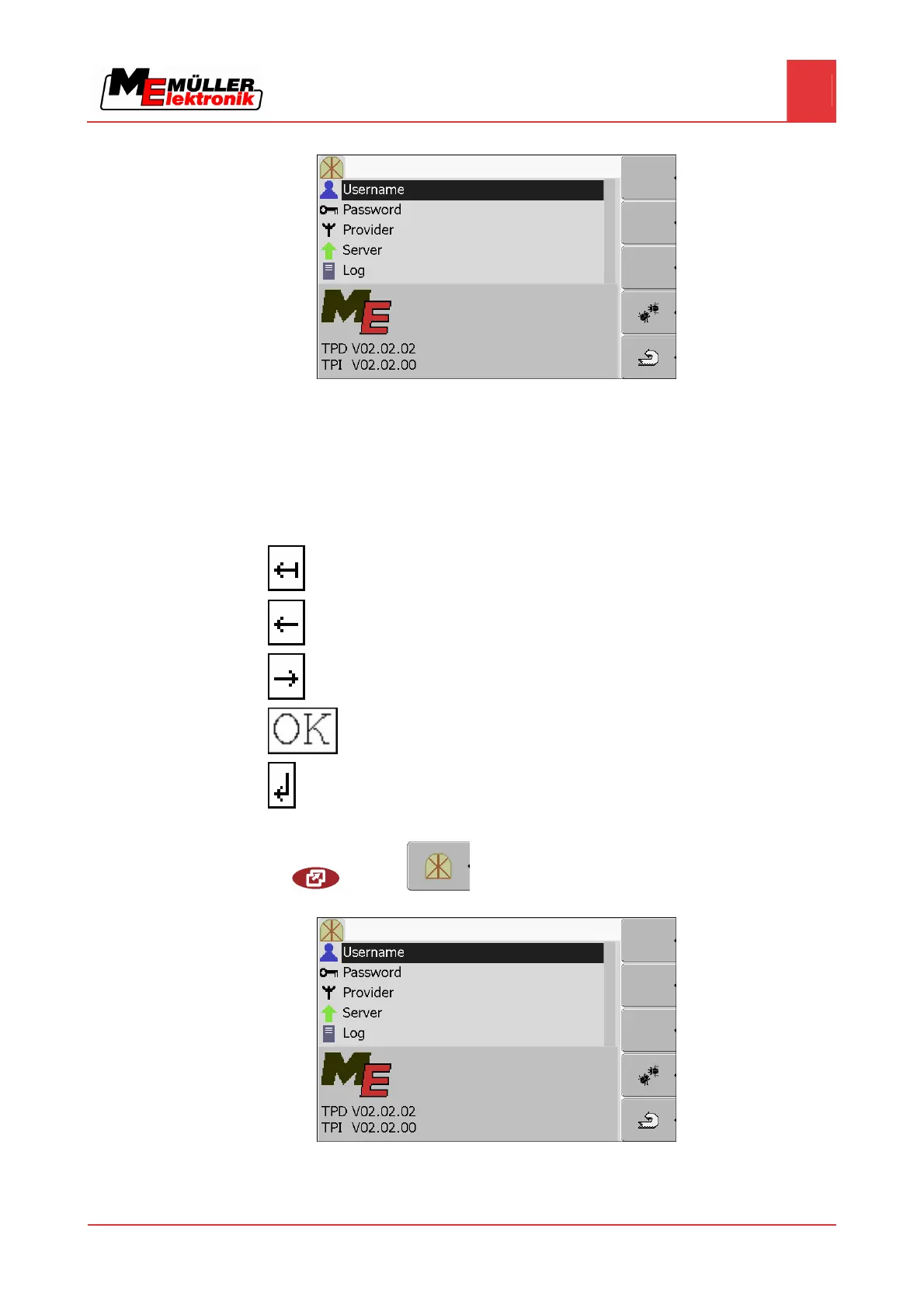
⇨ The following screen will appear:
3. Click on the line with the desired parameter.
4. Configure parameter.
Entering data in the FarmPilot access data section
Below the characters, you will find 5 icons which will assist you when entering the data.
Delete characters
Move cursor to the left
Move cursor to the right
Confirm and finish input.
No function
1. Switch to the "FarmPilot access data" screen:
| Service |
⇨ The following screen will appear:
2. Click on the selected line.
7.16.3
Controls
Procedure


 To Next Page