User Manual
Judge waveform type by Autoset
Five kinds of types: Sine, Square, video signal, DC level, Unknown signal.
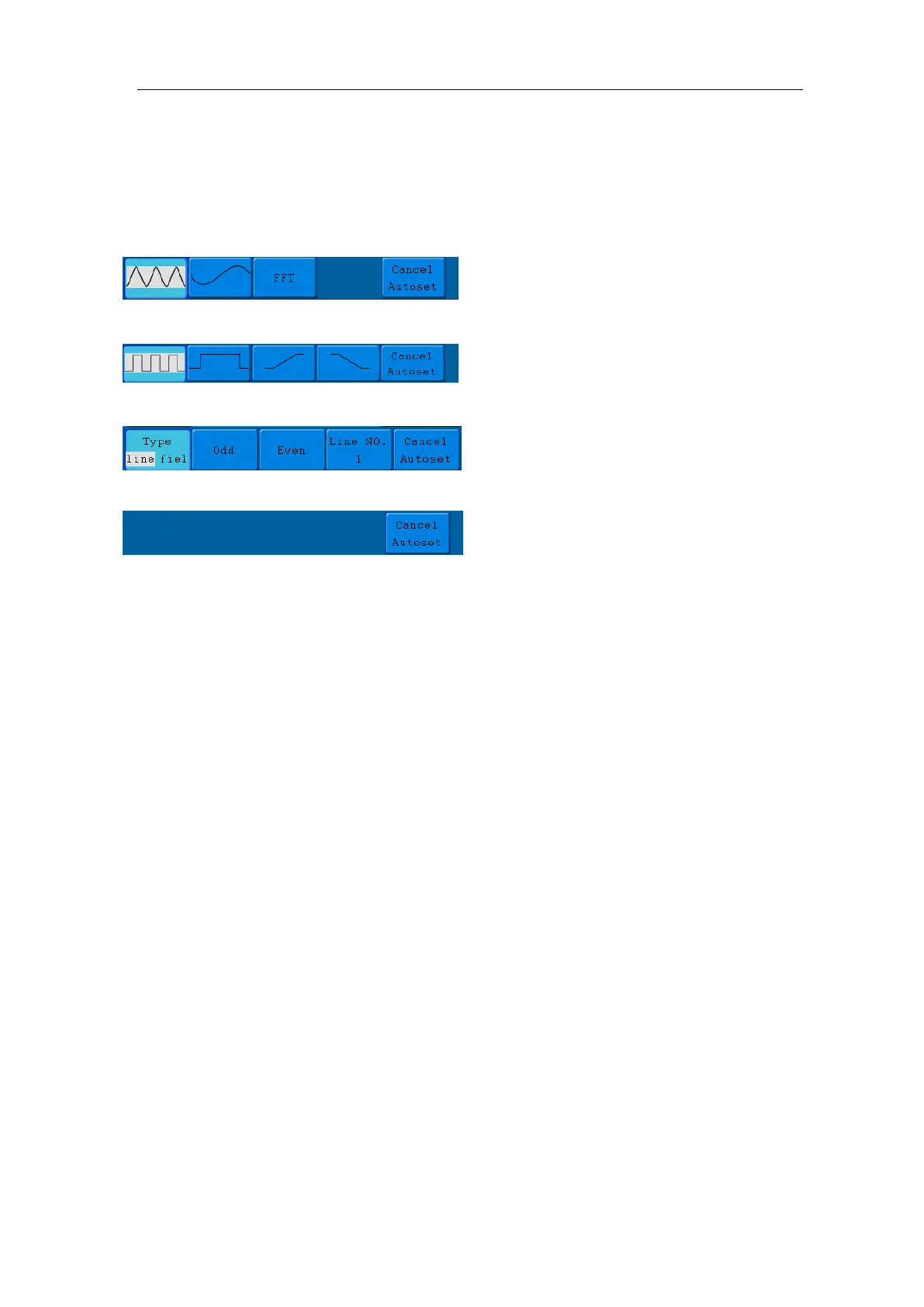
Menu as follow:
Sine: (Multi-period, Single-period, FFT, Cancel Autoset)
Square: (Multi-period, Single-period, Rising Edge, Falling Edge, Cancel Autoset)
Video signal:
DC level, Unknown signal:
Description for some icons:
Multi-period: To display multiple periods
Single-period: To display single period
FFT: Switch to FFT mode
Rising Edge: Display the rising edge of square waveform
Falling Edge: Display the falling edge of square waveform
Cancel Autoset:Go back to display the upper menu and waveform information
Run/Stop: Enable or disable sampling on input signals.
Notice: When there is no sampling at STOP state, the vertical division and the
horizontal time base of the waveform still can be adjusted within a certain range,
in other words, the signal can be expanded in the horizontal or vertical direction.
When the horizontal time base is ≤50ms, the horizontal time base can be
expanded for 4 divisions downwards.
Single: Press this button you can set the trigger mode as single directly, so when trigger
occurs, acquire one waveform then stop.
Copy: You can save the waveform by just pressing the Copy panel button in any user
interface. The source wave and the storage location are according to the settings
of the Save function menu when the Type is Wave. For more details, please see
"Save Function Menu" on P49.



 To Next Page