Chapter 6—Using the Software
138 MultiVOIP® Voice/Fax over IP Gateways
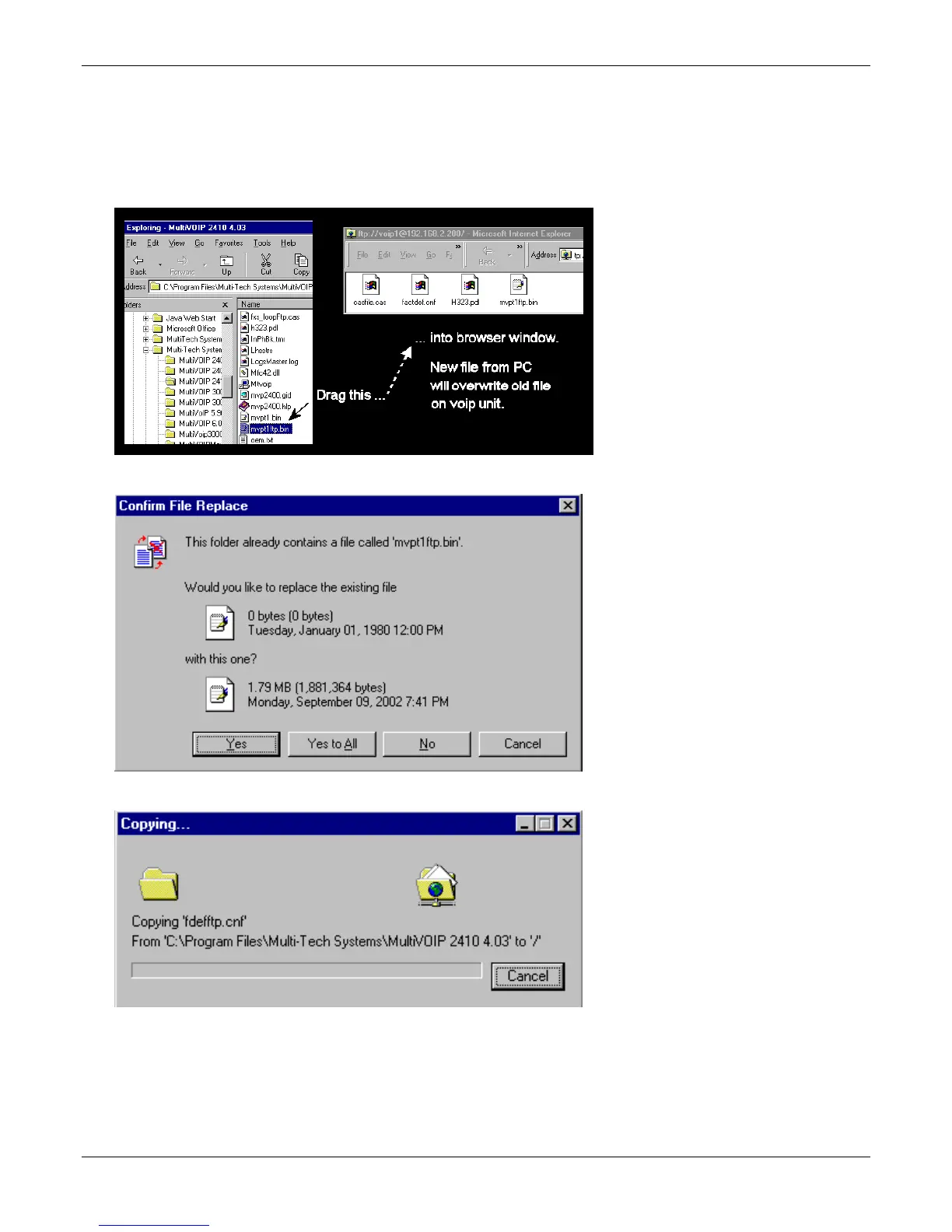
To download with a web browser:
● In the local Windows browser, locate the directory holding the MultiVOIP program files. The default
location is C:\Program Files \Multi-Tech Systems \MultiVOIP xxxx yyyy (where x and y represent
MultiVOIP model numbers and software version numbers).
● Drag-and-drop files from the local Windows browser to the web browser.
● You may be asked to confirm the overwriting of files on the MultiVOIP. Do so.
● File transfer between PC and VOIP looks like transfer within VOIP directories.



 To Next Page