Troubleshooting
43 AP-74700 – Rev. 1.0 – 10/03/2008
3.4.1 The machine is completely dead – non responding
The best way to verify, if the power-supply if the 5 Volt and 12 Volt is working properly!
Symptom:
On-off switching is NOT possible on the LCD control panel, machine remains dead
Procedure:
Step 1 : Wait 15 minutes and check if the machine can be powered-on again (=thermal protection)
Step 2 : Try to switch on the machine “manually”.
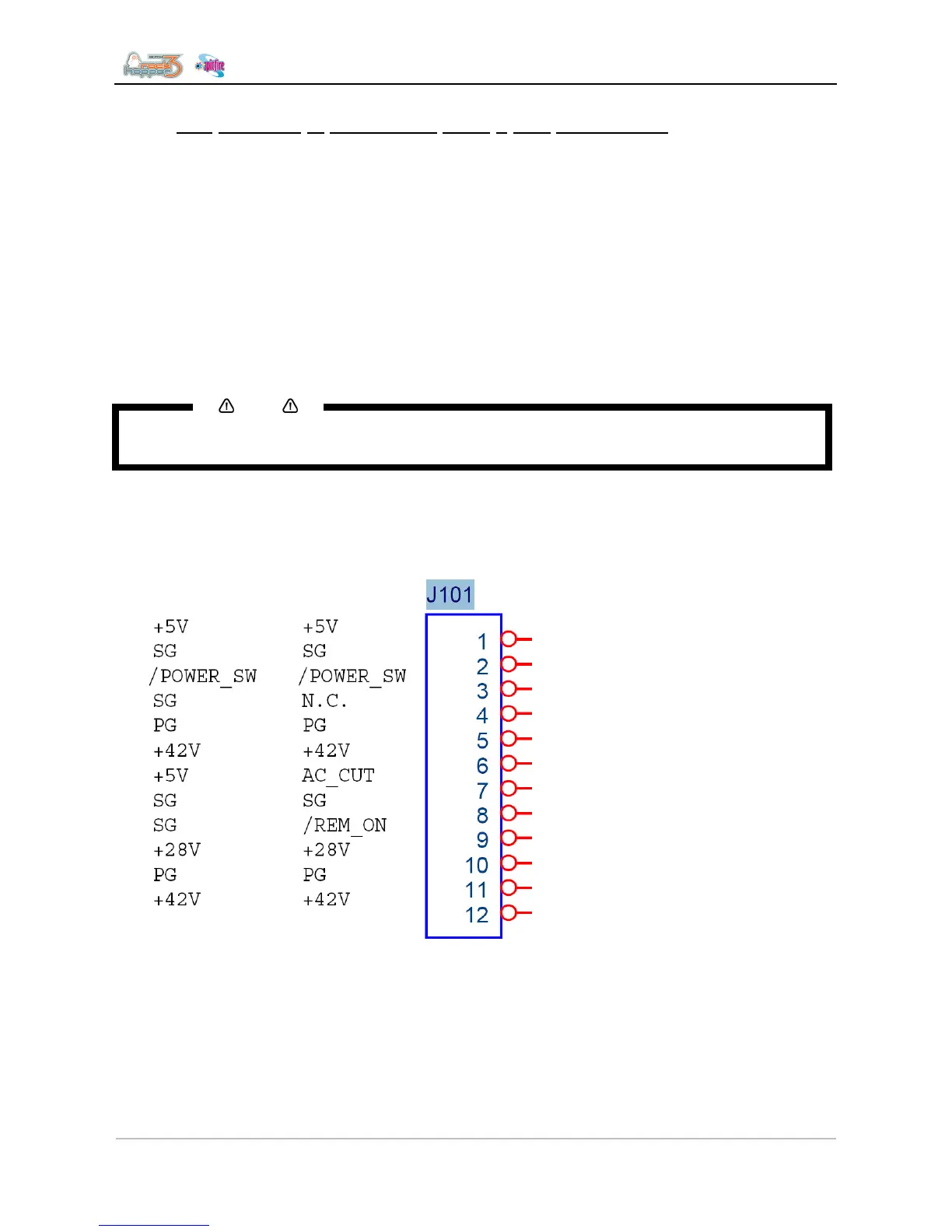
The machine can be forced switched on when short-circuiting pin connectors 2 and 3 on the main power
connector J101.
Notes
• The contacts must permanently be short-circuited to proceed the complete boot and shutdown
process. Loosening the contact, will immediately CUT power and the boot process will stop.
The machine will do a complete and repeating boot-shutdown cycle when those 2 pins are permanently
connected. Only disconnect those pins after shutdown of machine software (you will hear the Y-motor relay
clicks ‘OFF’ and fans stop turning) to avoid parameter-loss during shutdown.
• If this procedure is NOT working, the power supply needs replacement!
If this procedure works we can be sure the power supply is ok.
Properly there is either a problem:
• With the mainboard – the LCD panel or the flatcable in between
To verify the main board:
• The LCD panel is protected via a round, red-brown fuse located next to the LCD connector on the
mainboard. If the fuse is blown either:
o The Flatcable was misconnected
o The LCD control panel is broken












 To Next Page