MAINTENANCE MANUAL
VCE-MM-02
33
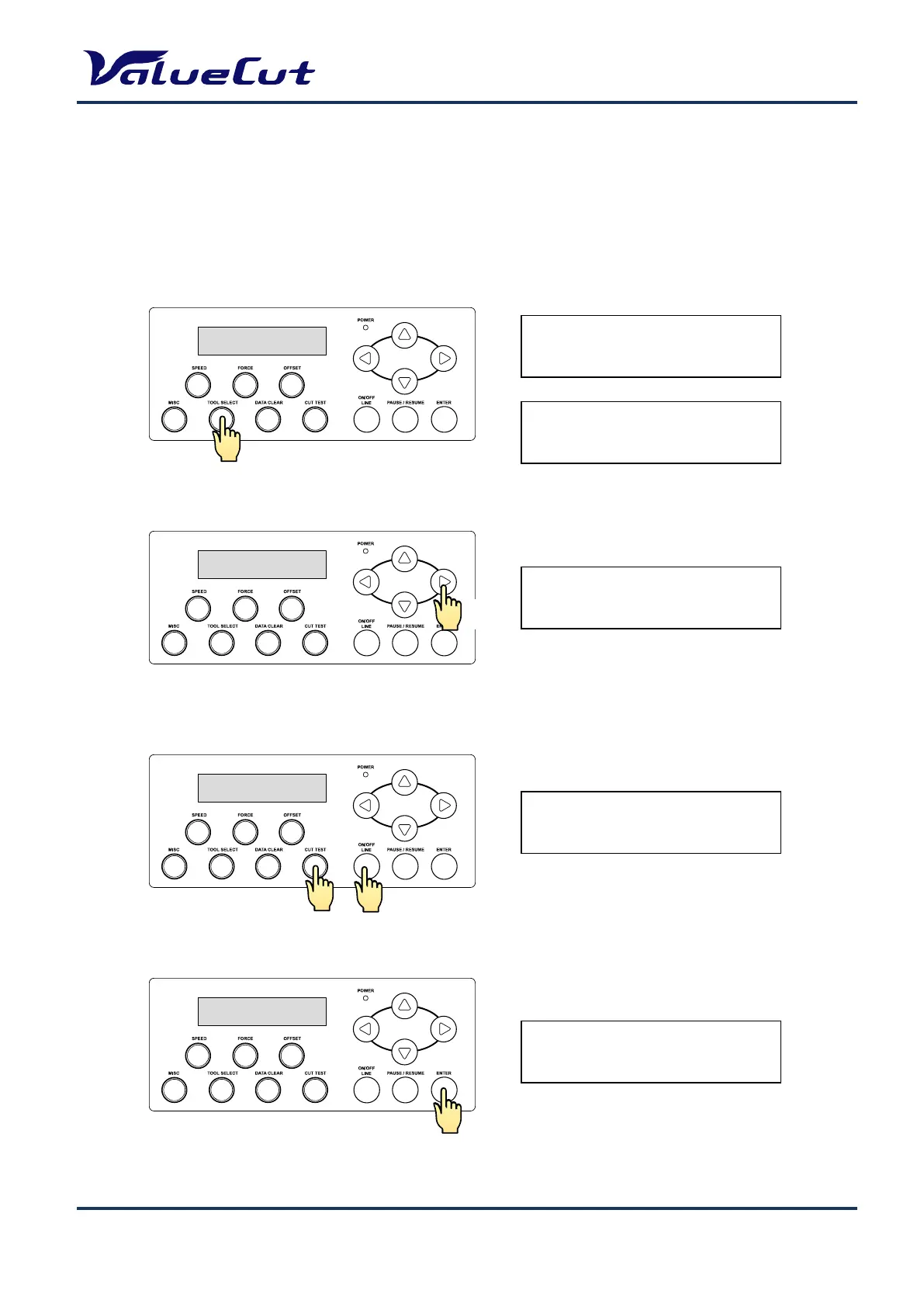
Enter Back up values
Requires restore when updating the firmware and restore will initialize all the settings. Only "AAS
Offset X/Y", "Scale Length/Width" values can be backed-up even performing restore.
Press "TOOL SELECT" key and enter to tool setting menu.
Press "
}
" key twice and display the restore menu.
Press "CUT TEST" key and "ON/OFF LINE" key at the same time.
Press "ENTER" key.
Offline For
System Setup
1S 72 F 80 O0.250M
Select:{} Ok:ENTER
Restore default ?
Select:{} Ok:ENTER
BackUp Setting
N:ONLINE Ok:ENTER
Sure to Backup
N:ONLINE Ok:ENTER











 To Next Page