MUTOH Status Monitor
Installation Wizard Operation Manual
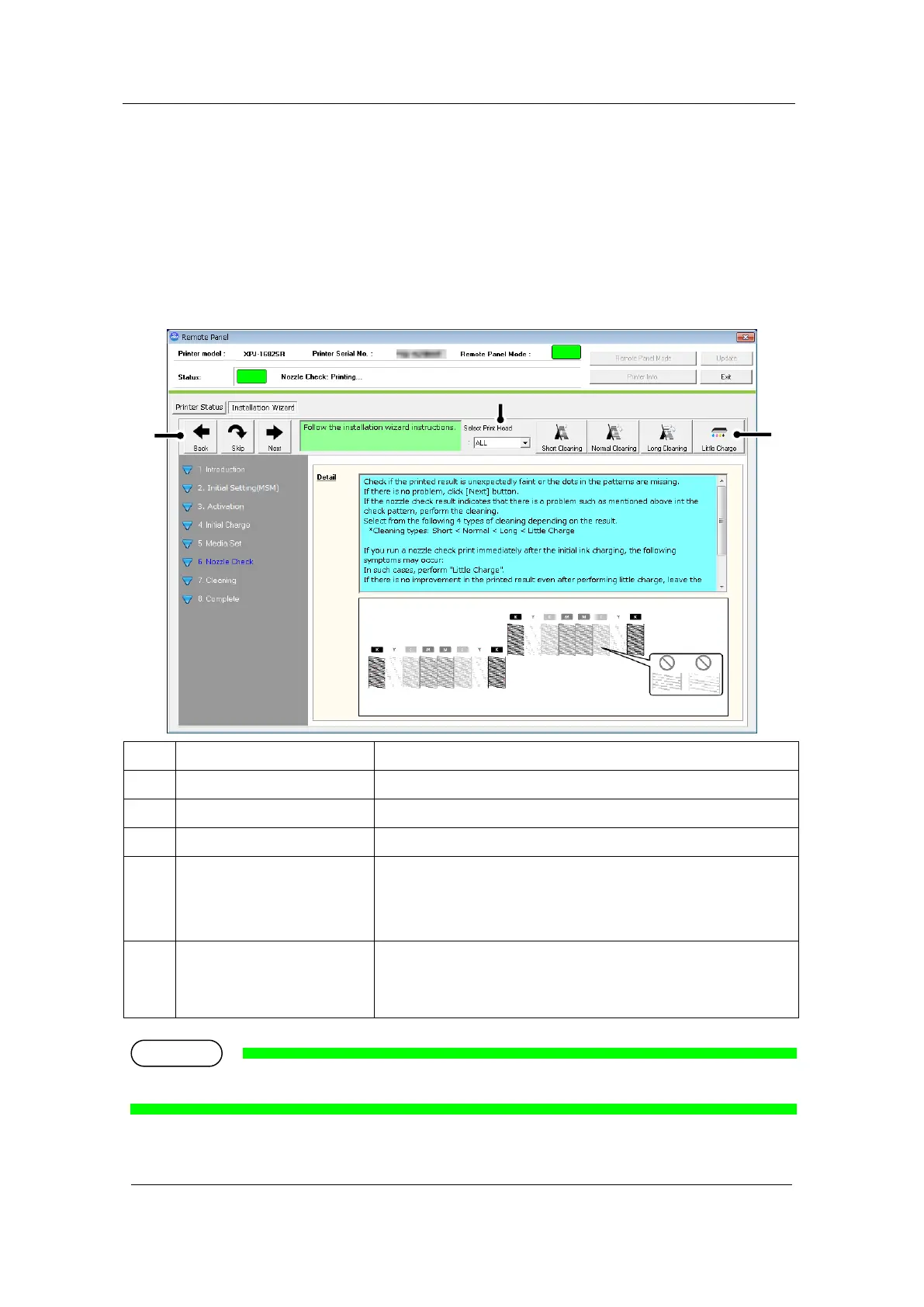
3). Check the printed nozzle check patterns
Check the printed nozzle check patterns.
After sending the command to print the nozzle check patterns, each cleaning buttons
become available.
3-1 XPJ-1682SR
Go to the “Adjustment Print” menu.
Go to the “Adjustment Print” menu.
Go back to the previous menu.
Performs the cleanings below:
・Short Cleaning ・Normal Cleaning
・Long Cleaning ・Little Charge
Select the print head to be cleaned if the printer has more than
one print head.
Setting :
<ALL> / Head 1 / Head 2
* 1 For XPJ-1682SR, click [Next] to go to "エラー! 参照元が見つかりません。 Complete".













 To Next Page