MUTOH Status Monitor
Installation Wizard Operation Manual
4). XPJ-1641SR / 1682SR
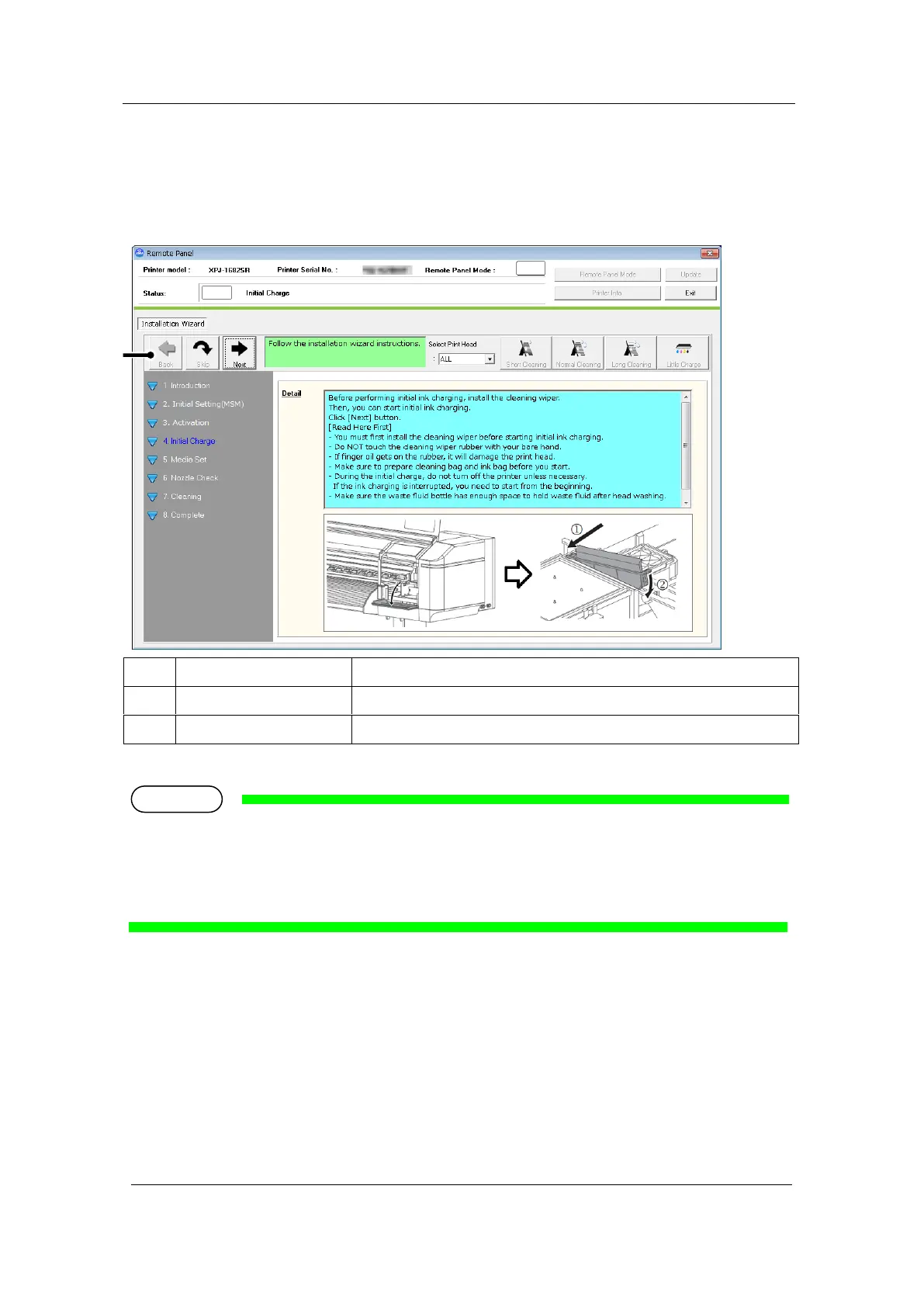
Launches the Initial Charge Wizard to perform the initial ink charge.
Launches the Initial Charge Wizard.
Go back to the previous menu.
If the instruction to install the cleaning wiper appears on the wizard, you must first install the
cleaning wiper before starting initial ink charging. For the installation procedure, see the Startup Guide
supplied with the printer.













 To Next Page