MUTOH Status Monitor
Installation Wizard Operation Manual
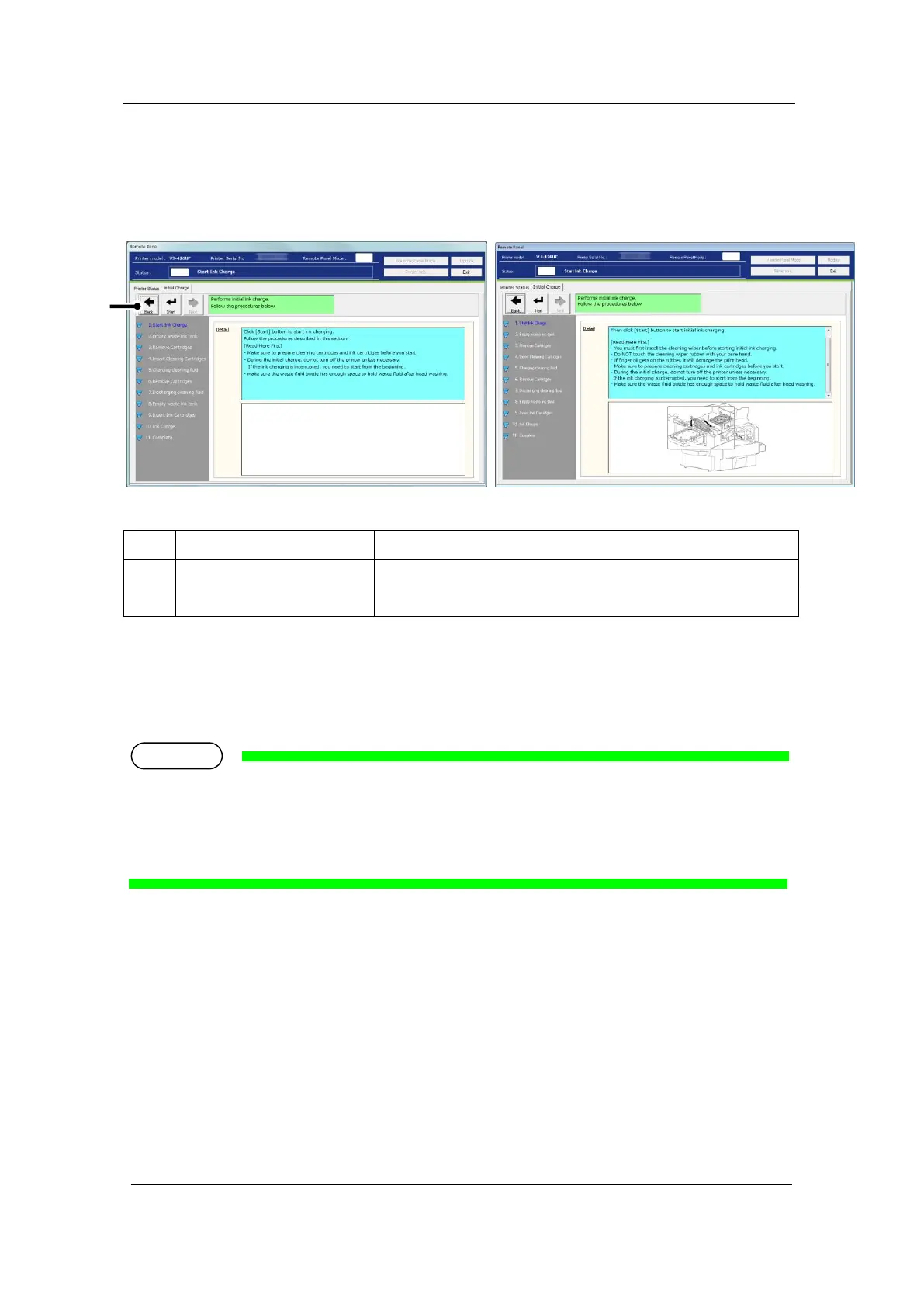
3-1 Start Ink Charge
●Cleaning Wiper Installation: Not Required ●Cleaning Wiper Installation: Required
Sends the command to start the initial ink charge to the printer.
Go back to the Installation Wizard process.
* After clicking [Start] in this menu, the initial ink charge progress is monitored (every
second) and indicated in the status field.
If the instruction to install the cleaning wiper appears on the wizard, you must first install the cleaning
wiper before starting initial ink charging. For the installation procedure, see the Startup Guide supplied
with the printer.













 To Next Page