4.3 EtherNet/IP master settings
4-9
4
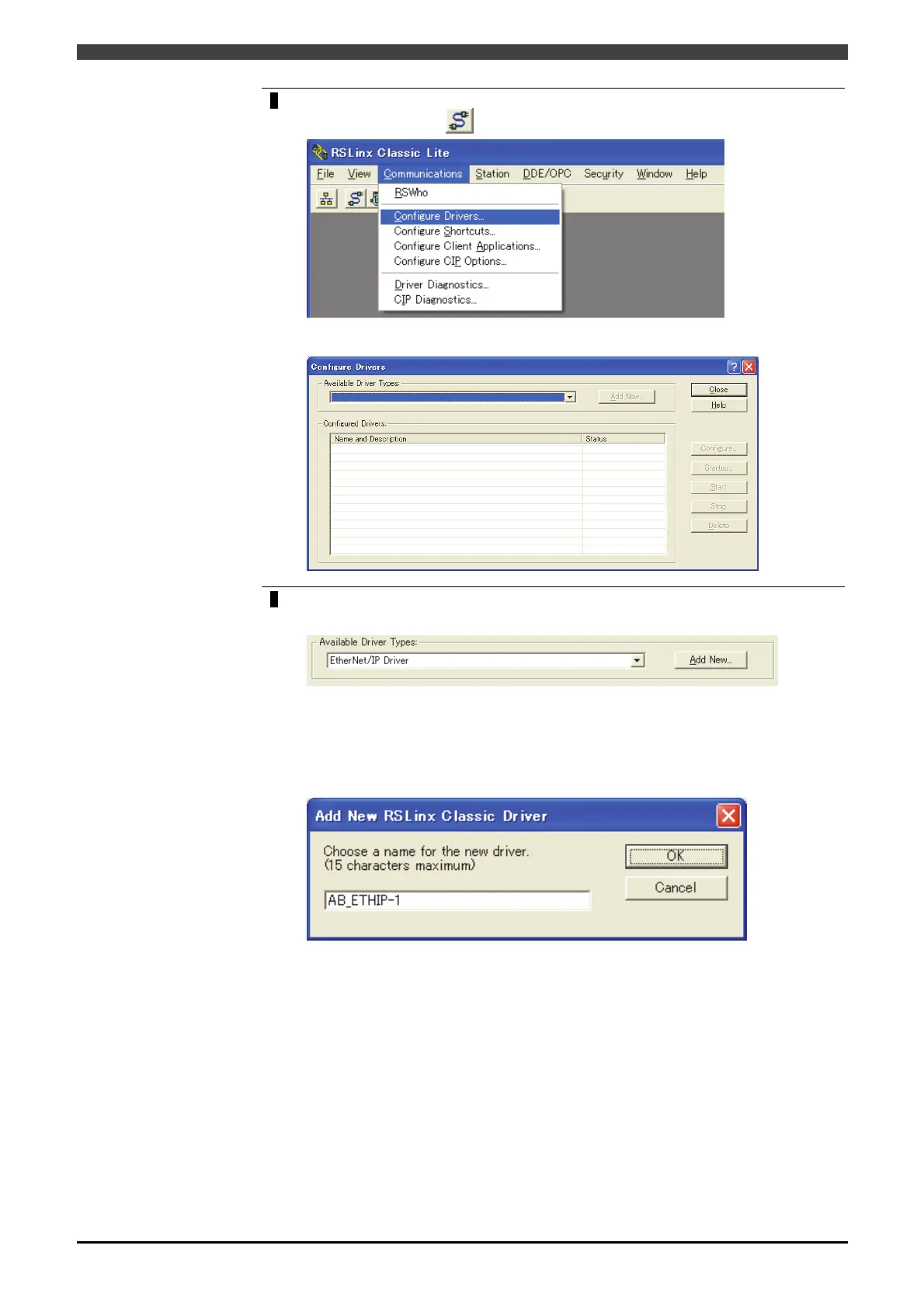
Select ”Configure Drivers” in the “Communications” menu, or click the icon
“Configure Drivers”
on the upper left of the screen.
The “Configure Drivers” window starts as below.
5
Select ”EtherNet/IP Driver” in “Available Driver Types”, and then press the “Add
New...” button.
The window to input the name corresponding to the Driver Type starts as shown
below. Input an arbitrary name, and press OK button.
Since a long-spelling name may cause a Path error (the maximum is 15 one-byte
characters) depending on the environment by the setting of RSNetWorx, it is
recommended to name it as short as possible.
Next, select a suitable network in the EtherNet/IP Settings, and then press “OK”
button.



 To Next Page