4.3 EtherNet/IP master settings
4-13
Setting of scan list
Next, the scanlist is set.
Before this setting, turn on the power supply of this controller, and set the fieldbus, referring to “4.3.1
Fieldbus settings”.
The description below gives an example in which "Anybus-S EtherNet/IP" communicates with "Anybus-M
EtherNet/IP" by the one to one.
1
Set "Execute Mode" to "Configuration", referring to "4.3.2 EtherNet/IP (Master)
Settings".
The following operations should be done with the personal computer.
2
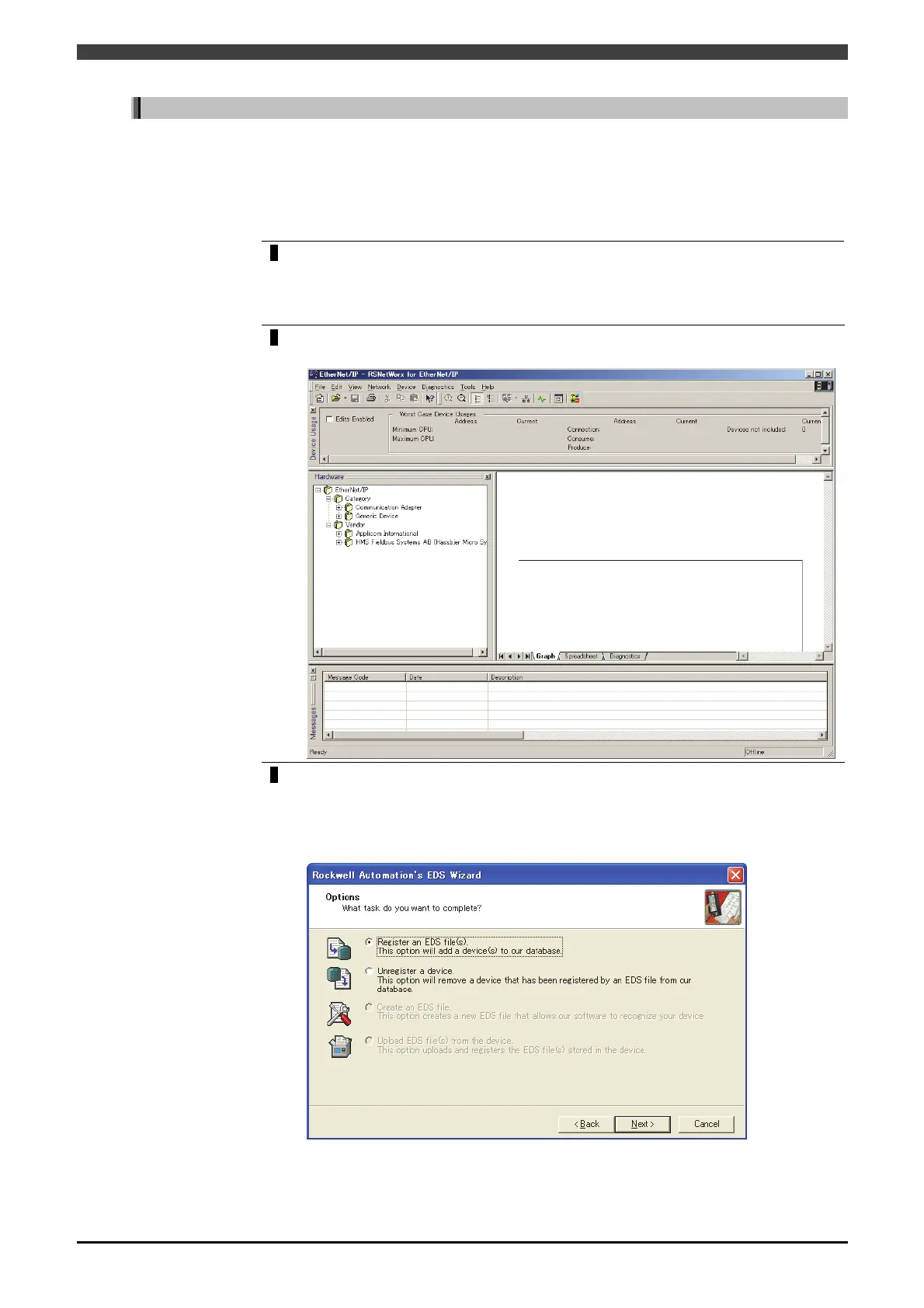
“RsNetWorx for EtherNet/IP” is started with a personal computer.
>> The following screen will appear.
3
Go to the menu “Tools->EDS Wizard” and register the EDS files in “Anybus-M
EtherNet/IP” and “Anybus-S EtherNet/IP”.
After starting up EDS Wizard, go to “Next” on the first screen.
On the Options select screen, choose “Register an EDS file(s)” and go to “Next”.



 To Next Page