4.3 EtherNet/IP master settings
4-14
4
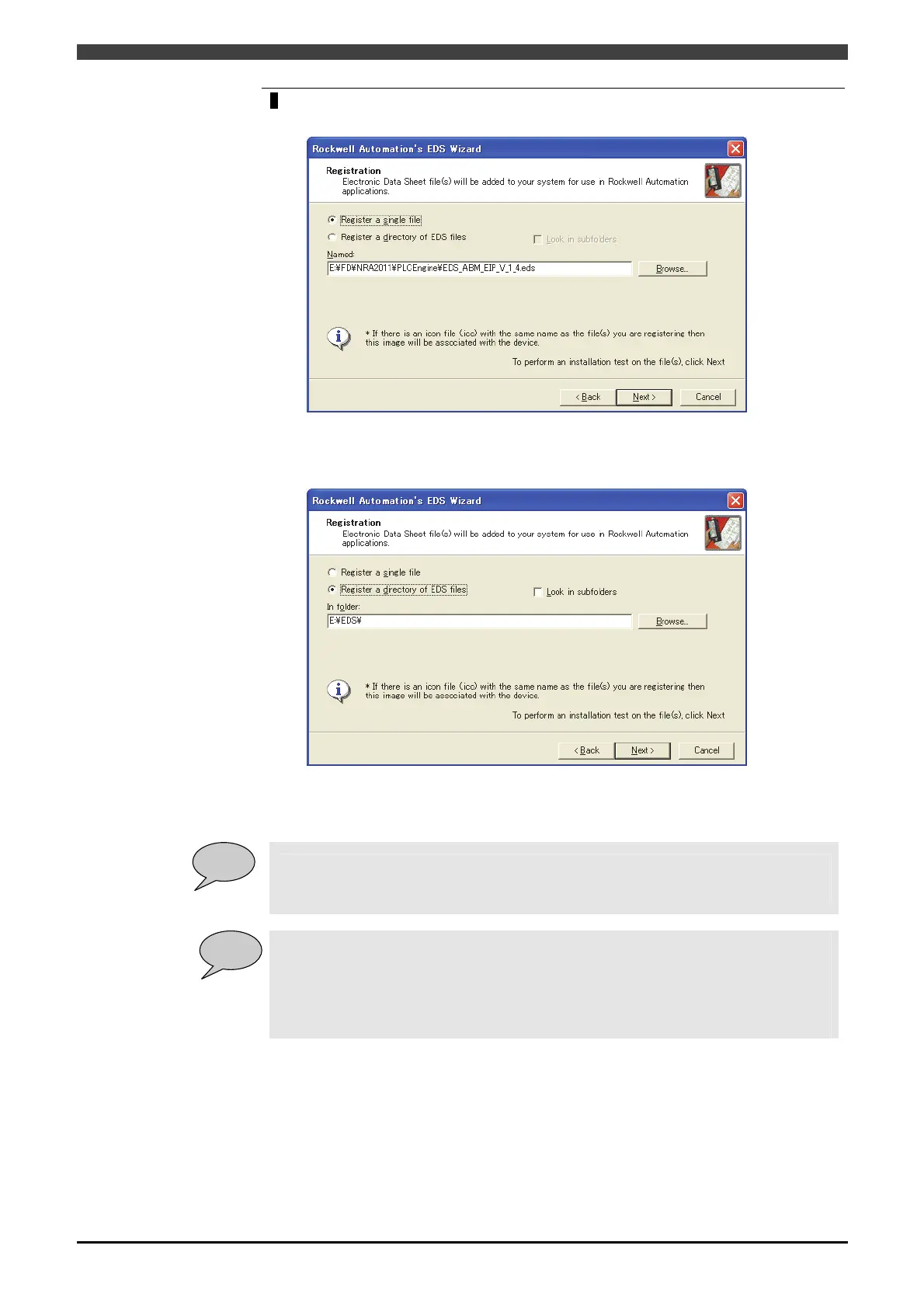
Select “Register a single file” on the Registration screen, and press “Browse” to set the
path where the EDS file is stored.
Where there are two or more EDS files and they are stored in the same folder at the
same time, select “Register a directory of EDS files” and press “Browse” to set the
path where the EDS file is stored.
On the EDS File Installation Test Results screen, press “Next”.
POINT
Store the EDS files beforehand in an arbitrary folder in the PC local drive (as the path is to
be registered in the registry, unexpected troubles may be caused if referring through the
network.)
POINT
About the EDS file to be used:
EDS files are stored in the system CF folder “PLCEngine” of the robot controller.
For master:EDS_ABM_EIP_V_1_4.eds
For slave:EDS_ABS_EIP_V_1_9.eds
The newest EDS file can be downloaded from the website of HMS Industrial Networks.
http://www.anybus.com/



 To Next Page