VS1 Operations and Maintenance Manual Operating the transmitter
Page 2-76 Issue 3.1 2013-10-01
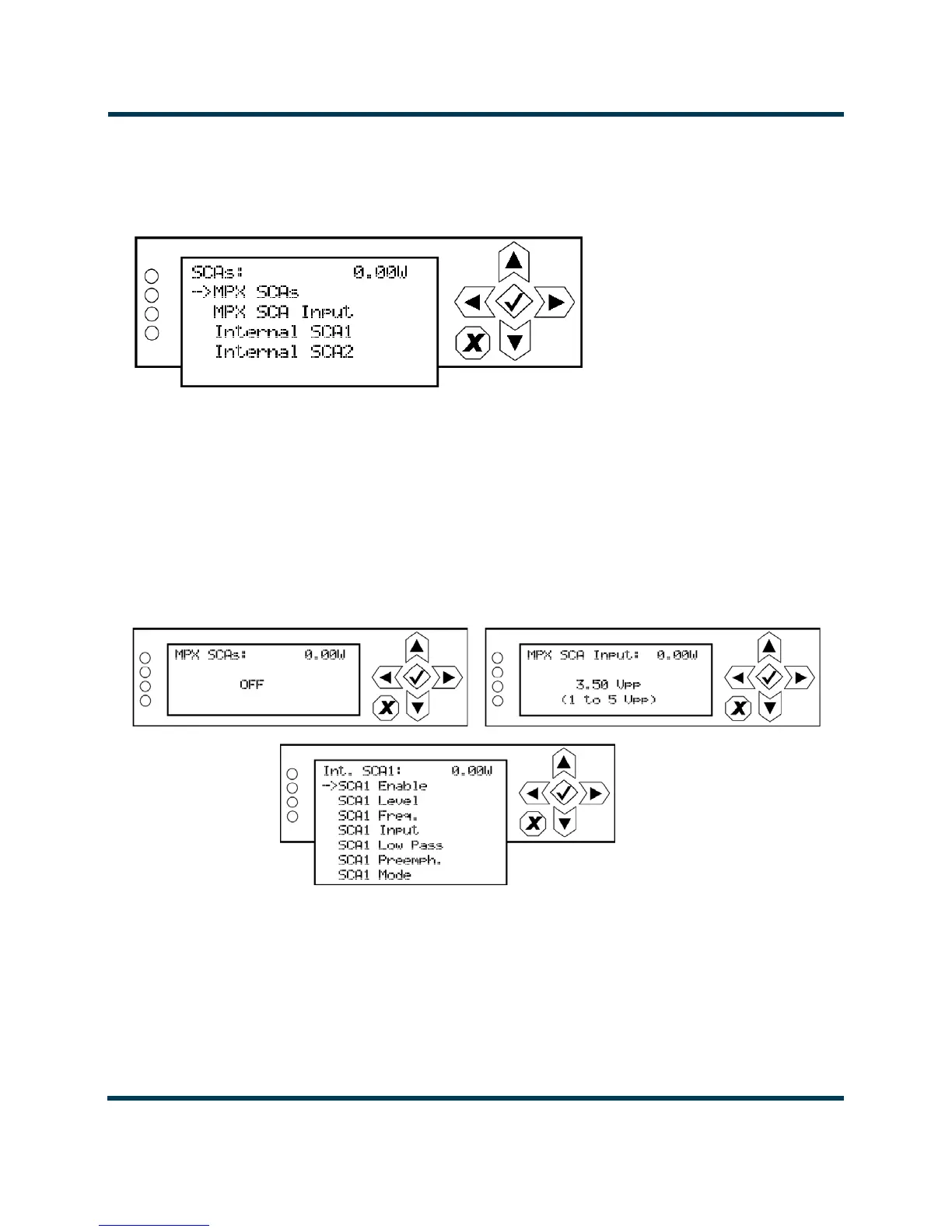
SCA Settings. When you select SCA Settings from the Preset editing options screen, you can edit
various SCA parameters (see Figure 2.60).
Figure 2.60: SCA Settings menu
Use the up and down buttons to move the cursor to the desired SCA setting and then press the right
button to enable editing of the parameter. Figure 2.61 shows all the editing screens for the SCA
Settings
menu. Within any of the editing screens, use the up and down buttons to edit or toggle a
parameter value, noting the minimum and maximum limitations indicated at the bottom of the
display. When complete, press the accept (checkmark) button to save the change. Press the cancel (X)
button to discard changes and return to the previous menu. If you select Internal SCA1 or Internal
SCA2, there is a sub-menu that contains additional SCA settings (see Figure 2.62 on page 2-77).
Figure 2.61: SCA Settings editing screens
• MPX SCAs: Select ON or OFF.
• MPX SCA Input: Select a level between 1 and 5 V peak-to-peak (of MPX SCAs is ON).
•
Int. SCA1 or Int. SCA2 (see Figure 2.62 on page 2-77).



 To Next Page