VS1 Operations and Maintenance Manual Operating the transmitter
Page 2-120 Issue 3.1 2013-10-01
SNMP configuration
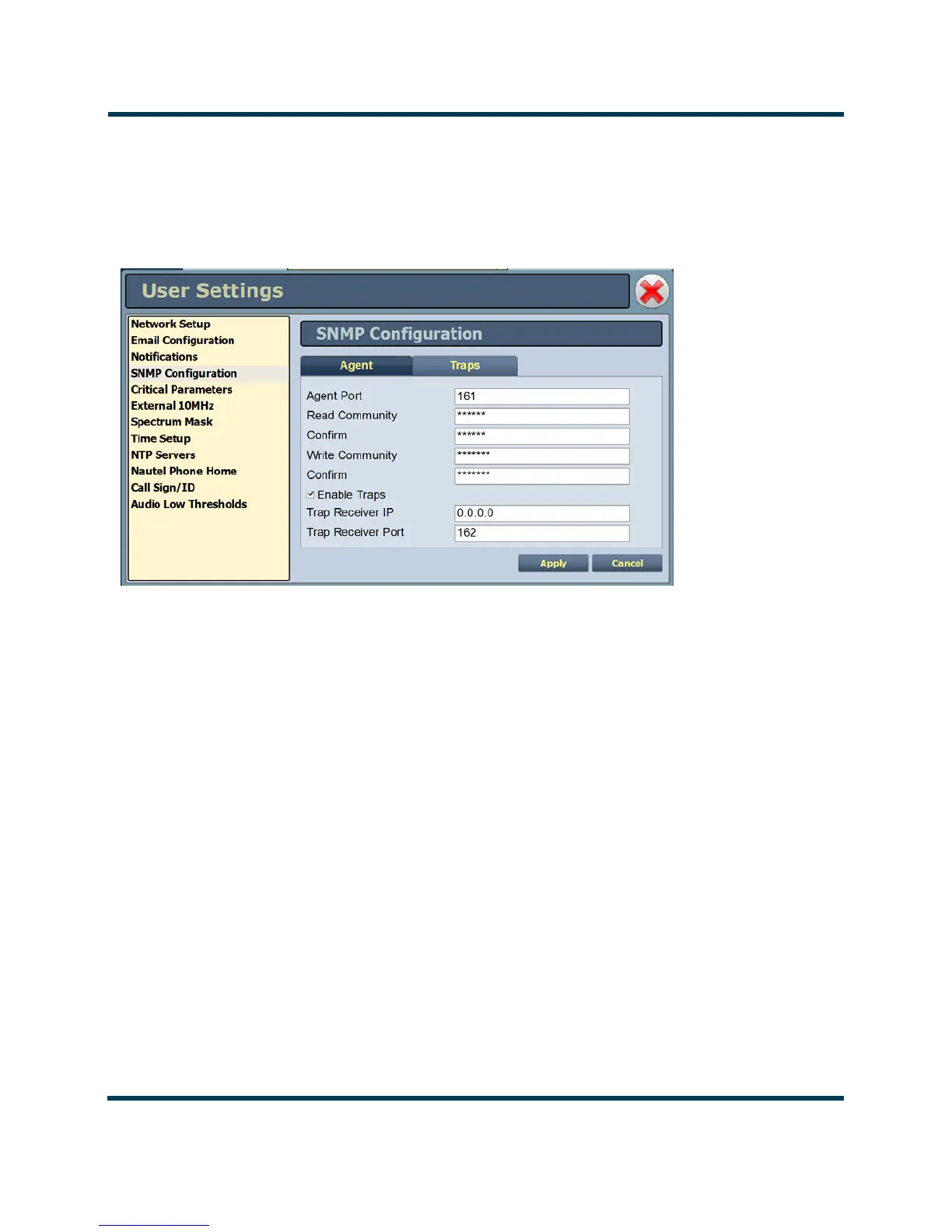
The SNMP configuration page provides a user with a means to configure the SNMP agent and the
associated traps (see Figure 2.103).
Figure 2.103: User Settings - SNMP Configuration - Agent Tab
Agent Settings
Using the Agent tab you can configure the SNMP agent as follows:
1. Enter the five fields, noting the following:
• Agent Port: Enter the UDP port where the SNMP agent checks for requests. The
default setting is 161. If your transmitter is behind a firewall, you must open this port to
use SNMP.
•
Read Community: Enter the password for the SNMP client application to allow
acquisition of channel values. Provide confirmation of this password by re-entering it in
the
Confirm field.
•
Write Community: Enter the password for the SNMP client application to allow
changing of channel values. Provide confirmation of this password by re-entering it in
the
Confirm field.



 To Next Page