VS1 Operations and Maintenance Manual Operating the transmitter
Issue 3.1 2013-10-01 Page 2-121
Select the Enable Traps check box (;) to allow the SNMP agent to send trap notifications. Enter the
two additional fields as follows:
•
Trap Receiver IP: Enter the IP address of the computer to which the SNMP agent will
send trap notifications. The computer must be running an SNMP application that is
configured to receive traps. The SNMP agent will send trap notifications to only one
recipient.
•
Trap Receiver Port: Enter the UDP port where the SNMP agent will send traps. The
default setting is 162.
2. When complete press
Apply or press Cancel to restore the previous settings.
Traps Settings
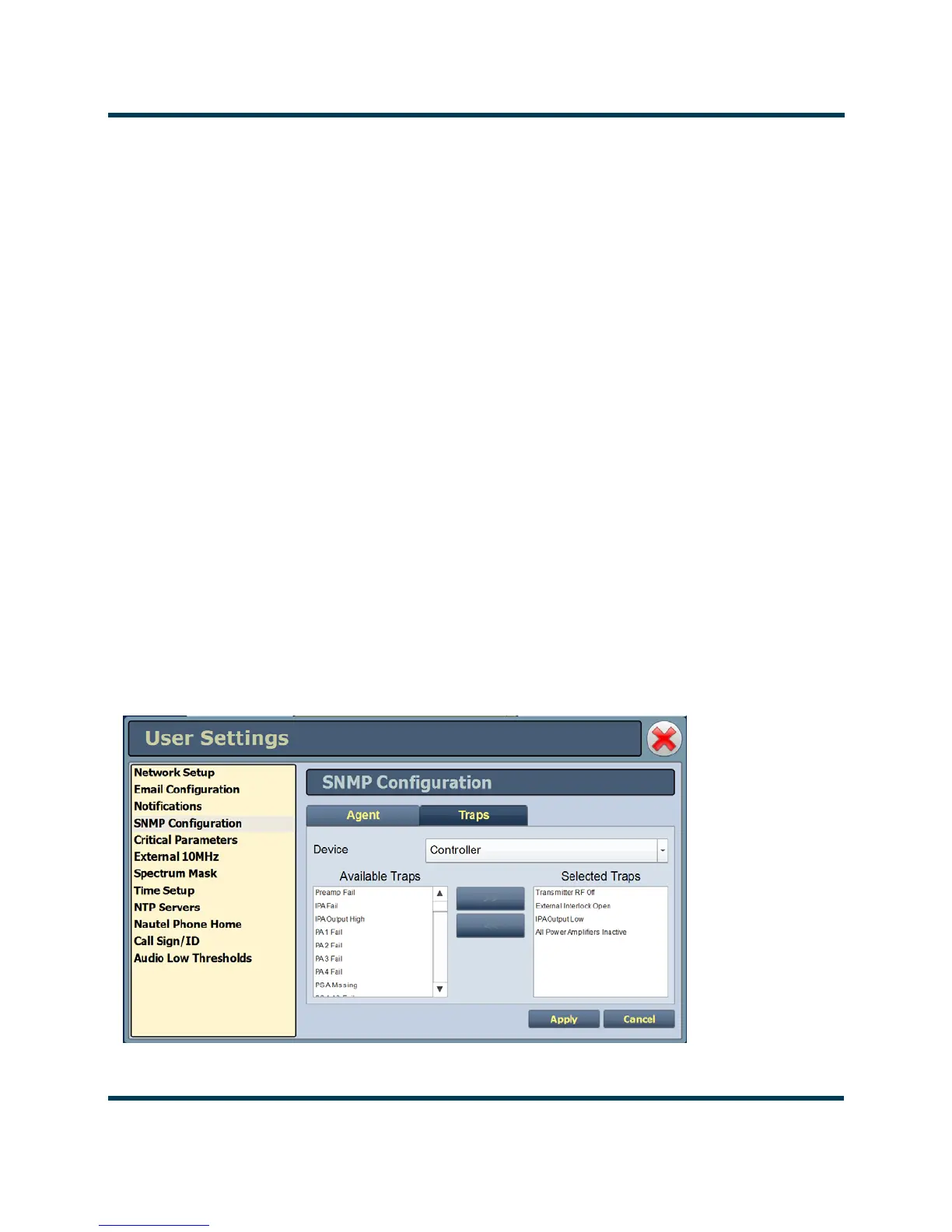
A trap is an unsolicited message sent by an SNMP agent to an SNMP client when an alarm changes
state (turns on or off). The
Enable Traps check box (;) must be selected to support this function.
The message is an SNMP packet that can be interpreted and displayed by an SNMP client
application. Using the Traps tab (see Figure 2.104) select your desired traps as follows:
• Find the desired alarm(s) by selecting the appropriate Device type (Controller, Exciter,
RF Module
, etc.) and scrolling through the Available Traps list. Add traps to or remove
traps from the Selected Traps list using the >> and << arrow buttons.
• When complete press Apply to save or press Cancel to restore the previous settings.
Figure 2.104: User Settings - SNMP Configuration - Traps Tab



 To Next Page