VS1 Operations and Maintenance Manual Operating the transmitter
Issue 3.1 2013-10-01 Page 2-123
External 10MHz
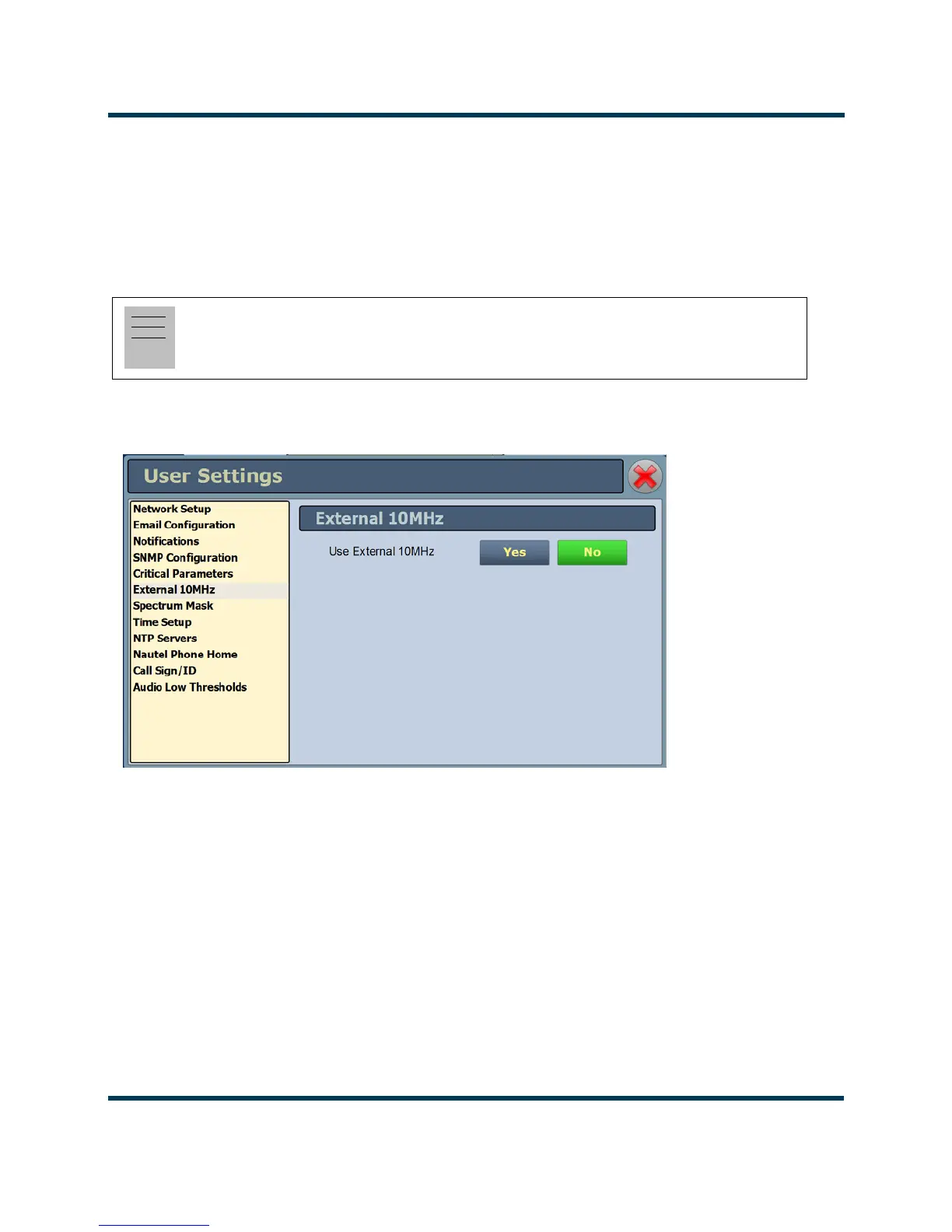
This setting (see Figure 2.106) allows users to employ the clock signal from a connected external
10MHz source in FM mode; the setting is unused in HD or FM+HD. When
No is selected, the
external 10MHz source will be ignored and the exciter's internal clock signal will be used. If
Yes is
selected, disconnecting the external 10MHz source will result in constant "No External 10MHz"
alarms and logs.
Figure 2.106: User Settings - External 10MHz (Default shown)
External 10 MHz Input - Using the AUI
You can view the selection buttons for the external 10 MHz input on the the AUI’s
External 10 MHz
screen (see Figure 2.106) by selecting
External 10 MHz from the User Settings options. Yes and No
buttons for
Use External 10MHz will be displayed. Click Yes if you are using an external 10 MHz
signal. Click No if not. Click X in the upper, right corner to close this page and return to the home
page.
External 10 MHz Input - Using the Front Panel
To view the enable/disable screen for the external 10 MHz input (see Figure 2.107), select
User
Settings -> Ext. 10 MHz Inp
from the Main Menu.
Note:
The exciter will automatically use an external 10MHz reference signal if connected, in any HD
mode.



 To Next Page