VS1 Operations and Maintenance Manual Operating the transmitter
Page 2-146 Issue 3.1 2013-10-01
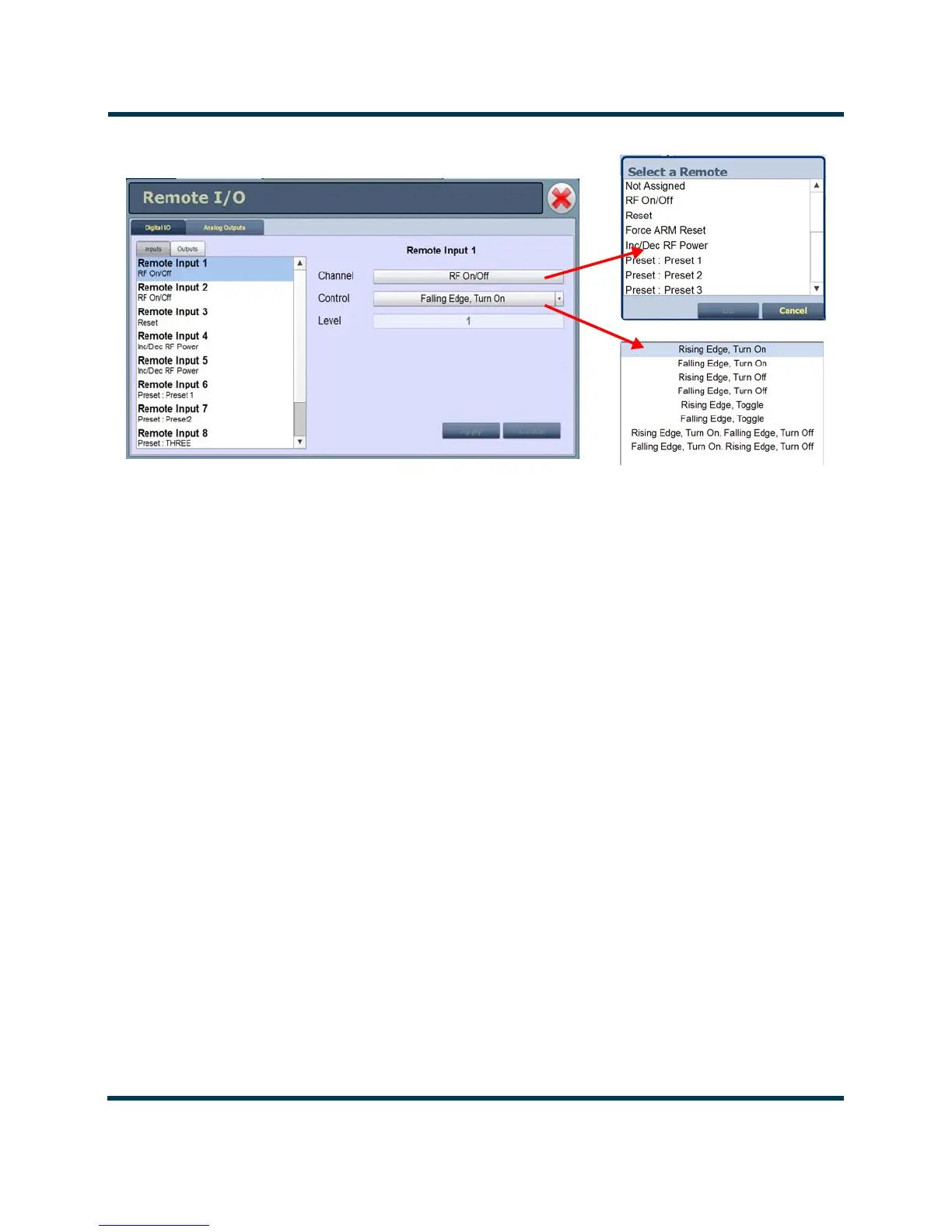
Figure 2.130: Select a Remote (input window)
Configure Input control logic - AUI
You can configure the active/inactive control logic for each of the 10 digital inputs. Click the existing
Logic bar to display the applicable drop-down menu options, which may include:
• Rising Edge Turn On/Reset. Logic ‘1’ (high or rising edge) activates the input (or causes a
reset, as appropriate).
• Falling Edge Turn On/Reset. Logic ‘0’ (low or trailing edge) activates the input (or causes a
reset, as appropriate).
• Rising Edge Turn Off. Logic ‘1’ (high or rising edge) de-activates the input.
• Falling Edge Turn Off. Logic ‘0’ (low or trailing edge) de-activates the input.
•
Falling Edge Toggle. Logic ‘0’ (low or trailing edge) de-activates the input; next logic ‘0’ (low
or trailing edge) activates the input.
•
Rising Edge Toggle. Logic ‘1’ (high or rising edge) activates the input; next logic ‘1’ (high or
rising edge) de-activates the input.
• Rising Edge, Turn On. Falling Edge Turn Off. Logic ‘1’ (high or rising edge) activates the
input; logic ‘0’ (low or trailing edge) de-activates the input.
• Falling Edge, Turn On. Rising Edge Turn Off. Logic ‘0’ (low or trailing edge) activates the
input; logic ‘1’ (high or rising edge) de-activates the input.



 To Next Page