VS1 Operations and Maintenance Manual Operating the transmitter
Page 2-156 Issue 3.1 2013-10-01
When you click in the Rules list, you have the option to edit or delete an existing rule, or to create a
new rule. Click the New or Edit button to display the Rule Explorer window (see Figure 2.139 on
page 2-155). Click Delete to remove a rule from the list.
Use the
Rule Explorer window as follows:
•In the
Time of Year section, set the start (From:) and end (To:) dates for the rule. Start to
end dates must be less than one year apart.
• In the Days section, select the days of the week on which the rule will apply.
• In the Time of Day section, set the start (From:) and end (To:) times (hours, minutes and
seconds) for the rule. Use the Repeat: field to establish a repeating cycle for the rule (e.g.,
every 24 hours).
• Use the drop-down menu to select the preset (e.g., Current Settings) for the rule. The
preset’s power, mode and frequency are displayed below the preset.
• Unless you edit other rules first, you cannot select a date that occurs before the start of
the previous rule or after the start of the following rule.
• Click the Save button to store the rule in the scheduler or the Cancel button to return to
the Scheduler page.
Enabling the Scheduler
You can enable or disable the scheduler using the remote AUI (see Enabling the Scheduler - AUI) or
using the local front panel display (see Remote I/O Settings - Using the Front Panel Display on
page 2-151).
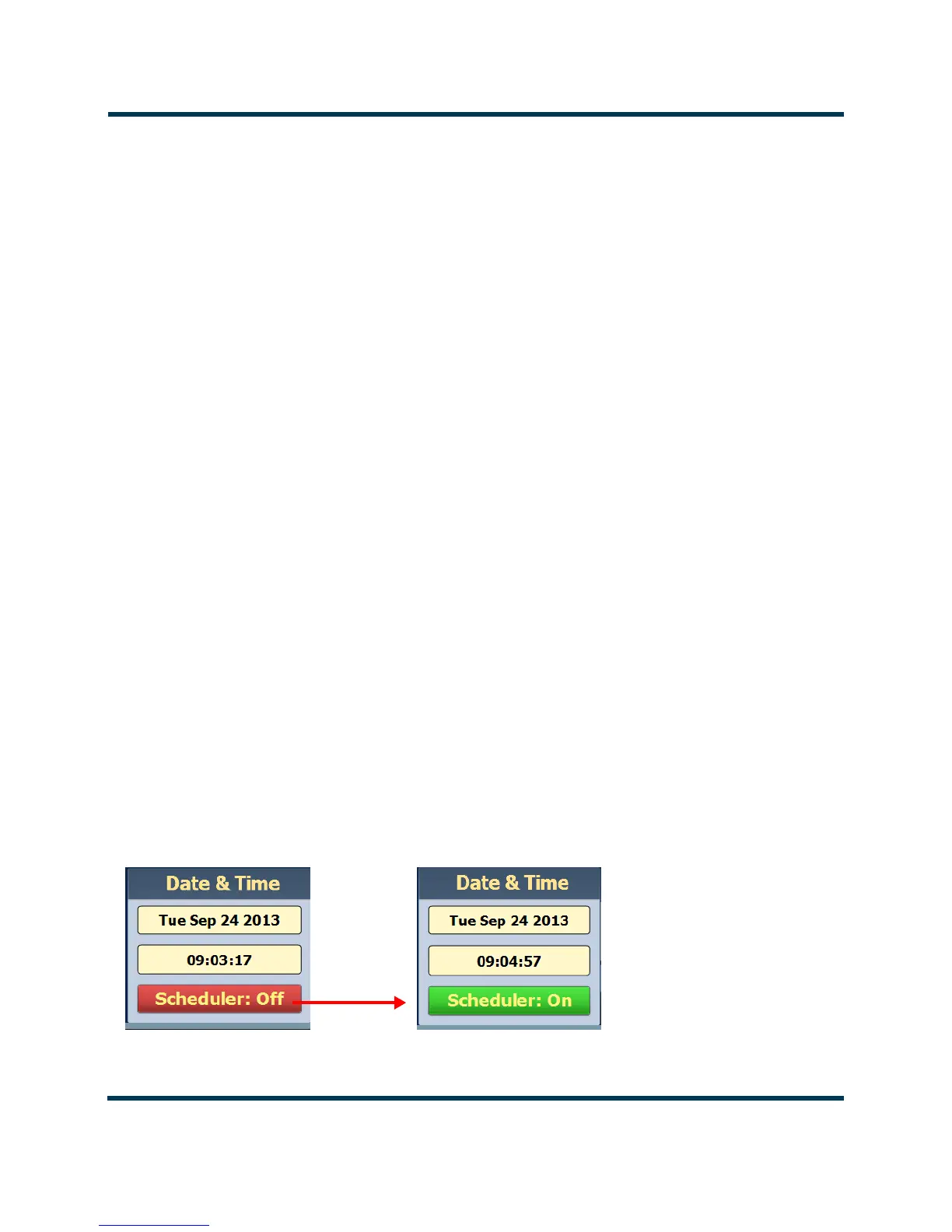
Enabling the Scheduler - AUI
Enable or disable the scheduler by clicking the
Scheduler button in the Date & Time section
(see Figure 2.140).
Figure 2.140: Enabling/disabling the scheduler - AUI


 To Next Page