VS1 Operations and Maintenance Manual Operating the transmitter
Page 2-24 Issue 3.1 2013-10-01
Refer to the VS1 Troubleshooting Manual to cross-reference the alarm name to possible causes and
troubleshooting tips.
The number of log matches displayed is shown below the Log Manager button (e.g., 564 Matches
Sorted by Time of Event). You can scroll through the list using the scroll bar or the up and down
arrow buttons to the right of the scroll bar. When there are more than 100 matches in the list, a
Page #/# tab will appear to allow viewing of further listings. In this case, click on Page #/#, select
the desired page from the Select a Page window, then click OK to view that page or Cancel to return
to the Transmitter Log page. You can also scroll through the pages using the appropriate arrow
button on the right-hand side of the display (see Figure 2.9 on page 2-23). The columns in the display
indicate specific information about the event:
– Device indicates the origin device of the event (Controller, Exciter, etc.).
–
Event indicates the event name.
–
State indicates whether the event is active (red bell) or cleared (green checkmark) and in
some cases, indicates whether the RF was turned on or off or a specific parameter value
(in V, A, degrees, etc.) (see Legend under Log Manager, Figure 2.14 on page 2-27).
– Severity indicates how the event affects transmitter operation [a single orange ! indicates
low severity (RF output not affected); a single red ! indicates medium severity (RF output
is reduced); three red ! indicates high severity (RF output is inhibited)].
– Time of Event indicates the time and date that the event that occurred.
Managing the log
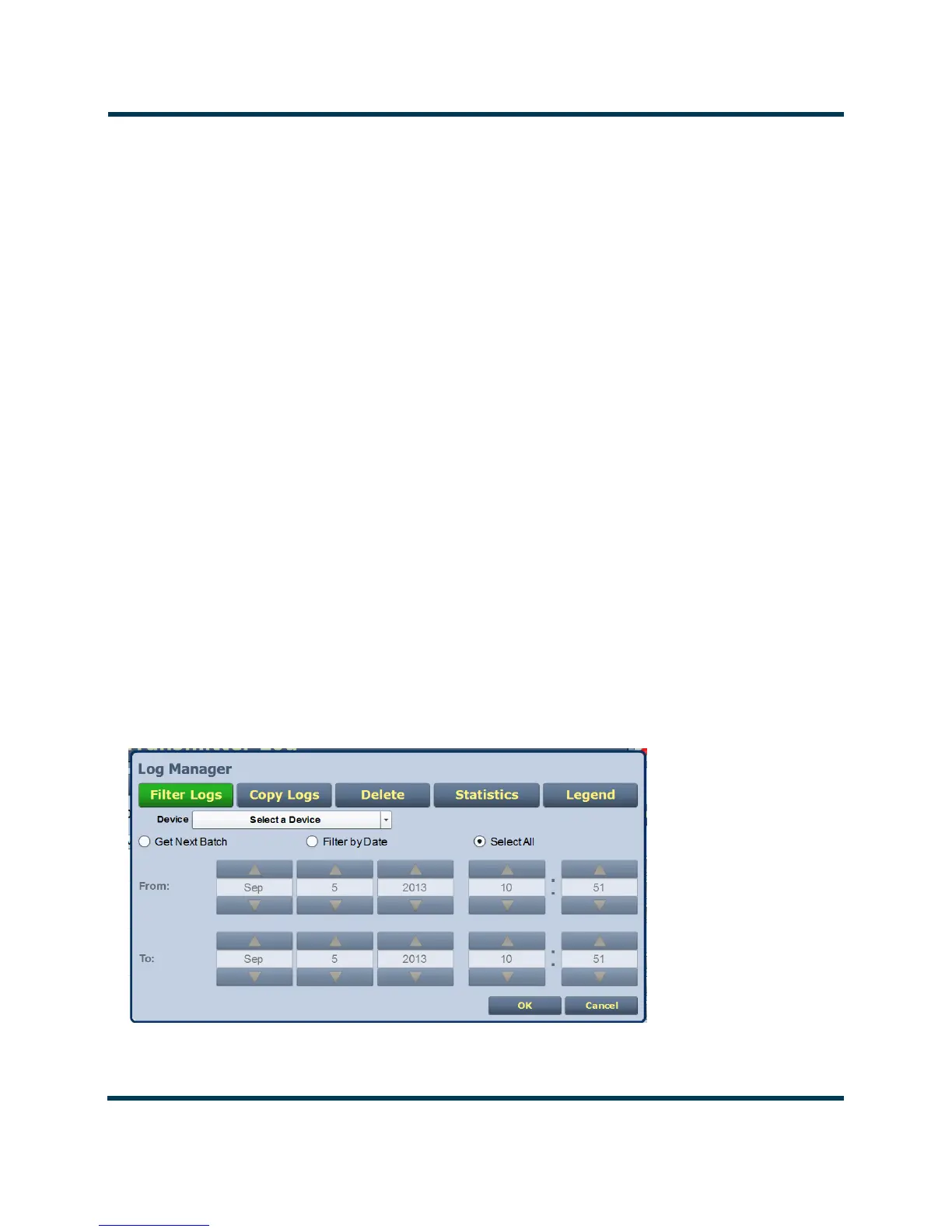
You can manage the VS1 AUI’s events log by clicking on the Log Manager button (see Figure 2.10).
This screen provides options to perform various event monitoring operations such as filtering,
copying, deletion and statistical analysis. Click the OK button or the Cancel button when done.
Figure 2.10: Log Manager options (Filter Logs shown)



 To Next Page