VS1 Operations and Maintenance Manual Operating the transmitter
Page 2-28 Issue 3.1 2013-10-01
Transmitter Log - Using the front panel
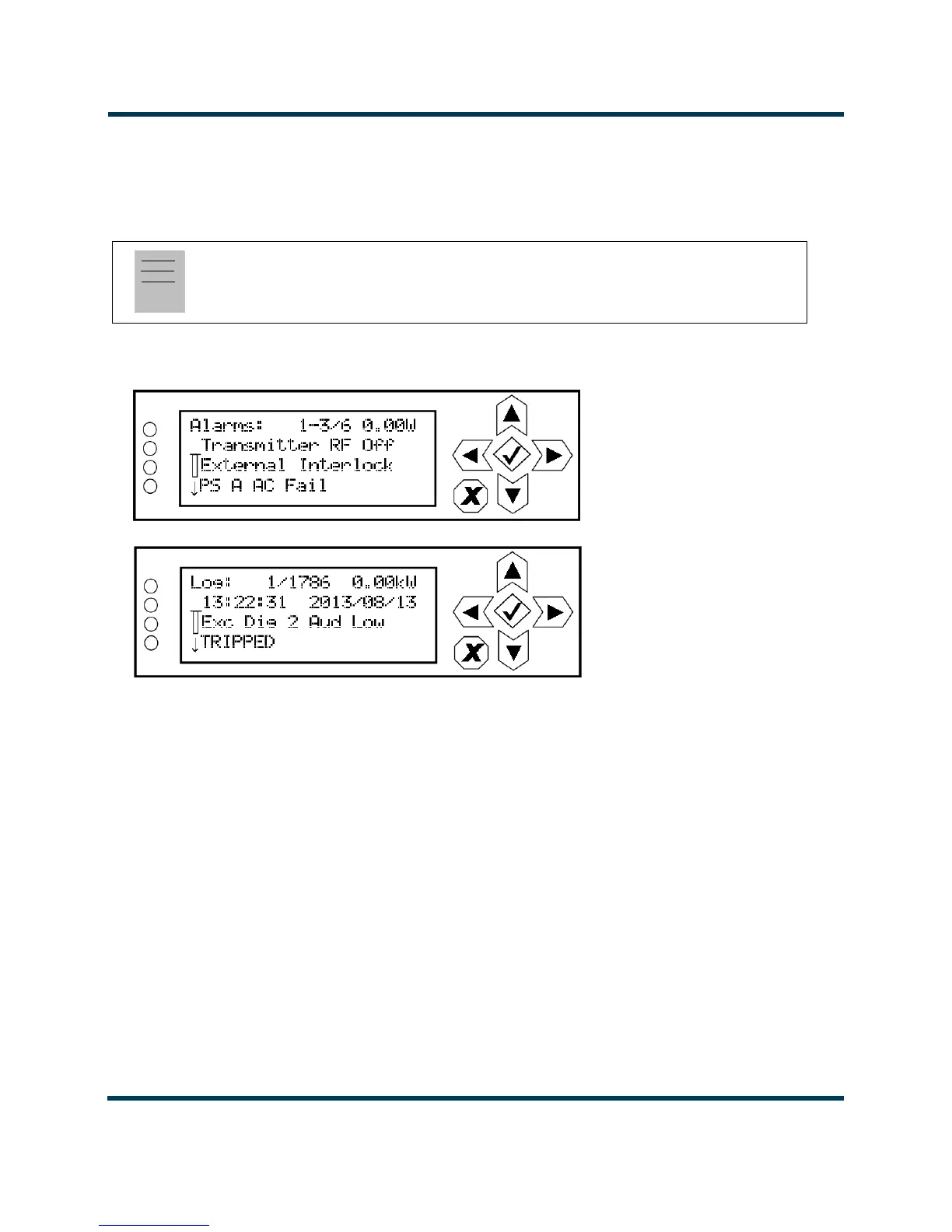
When you select View Status -> Alarms or View Status -> View Log from the Main Menu (see
Figure 2.15), you can view various active or logged events, respectively, of the VS1. These parameters
are displayed on multiple pages of
Meters screens.
Figure 2.15: View Alarms and View Logs Screens
View Alarms. The View Alarms screen displays only alarms that are currently active. Older alarms
that have cleared may still be present in the View Events screen.
Use the up and down buttons to scroll through the list of alarms or events.
Refer to the VS1 Troubleshooting Manual to cross-reference the alarm name to possible causes and
troubleshooting tips.
Clear Log. When you select Clear Log from the View Status menu, you will delete all logged events.
Reset Alarms. Use the
Reset Alarms command in the front panel UI’s Main Menu -> Reset
Alarms
screen to attempt to clear any latching alarms that are holding the transmitter in an “off-air”
state. If the offending alarm has cleared, the transmitter should resume operation. See Resetting
alarms on page 2-90.
Note:
This screen is for viewing purposes only and does not offer the same level of analytical features as
the AUI’s Log page (see Figure 2.9 on page 2-23).



 To Next Page