VS1 Operations and Maintenance Manual Operating the transmitter
Issue 3.1 2013-10-01 Page 2-27
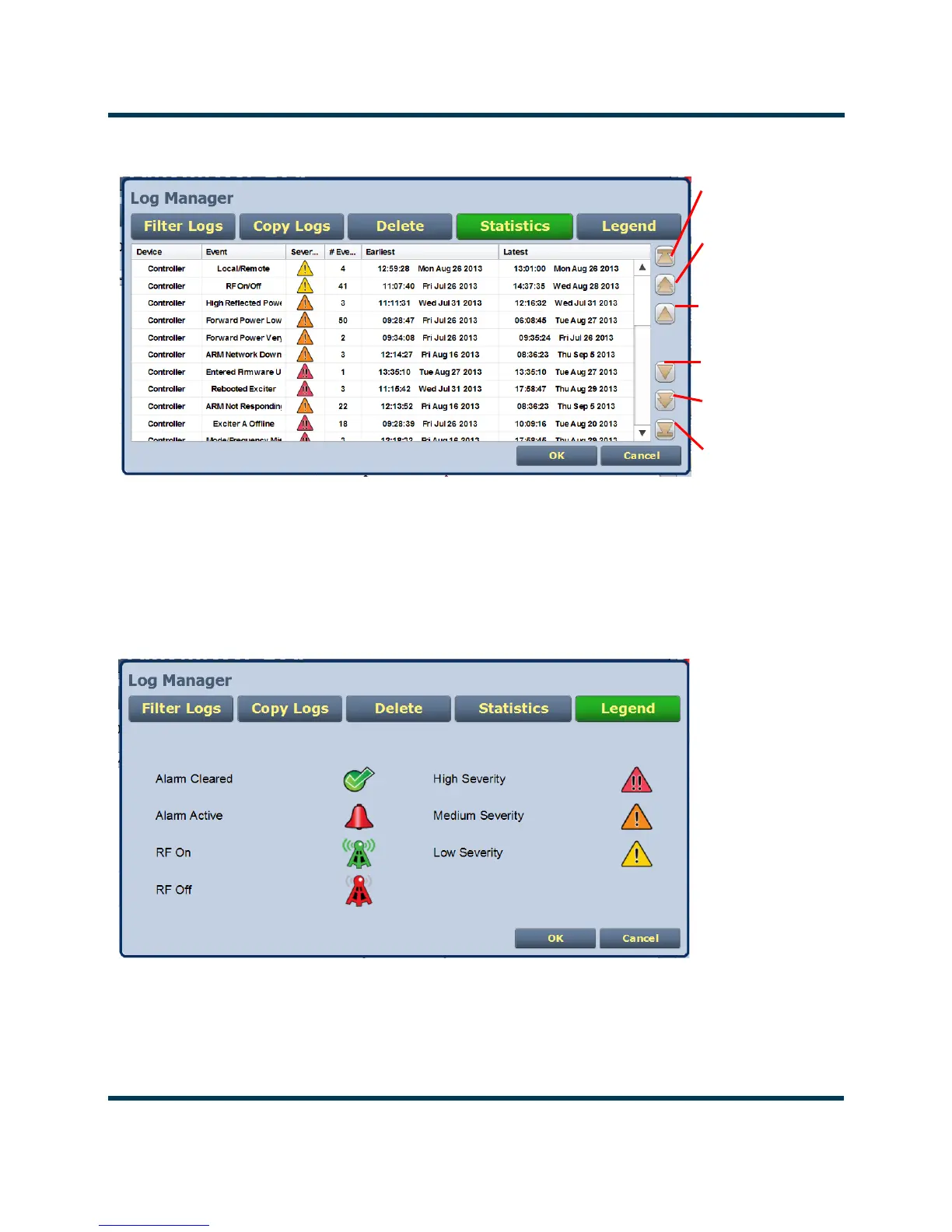
Figure 2.13: Log Statistics
Legend
Click on the Legend button in the log manager (see Figure 2.14) to display a legend that describes the
meaning of the symbols shown in the State and Severity columns of the Log page.
Click OK or Cancel to close this window.
Figure 2.14: Log Manager - Legend
Use the Reset button at the bottom of any AUI screen to attempt to clear any latching alarms that are
holding the transmitter in an “off-air” state. If the offending alarm has cleared, the transmitter should
resume operation. See Reset: on page 2-18.
Selects item at top
of current page
Selects next lower
page items
Scrolls up one item
Scrolls down one
item
Selects next higher
page items
Selects item at
bottom of current
page



 To Next Page