VS1 Operations and Maintenance Manual Operating the transmitter
Page 2-26 Issue 3.1 2013-10-01
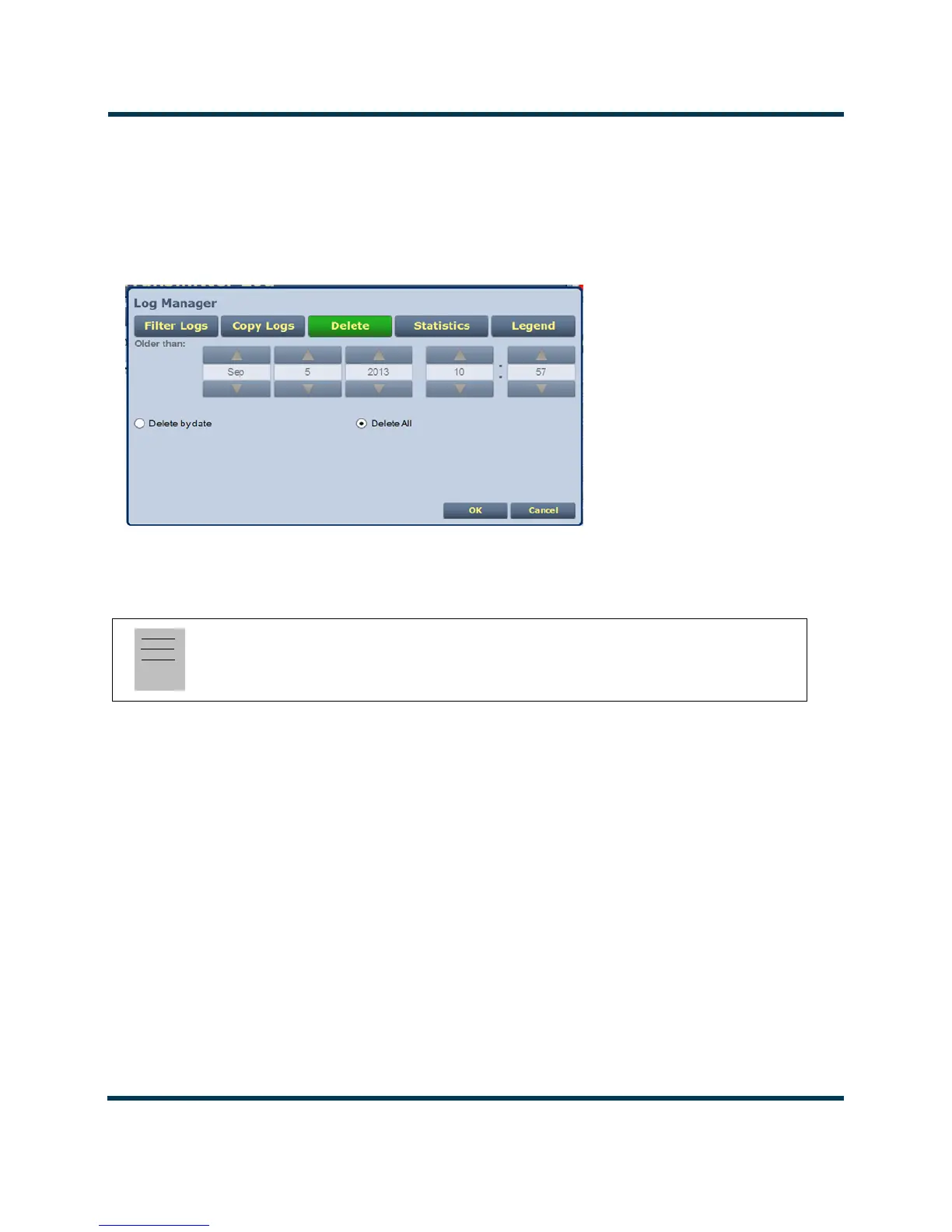
Click the Delete by date checkbox to allow deletion of events that occurred prior to (Older than) a
user-specified date and time. Use the up and down arrows to select the date and time and click OK to
delete the specified events.
Click the
Cancel button to close this window and discard changes.
Figure 2.12: Delete Logs
Statistics
You can view statistical information on the events being displayed by clicking on the Statistics
button in the log manager (see Figure 2.13 on page 2-27).
The Statistics screen displays the events that occurred within the filtered period as well as the time
and date of the earliest and latest event occurrence for each. You can move through the list using the
scroll bar (if applicable) or the up and down arrow buttons to the right of the scroll bar. The columns
in the display indicate specific information about the events:
–
Device indicates the origin device of the event (Controller, Exciter or All).
–
Event indicates the event name.
–
Severity indicates how the event affects transmitter operation [a single orange ! indicates
low severity (RF output not affected); a single red ! indicates medium severity (RF output
is reduced); three red ! indicates high severity (RF output is inhibited)].
– # Events indicates the number of occurrences of that event during the filtered period.
– Earliest indicates the time and date of the first event, within the filtered period.
–
Latest indicates the time and date of the latest event, within the filtered period.
Click
OK or Cancel to close this window.
Note:
Only the events subject to the user-defined filtering parameters will be displayed on the Statistics
screen.



 To Next Page