EasyManua.ls Logo

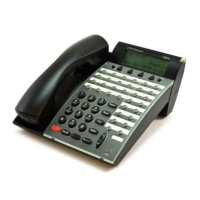
NEC Series E - T O Set Automatic Answer

NEC Series E
52 pages
Print Icon
To Next Page IconTo Next Page
To Previous Page IconTo Previous Page
Loading...
The number of
incoming calls
handled.
Of the calls handled,
the average time
spent on each call in
minutes, seconds and
tenths of a second.
The cumulative
amount of time spent
in Work mode during
the shift in hours,
minutes and seconds.
The cumulative
amount of time spent
in Break Mode during
the shift in hours,
minutes and seconds.
Finally, the display
shows VACANT.
(Time display)
VACANT
1:02:41T-BREAK
(Time display)
2:07:41T-WORK
(Time display)
1:30.9AVG TALK
(Time display)
138ACD CALLS
(Time display)
TO SET
AUTOMATIC ANSWER
NOTE: This feature applies only to a station that is
off hook on handset or headset.
NOTE: Automatic Answer applies only to ACD calls.
It does not apply to calls terminated on the agent line
key.
FROM MANUAL ANSWER STATUS
Press AUTO key.
Lamp lights steadily.
Incoming, ACD calls are answered automatically.
“Time in Q: X:XX” is displayed temporarily.
Zip tone is heard
before call is
connected to
ACD Agent.

315:39
(Time display)
WATS
No.Elapsed Time
Type
AUTO ANSWER
(Time display)
10

Related product manuals