Net.DO Lighting Control Equipment Co.,Ltd http://www.netdo.com.cn
FOX1024s Moving Light Controller. PAGE: 9
GO/STOP -To run or suspend the current connected Multi-Step Program;
STEP -Change the running direction of current Multi-Step Program, or manual-run
Multi-Step Program forwad or backward step by step.
TIME/ PB -Used to Enter Playback Menu. In the menu, programs can be connected by Playback
Key, and set the external speed (Auto1), mode of running, starting and ending.
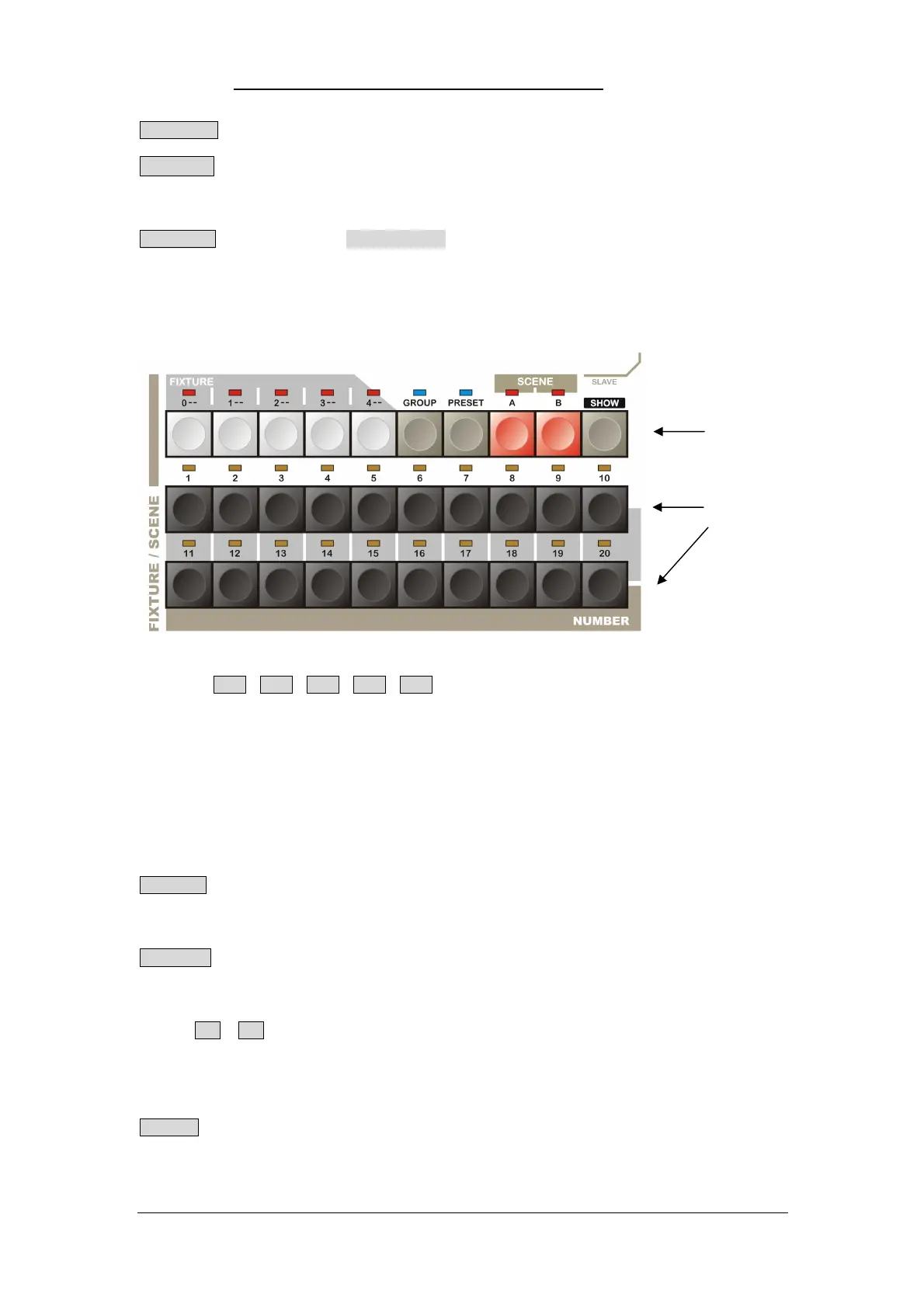
3.4 Function Key (Fixture page 0~4, Group, Preset, Scene A/B, Show)
FIXTURE 0-- 1-- 2-- 3-- 4-- Fixture Page Key:
Press Fixture Page Key, 1~20 Numeric Key will be used for fixture selection. There are 20 fixture
numbers each page, totally 5 Page Keys. The fixture numbers correspond to: Page 0 (0_01~0_20), Page
1 (1_01~1_20),Page 2 (2_01~2_20), Page 3 (3_01~3_20), Page 4 (4_01~4_20), totally 100 fixture
numbers.
(TIPS: When an indicator of Fixture Page Key is bright, it means that page is selected; when the indicator
flashes slowly, it means there are fixtures selected in that page.)
GROUP Function Key
Press GROUP key, 1~20 Numeric Key will be used for group selection.
PRESET Function Key
Press PRESET key, 1~20 Numeric Key will be used for preset selection.
SCENE A , B Scene-Snapshot Function Key
There are 2 Scene pages (A, B), totally 40 Scenes. 20 Scenes per page, selected by 1~20 Numeric
Key
SHOW “Light Show” Function Key
Press and hold SHOW key for 2sec to enter “Light Show” status (Slave), 1~20 Numeric Key will be
used for internal “Light Show” selection. Press and hold SHOW key for 2sec again to quit back to
common status (Master).
Function Key
Number Key


 To Next Page