
 Need help?
Do you have a question about the Net.Do FOX1024s and is the answer not in the manual?
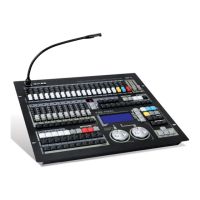
Overview of the FOX series moving light controller's key features and capabilities.
Technical details and performance parameters for the FOX1024s controller.
Items included in the carton with the FOX1024s moving light controller.
Essential warnings and precautions for safe operation and handling.
Description of the controller's physical ports and connection methods.
Diagram illustrating the layout and labels of the controller's rear panel ports.
Guidance on connecting and utilizing audio input for synchronization.
Detailed instructions for DMX512 signal wiring and fixture connection.
Information regarding the controller's power supply and connection requirements.
Explanation of the USB port's function for data backup and software updates.
Details on connecting a gooseneck lamp to the controller.
Instructions for connecting MIDI devices for console synchronization and control.
A visual guide to the layout and function of each control on the console's panel.
Explanation of attribute faders and master faders for fixture control.
Description of the playback section, including faders and controls for running programs.
Details on using function keys for various operations.
Explanation of the SHAPE generator for creating dynamic effects.
Description of keys used to select and modify fixture attributes.
Overview of the display screen, control wheels, and editing functions.
Step-by-step demonstrations for quick learning of console operations.
Instructions on navigating and using the controller's setup menu system.
Guidance on managing and importing fixture libraries for console compatibility.
Procedures for configuring and setting up fixtures on the controller.
Detailed steps for patching fixtures and assigning DMX addresses.
Explanation of how to invert attribute values like Dimmer, Pan, and Tilt.
Information on saving, reading, and managing data files for backup and transfer.
Steps for saving console data to a U-disk.
Steps for loading console data from a U-disk.
Instructions for deleting data files from a U-disk.
Description of miscellaneous settings available on the console.
Procedures for initializing data and restoring factory settings.
Configuration options for channel faders, including attribute and dimmer modes.
How to set up MIDI synchronization between consoles.
Guide to manually controlling fixture attributes and operations.
Methods for clearing manual fixture data and restoring playback.
Using the FIND function for quick fixture checking and identification.
Employing the LOCATE function to light up and check fixtures.
Organizing fixtures into groups for efficient selection and control.
Techniques for selecting fixtures in sequence or by parity.
Utilizing the FAN function to create gradient effects across fixture attributes.
Adjusting attributes of multiple fixtures while maintaining relative positions.
Setting a fixture as a reference for attribute alignment.
Specific steps to designate a fixture as the reference.
Copying attributes from a reference fixture to other selected fixtures.
Operations for controlling fixture lamps before use.
Loading predefined presets from the fixture library into the console.
Instructions on how to select and apply presets to fixtures.
Guide to recording and creating custom presets for specific effects.
Procedures for creating, editing, and applying shape effects to fixtures.
Methods for stopping active SHAPE effects.
How to view running shapes associated with a reference fixture.
Examples and tips for advanced SHAPE functionality and applications.
Understanding HTP (Highest Takes Precedence) and LTP (Latest Takes Precedence) channels.
Behavior of LTP channels when they have no assigned value in a program.
How to remove residual LTP channel values after program playback.
Detailed steps for recording single-step and multi-step programs.
Procedures for editing existing programs, including steps, time, and crossfade.
How to copy individual steps within or between programs.
Steps for removing entire recorded programs from the console.
Instructions for duplicating existing programs to new locations.
How to run recorded programs using playback faders and keys.
Navigating through different pages of playback programs.
Understanding the functions of playback keys in different modes.
Utilizing the playback menu to set run parameters for multi-step programs.
Explanation of fader timing for HTP and LTP channels during playback.
How to adjust the fade-in and fade-out times for playback.
Configuring fader synchronization for playback elements like LTP and SHAPE.
Procedures for recording, deleting, copying, and checking scenes.
How to select and play back recorded scenes, including modes of operation.
Using external MIDI time code to synchronize light shows with music.
The highest priority level assigned to manual fixture control operations.
Rules governing priority when multiple playbacks are active.
How scenes are prioritized, especially when superimposing.
Interaction and priority rules between scenes and playbacks.
Procedures for performing a software upgrade on the console.
How to access the data protection settings.
Enabling a feature to prevent modification of console data.
Setting up a password for console access upon startup.
 General
| Brand | Net.Do |
|---|---|
| Model | FOX1024s |
| Category | Light system |
| Language | English |

 To Next Page