Net.DO Lighting Control Equipment Co.,Ltd http://www.netdo.com.cn
FOX1024s Moving Light Controller. PAGE: 34
playback will restore outputting after SCENE is cancelled.)
Priority of Manual-Run Fixture:
Manual-Run Fixture is of the highest priority, users have to be accustomed to using CLEAR
key to clear the data of Manual-Run, to ensure the output of Playback and SCENE.
14. Software Upgrade
Upgrade file can be obtained from our dealers and company website. Software has to be upgraded
by U-disk.
Steps of upgrade are as follow:
1) Copy the upgrade file to the root directory of U-disk;
2) Turn off the console;
3) Press and hold PROGRAM Key and SETUP Key at the same time, then turn on the console;
Hold the keys until the LCD screen displays “UPDATE PROGRAM ===========”.
4) Press Cursor Key to confirm, then insert U-disk, the console will automatically upgrade.
5) When the upgrade is finished, the console will automatically restart.
(Upgrade will not affect user’s data in the console)
15. Data Protection
Users can protect their own data in the console by the function DataLock and Login-Password
Steps to enter Data Protection menu:
1) Press and hold SETUP Key, turn on the console, hold the keys until the LCD screen displays
“INPUT PASSWORD –“;
2) Press Numeric Key 11, 13, 18, 20 together.
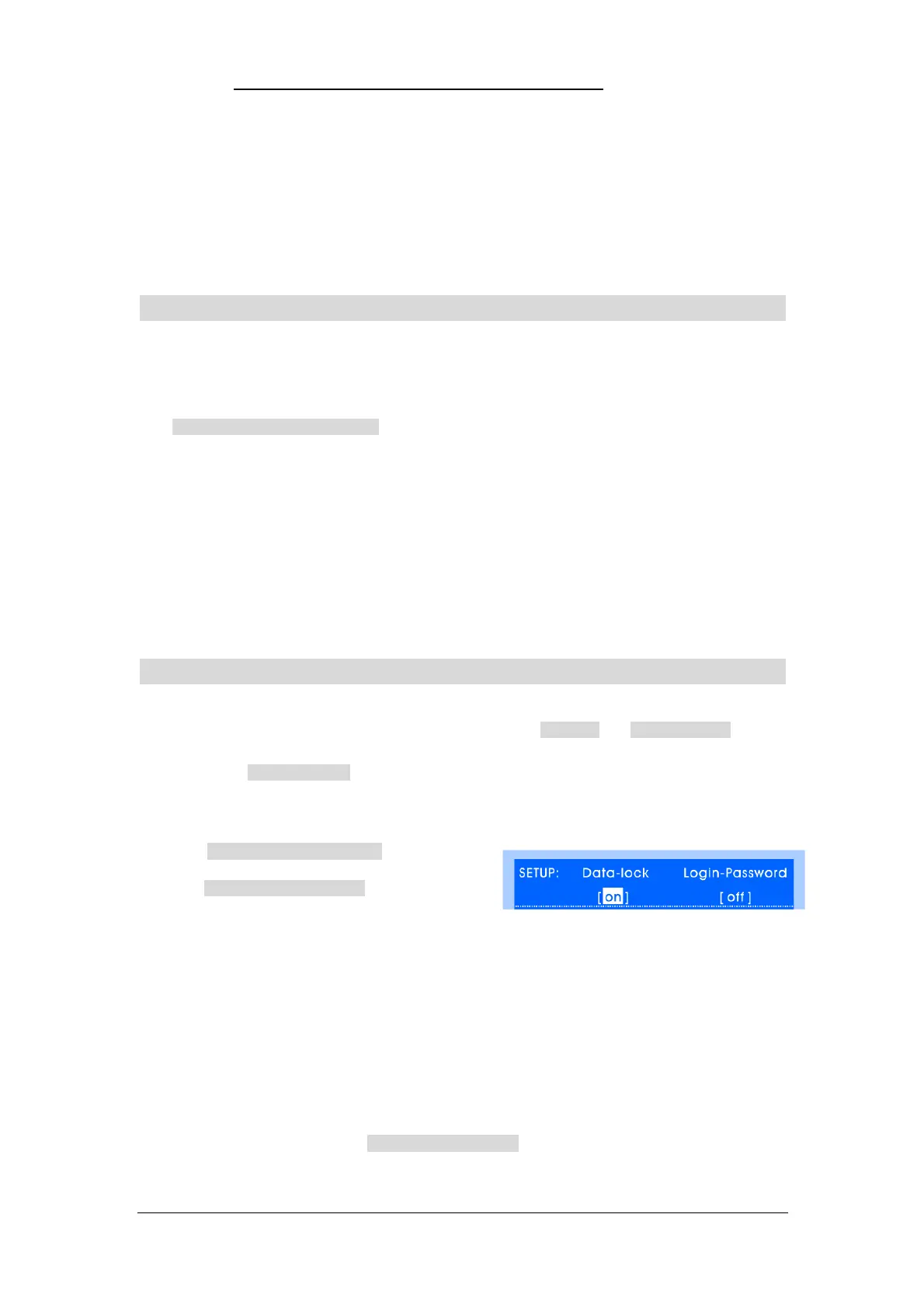
Enter SETUP of Data Protection menu, as shown on
the right:
Data-Lock: If user doesn’t hope the data in console to be modified by others, set the Data-Lock
status to be “on”.
After this operation, the data in console can only be called but can’t be modified or
programmed. To cancel the “Data-Lock”, set its status to be “off”.
Login-Password: User can set password protection, the password is required to be input when
the console is turned on every time.
To use this function, set the “Login-Password” status to be “on”.
Login-Password = Press Numeric Key 1, 2, 9, 10 together
NOTICE: Please keep this page, if lost the password, please contact the seller for help!


 To Previous Page