Net.DO Lighting Control Equipment Co.,Ltd http://www.netdo.com.cn
FOX1024s Moving Light Controller. PAGE: 29
Run Direction The default direction of the “Multi-Step Program”: ◄(Left), ►(Right).
Start Way
There are 2 ways to start the playback of “Multi-Step Program”:
1)fader:
The “Multi-Step Program” will start running when Playback Fader is pushed up from 0.
2)GO:
The connected “Multi-Step Program” will start running by pressing GO/STOP key or
corresponding Playback Key. Programs will not start by pushing up Playback Fader.
End Way
There are 2 ways to end the playback of “Multi-Step Program”:
1)Loop:
When “Multi-Step Program” runs to the last step, it will return to the first step and run again.
2)Stop:
When “Multi-Step Program” runs to the last step, it will stop until it’s started again.
Value of external speed (external speed of “Multi-Step Program”)
External speed of “Multi-Step Program” is used for Synchronous trigger in Auto1. External
speed of current “Multi-Step Program” can be set by Wheel A/B in Playback menu.
9.8.4 Connect “Multi-Step Program”
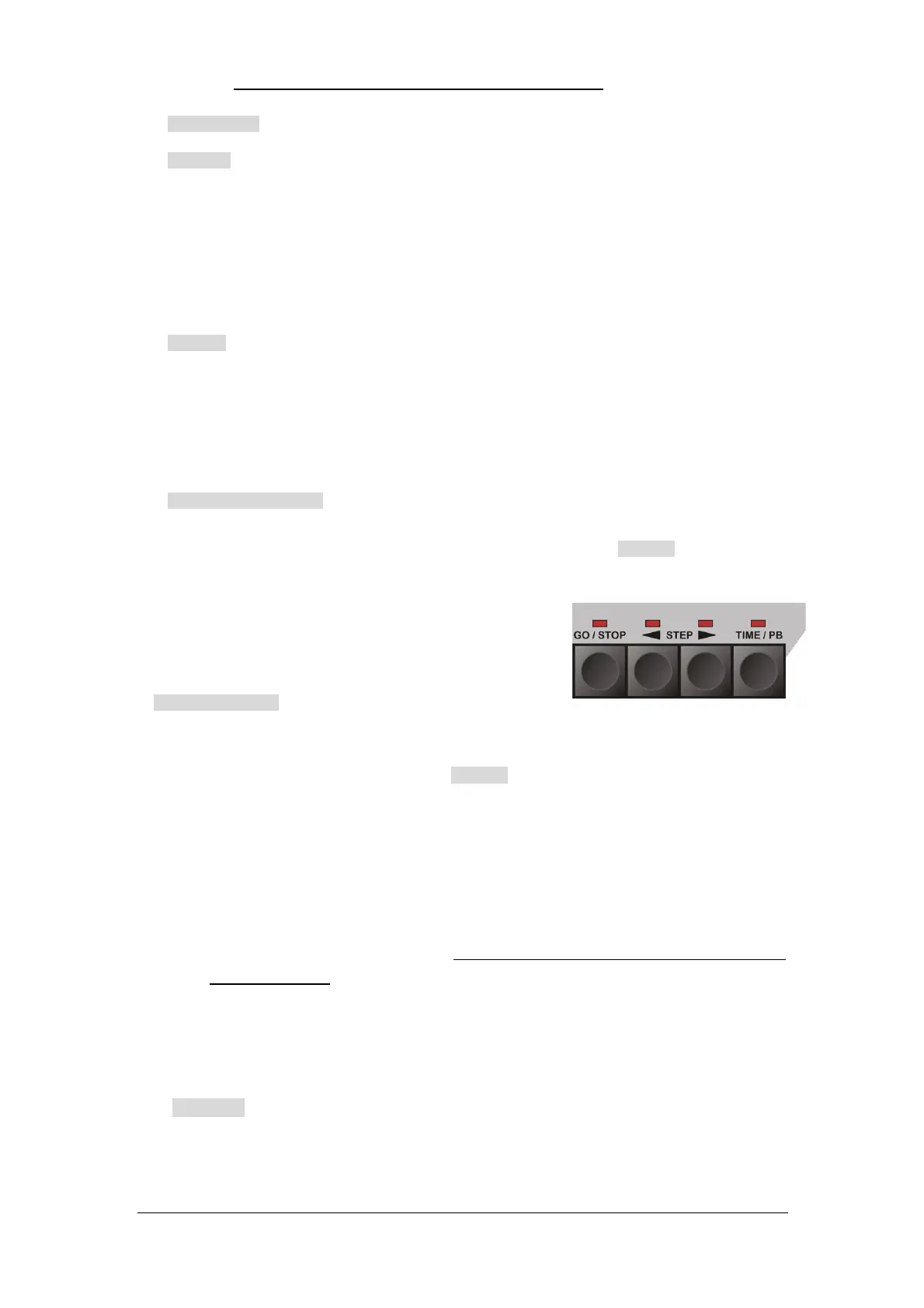
The “Multi-Step Program” control area (as shown on the right)
can control the program (its number will be displayed in LCD
screen) which is connected to the area.
2 ways to connect:
First: Push Playback Fader or press Attribute Key to connect the corresponding program.
(Indicator of corresponding Attribute Key will flash fast)
Second: Press TIME/PB key to enter Playback menu, then press Attribute Key to connect
the corresponding program. This method can avoid to affect the output when connecting.
9.8.5 Control “Multi-Step Program”
GO/STOP: Programs can be run and stopped by pressing GO/STOP key after it is connected
to the control area;
STEP :Direction of programs can be temporarily changed by pressing STEP key
after it is connected to the control area; This key can also be used in STOP status to manually
run steps gradually.
9.9 Fader Time of Playback
Every program has its own fader time of playback, users have to know them well to get good grasp
of a show. The fader time of HTP channel and LTP channel is introduced individually as follows:
HTP Time
HTP Time of Fade In: The time needed for HTP channel value to go from 0 to 100% after the
Playback Fader is pushed up.
HTP Time of Fade Out: The time needed for HTP channel value to go from 100% to 0 after the


 To Next Page