E2600 Controller-Drive Tray Installation Guide 97
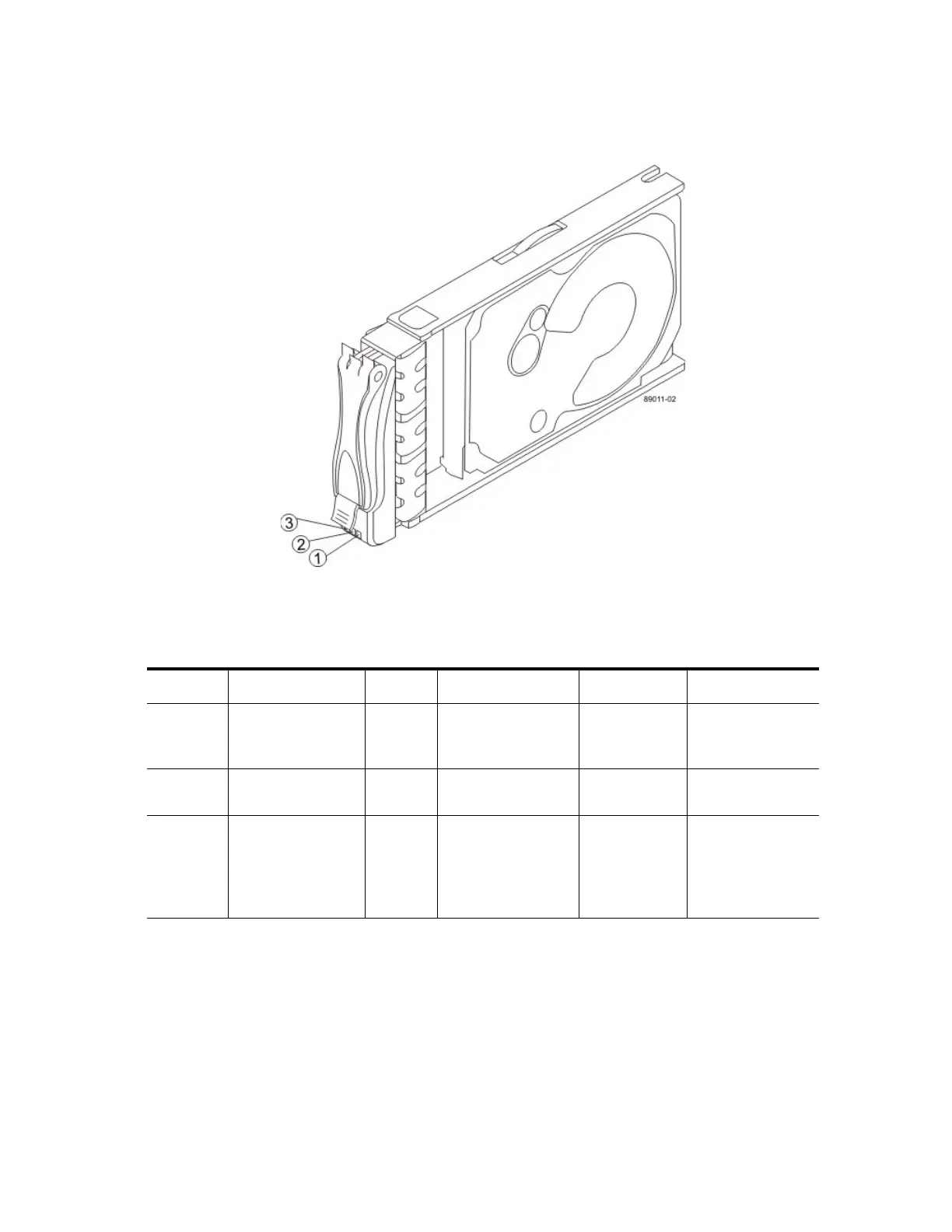
LEDs on the Drive
Figure 90 LEDs on the Drive
1. Drive Power LED
2. Drive Service Action Required LED
3. Drive Service Action Allowed LED
Table 16 LEDs on the Drive
Location LED Color On Blinking Off
1 Drive Power Green The power is turned
on, and the drive is
operating normally.
Drive I/O
activity is
taking place.
The power is
turned off.
2 Drive Service
Action Required
Amber An error has
occurred.
Normal status.
3 Drive Service
Action Allowed
Blue The drive canister
can be removed
safely from the
controller-drive tray.
The drive canister
cannot be removed
safely from the
controller-drive
tray.



 To Next Page