BTS User Manual
Neware Technology Ltd.
http://www.newarebattery.com
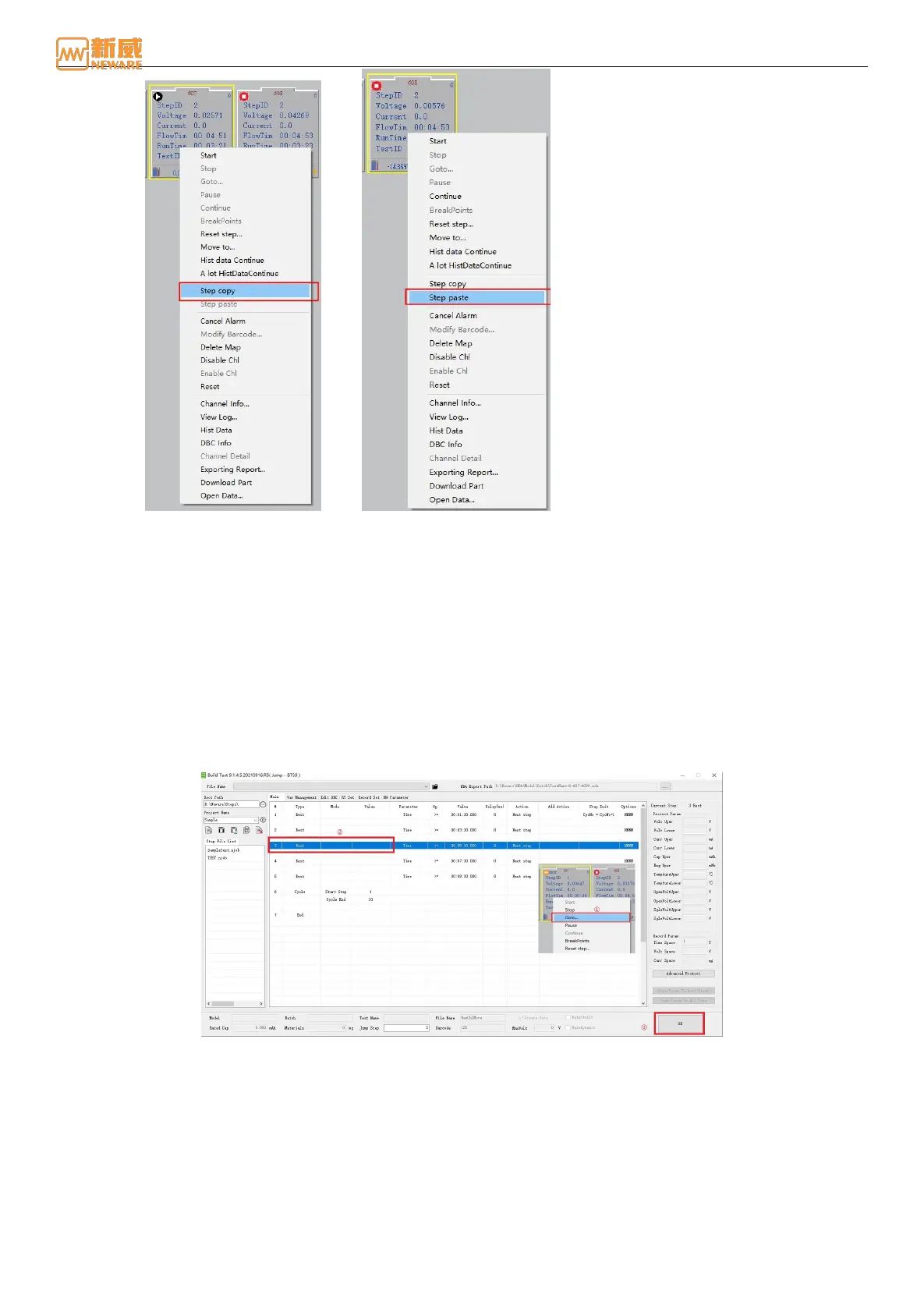
Figure 4-29 Step copy Figure 4-30 Step paste
3. Step reset
Step reset: Namely dynamic modification step. This function can be used when the user needs to modify the step of the
current channel during the test. The test data continues normally.
Operation: If the channel is in the stopped state, select the channel → click the right mouse button → select "Step Reset."
You can modify the set step operation.
4. Jump
Perform the Jump operation to jump from the current step to the target step. This operation can maintain the normal
connection of test data. The jump method is as follows:
1. Right-click the specified channel and choose Jump to display the step setting interface.
2. In the step setting interface, select the step to jump to; In this case, between the current step and the jumpstep, it
indicates the jump from the current step to the target step, as shown in 4-31. This indicates that the switch from step
22 to step 15 continues the test. Step is skipped. You can skip to any step in the current step file.
Figure 4-31 Jump
4.5. Build Test
The step editor is used to view and edit the test process and set or modify the operation parameters of each step. can create,
save, delete, and open the original step file, and can check the current step file. This section mainly introduces the use of
the step editor from the aspects of step mode, step type ( step parameters, cut-off conditions), step recording and protection
conditions, and so on.
Double-click "Buildtest.exe" to open the step editor, as shown below:



 To Next Page